Buying a preowned or expired domain name is very much like buying real estate. Without performing proper due diligence, you risk inheriting hidden liabilities such as spammy backlink profiles or severe search engine penalties that will severely hinder your website's performance over the long term.
Before you click the "buy" button, running a comprehensive background check ensures your domain is completely clean and possesses a reputable history. This guide shares eight actionable tips to help you thoroughly investigate a domain's past.
Key Takeaways
- Avoid Invisible Penalties – A domain that looks perfect on the surface might carry hidden Google bans or blacklists that restrict your search visibility.
- Leverage Existing Authority – A clean, high quality expired domain provides an established SEO foundation, allowing you to bypass building authority from scratch.
- Audit Multiple Data Points – A proper background check requires reviewing WHOIS records, historical DNS configurations, backlink profiles, and visual archives.
- Protect Your Brand – Verifying trademarks and research history guards your business against costly legal disputes and reverse domain hijacking.
TABLE OF CONTENTS
Why It's Important To Check Domain History
Imagine this scenario You just purchased an expired, preowned domain that perfectly aligns with your brand. It checks every box it is short, memorable, brandable, and an exact match for your business name. What more could you ask for?
However, after spending months building your website and optimizing it for search engines, you notice your site is virtually invisible in search results despite your hard work.
You decide to dig a little deeper, only to discover a devastating reality the domain has a documented blacklist history and an active Google ban. This exact situation happened to a frustrated user on Reddit, who shared their experience online.
I bought a domain that perfectly matched my brand, only to find out later it had been banned by Google years ago for severe spam. Months of development work were completely wasted because the domain was fundamentally unrecoverable.
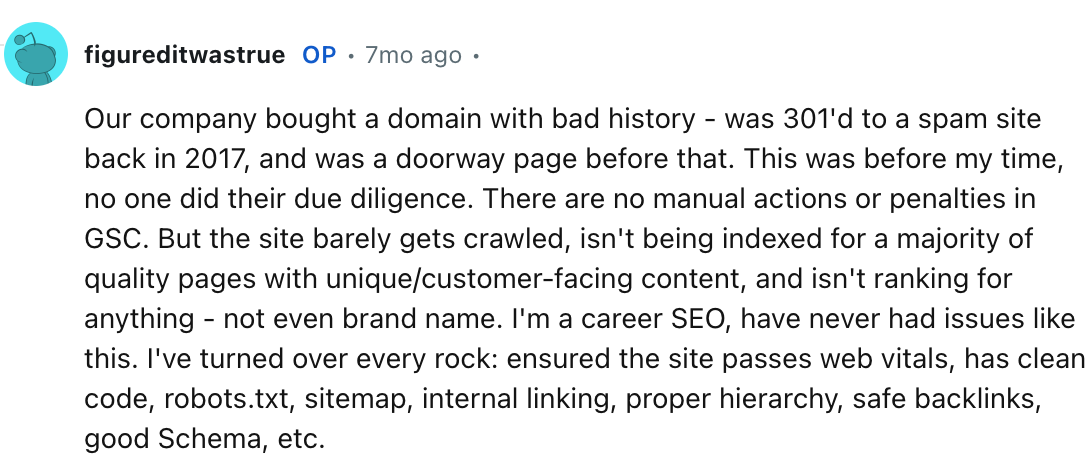
Whenever this occurs, recovering the domain's standing can be next to impossible.
Investigating a domain's history is essential to protecting your brand's reputation, especially when building a new online business. It provides rich insights into how previous owners managed the domain and what purposes it served.
Furthermore, a clean history establishes a strong foundation for your SEO and conversion building strategies. A reputable expired domain often carries a high domain authority score, allowing you to build a powerful online presence much faster than starting from scratch with a brand new URL.
Eight Tips On How To Check Domain History
Here are eight distinct methods to thoroughly audit a domain's past before finalizing your purchase.
- Start With A Google Search
The easiest way to begin your audit is by running a quick Google search. While this method might not provide deeply technical data, it frequently uncovers old articles, forum discussions, or user reviews that reveal how the domain was used in the past.
There are a couple of ways to approach this.[+] [List] Green Unordered - Type [the domain] + reviews into the Google search bar to inspect the indexed pages. Analyze the resulting content carefully. If the text appears thin, irrelevant, or spammy, the previous owner likely used the domain for malicious purposes.
- If the search results list pages from external sites containing the domain name as a keyword, modify your query to related:[domain name] (for Ex - related sevenhills.com) to gather broader context regarding the domain's historical digital footprint.
- Use WHOIS Lookup Tools
The WHOIS database is a public repository containing fundamental registration information for all active domainsincluding registration dates, expiry dates, owner names, contact details, email addresses, and server IPs.
Under ICANN (Internet Corporation for Assigned Names and Numbers) policies, all accredited registrars must collect and display this data for public transparency
Using WHOIS tools allows you to.[+] [List] Green Unordered - Identify the actual name of the domain owner.
- Uncover the specific corporation or entity associated with the asset.
- Confirm whether the domain is truly available for registration.
- Reveal past registrars, nameservers, and historical owners.
Several excellent WHOIS lookup tools can help you track this history.
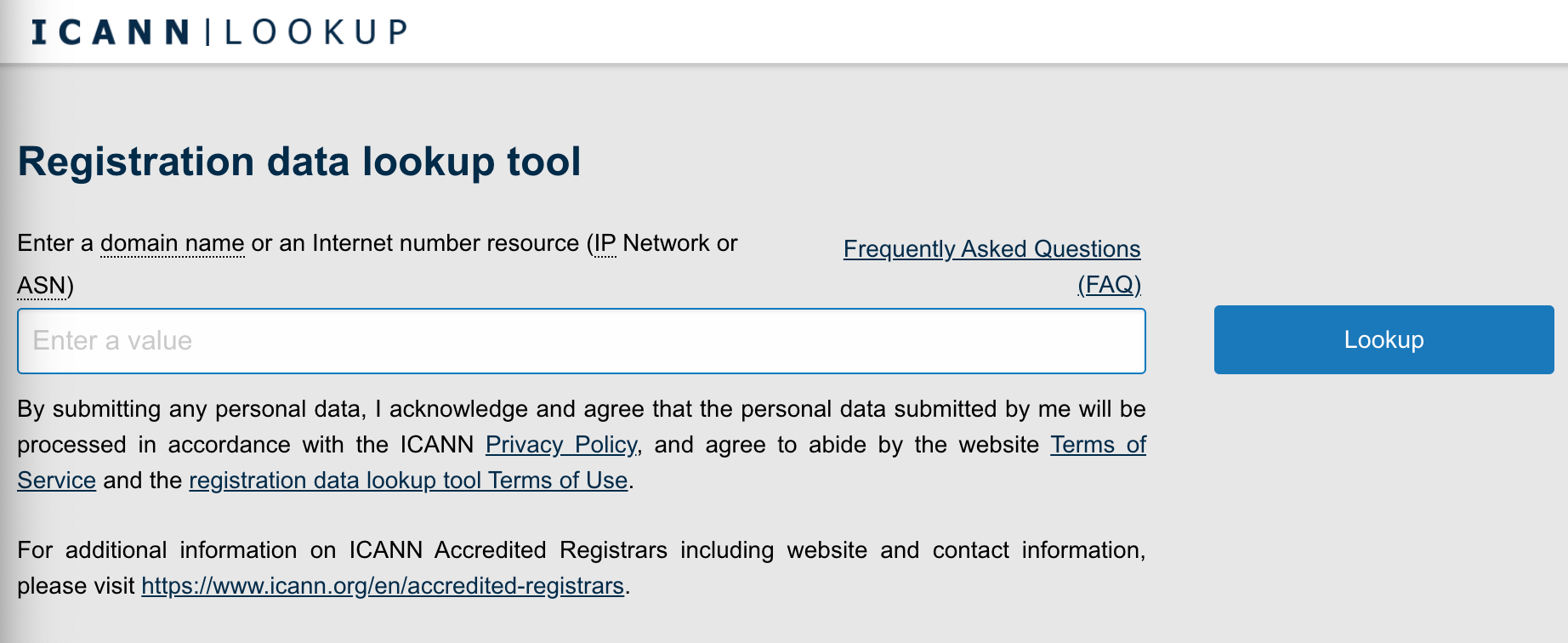
[+] [List] Green Unordered - ICANN Lookup Tool
This utility provides baseline domain data, including the registrar, registration dates, expiration dates, and current nameservers. To use it, simply navigate to the official ICANN registration data lookup tool, enter the domain name into the search bar, and select "Lookup."
- Trustname WHOIS Lookup
At Trustname, we offer a proprietary WHOIS lookup tool designed to uncover comprehensive details about a domain name. It provides a deeper analysis than standard tools. To use it, visit the Trustname website, navigate to "Domains" and select "WHOIS" Enter the domain into the search box to view basic data.
For advanced records, simply click the "Get Full Info" prompt displayed on your screen and complete the quick pop up form.
- WHOIS XML API
This comprehensive third party tool delivers deep historical data. It reveals up to the last three domain owners including their names and contact records along along with past registrars and historical registration dates.
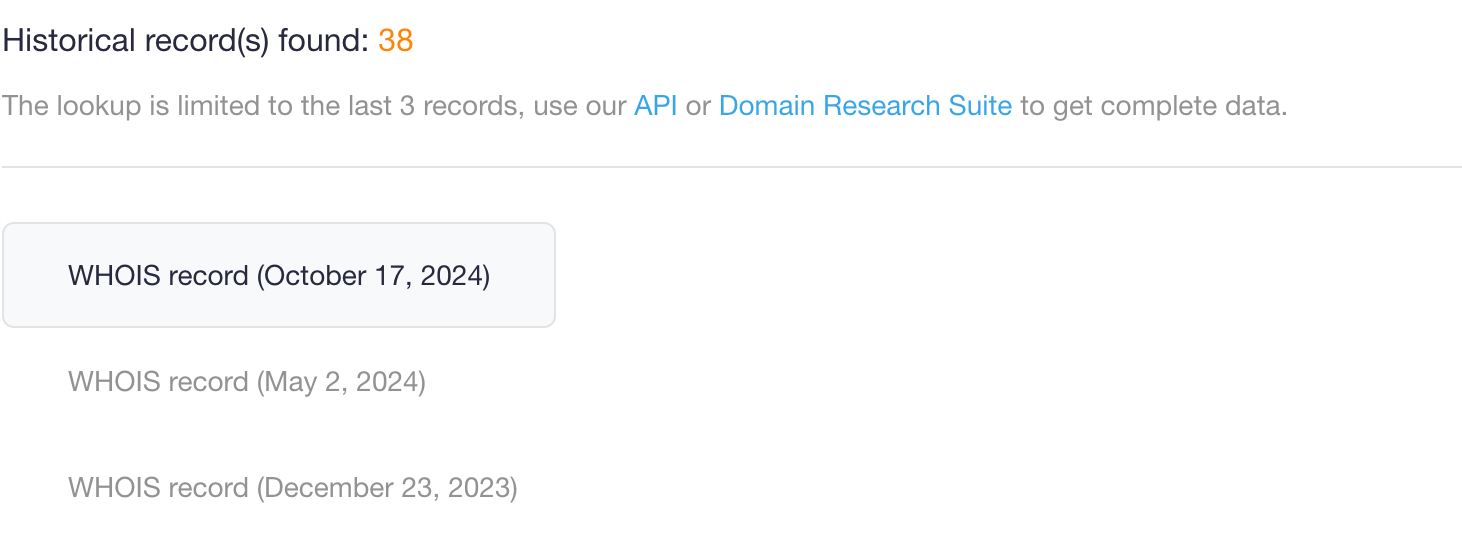
To use it, visit the WHOIS XML API website, create a free account, and enter the domain into the search field.
- Alternative tools
You can also explore platforms like Whois Freaks, Domain IQ, Domain Tools, Who.is, and Whoxy.com to cross reference records.
- Check the Domain's DNS Records
The Domain Name System (DNS) functions as the internet's digital phonebook, translating human readable website names into machine readable IP addresses. Whenever a user types your URL into a web browser, the DNS matches it to the corresponding host server.
Reviewing historical DNS records gives you clear insights into how the domain was configured over time, what websites it hosted, and whether it was flagged for spam or malware propagation. If a previous owner used the domain for spam, search engines will blacklist the URL
Additionally, strict advertising network policies prevent you from running ad campaigns on domains tied to a history of malware or phishing scams. Fortunately, you can use several free tools to review a domain's historical DNS health.
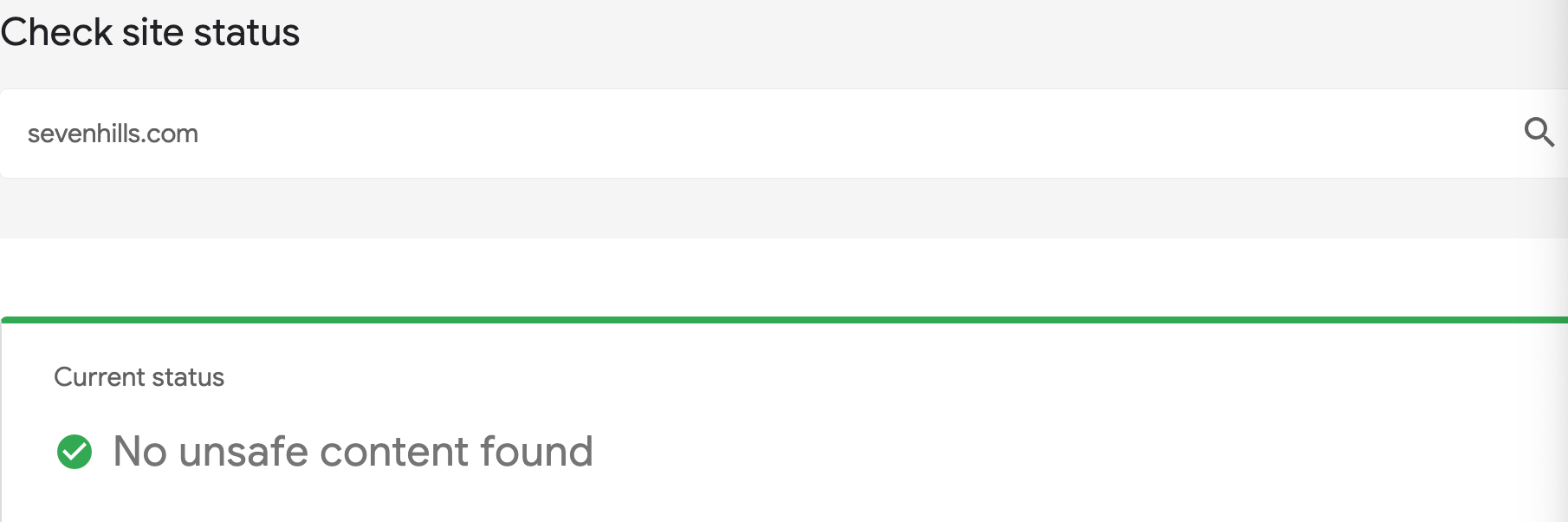
[+] [List] Green Unordered - Google Safe Browsing Tool
Use this tool to verify if the domain is currently banned by Google. A clean domain will return a clear notification stating that no unsafe content was discovered on the site.
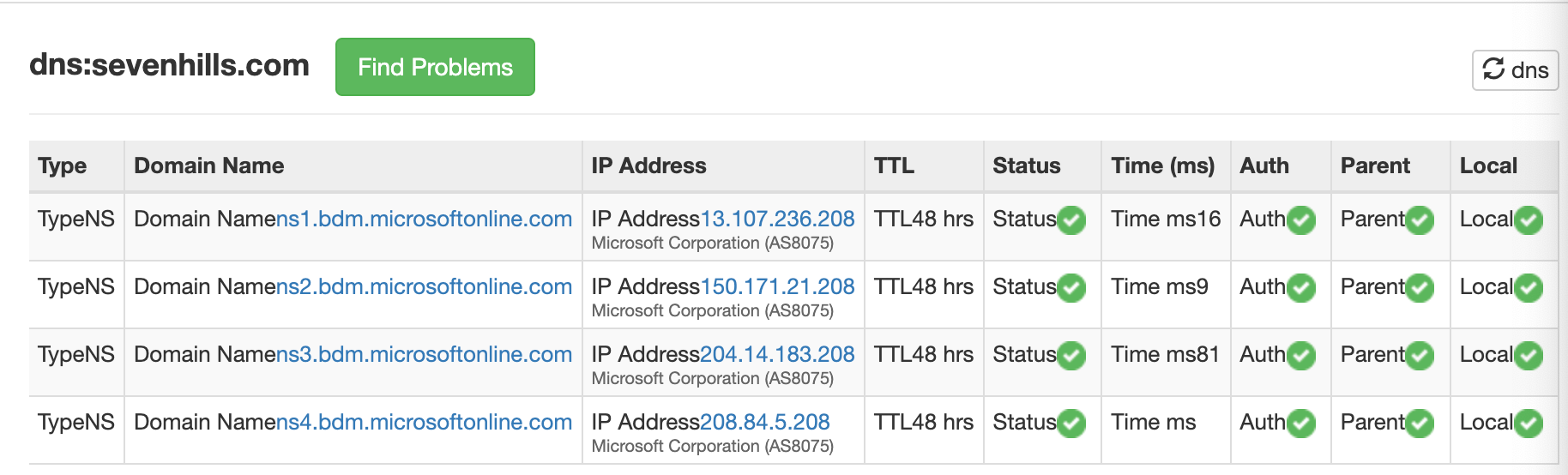
- MxToolBox DNS Record Lookup
This tool exposes all past and present MX (Mail Exchanger) records associated with the domain. Simply input the URL into the search bar to generate the full record set.
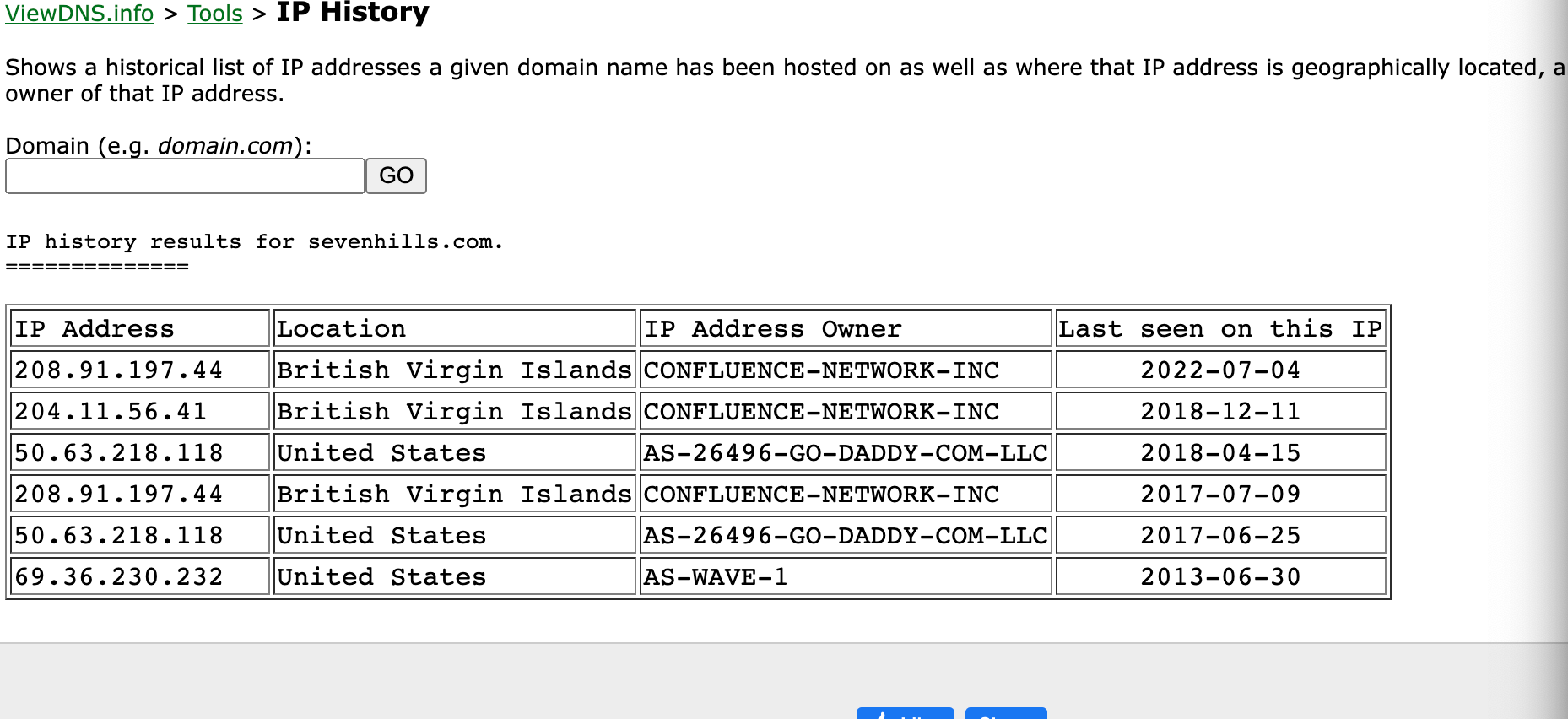
- ViewDNS.info
This platform provides an excellent tool for tracking all historical IP addresses hosted on the domain, alongside their respective geographic server locations.
- Google Safe Browsing Tool
- Check Abuse and Blacklist History
Verifying a domain's abuse and blacklist status is critical before purchasing an expired asset. Investing significant capital into a blacklisted domain or an asset with an active abuse record can destroy your digital strategy, as removing a domain from major internet service provider (ISP) blacklists is exceptionally difficult.
Domains typically receive abuse reports and get blacklisted if they were.
[+] [List] Green Unordered - Utilized for malicious activities, such as phishing scams.
- Subject to high volumes of user spam complaints.
- Loaded with irrelevant, thin, or low-quality content.
- Used to distribute massive quantities of unsolicited, bulk emails.
To check the abuse and blacklist history.
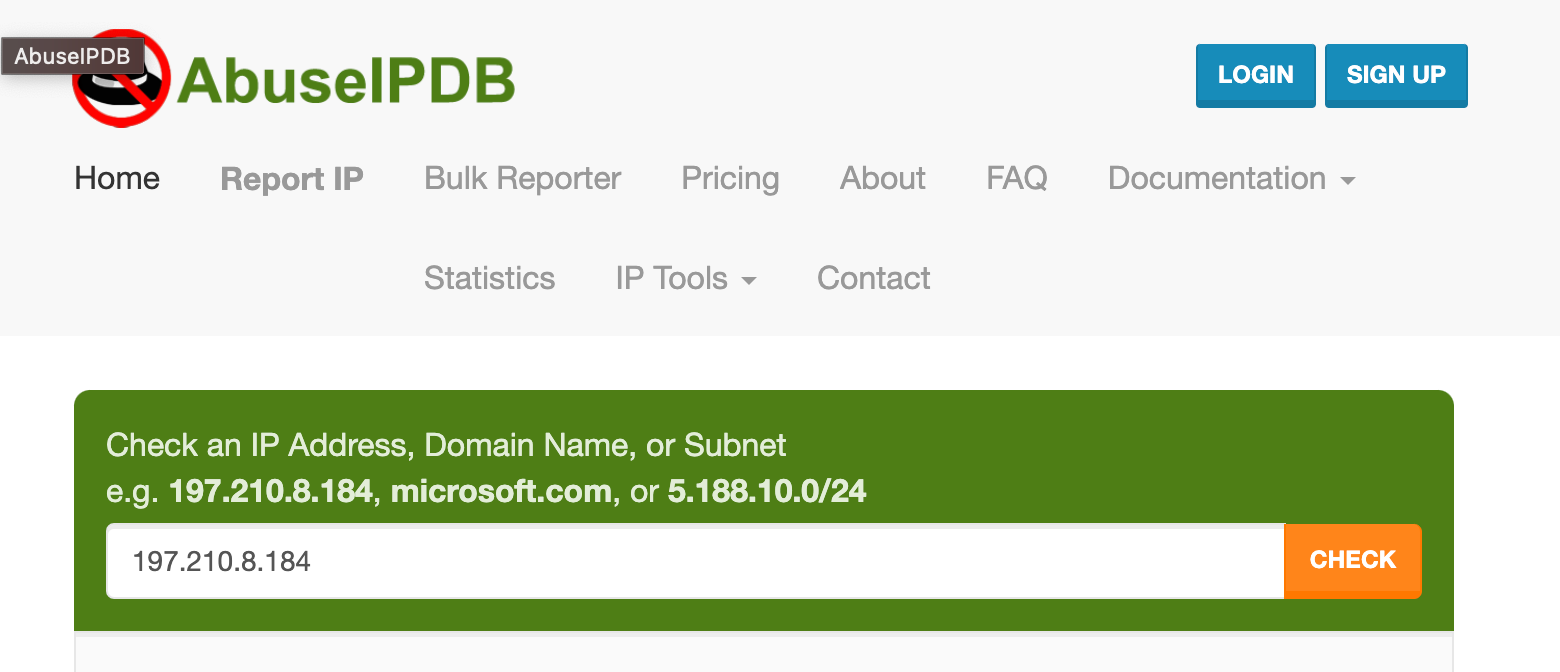
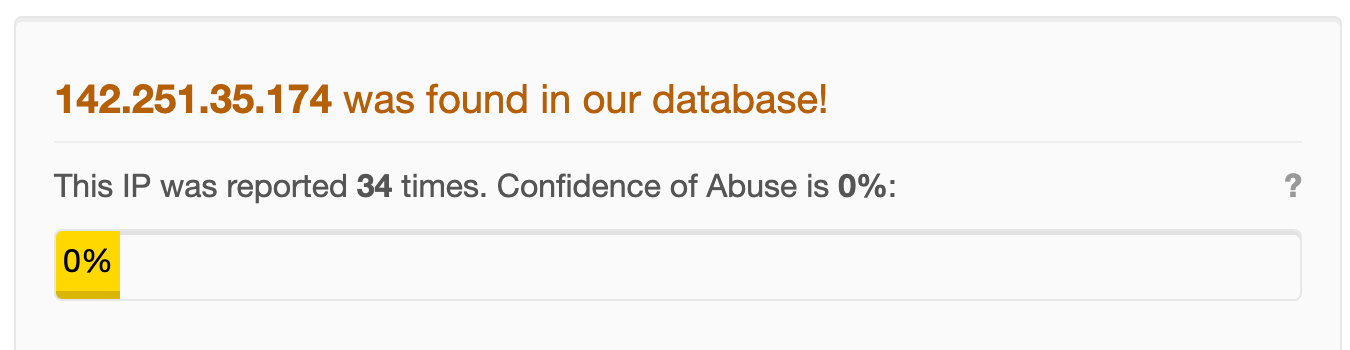
[+] [List] Green Unordered - AbuseIPDB
Navigate to the AbuseIPDB domain checker website and input the domain into the search field. If the asset has a clean record, the platform will explicitly state that no abuse reports were found. If it has been flagged, a clear pop-up will display the reported violations on your screen.
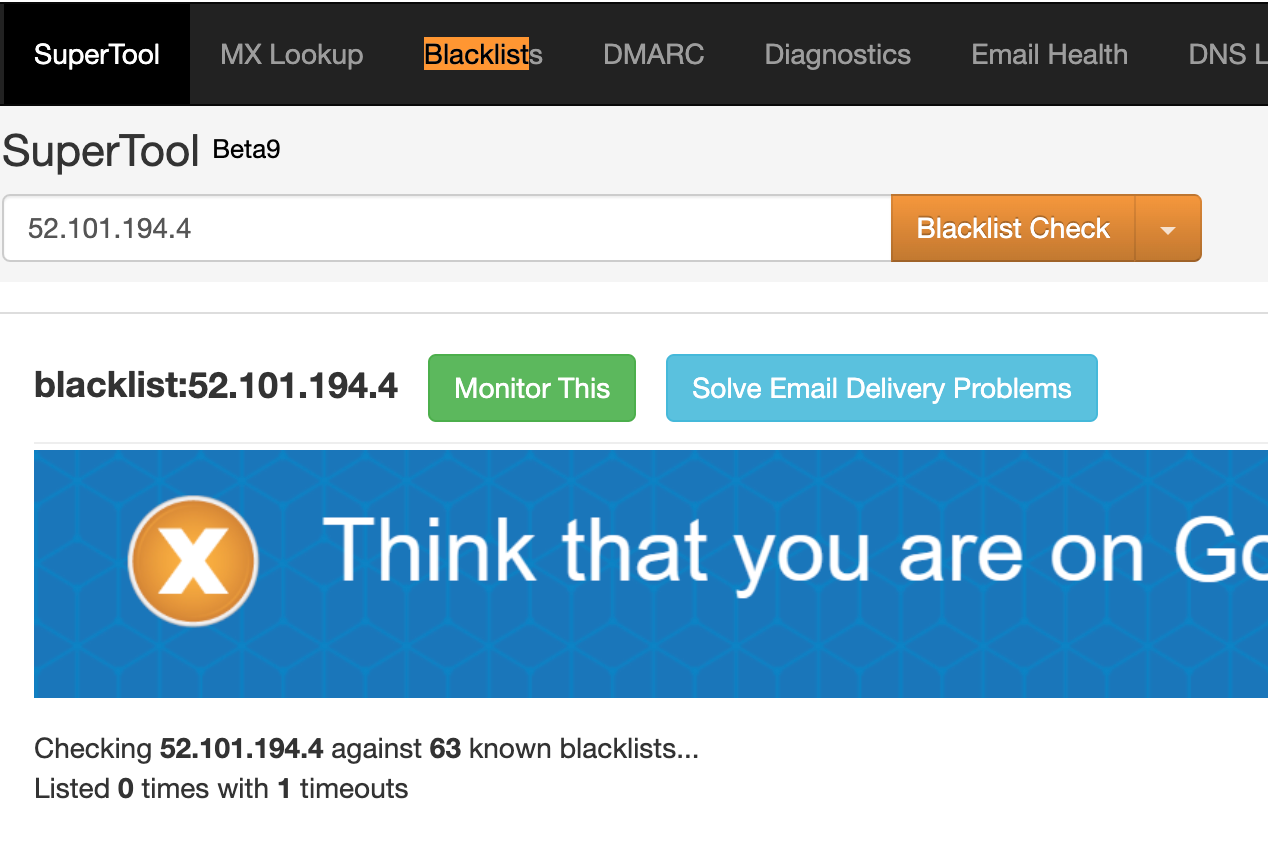
- MxToolBox Blacklist Check
To verify past blacklist listings, head to the MxTool Box website, click the "Blacklist Check" option on the page banner, and input the domain into the provided field.
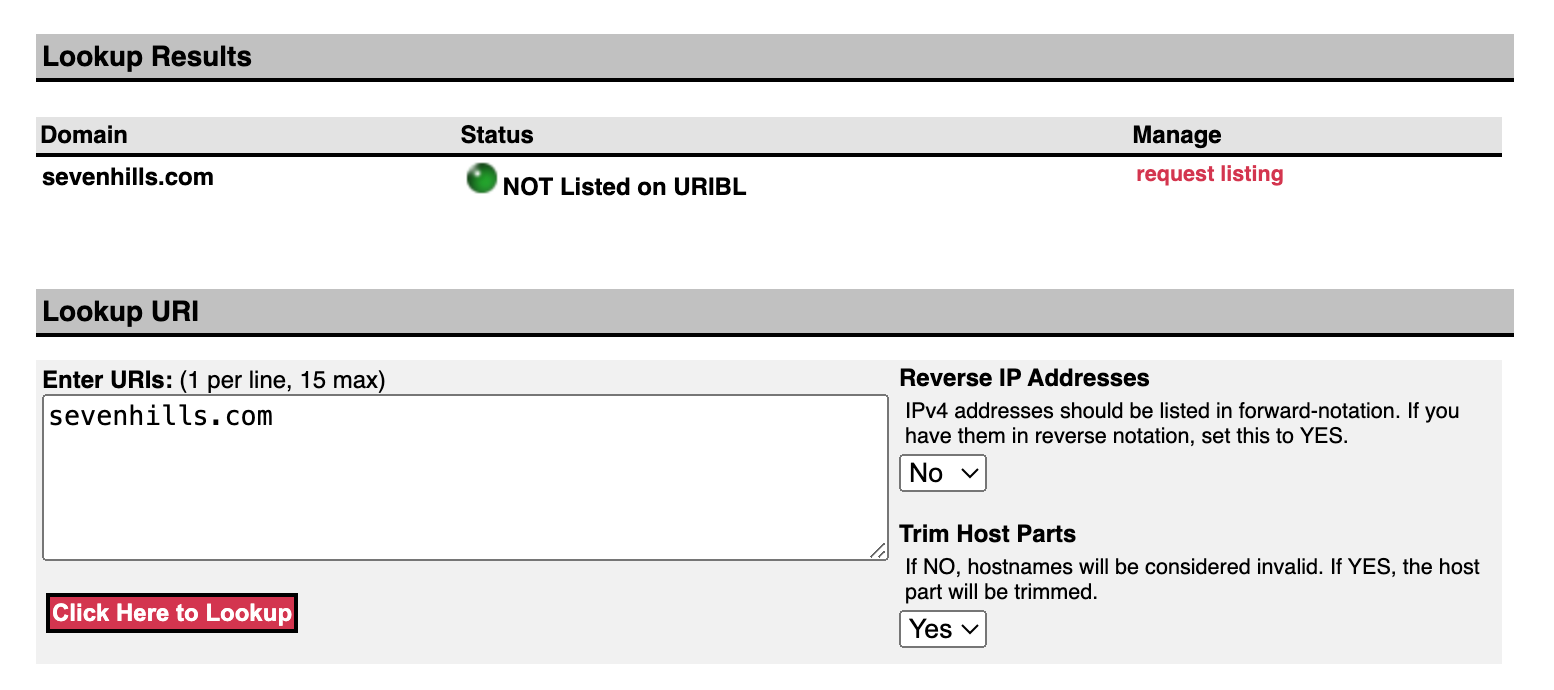
- URIBL Lookup Tool
To ensure the domain is completely disassociated from historic malware or phishing networks, run a scan here. If the domain is compromised, the dashboard will display a warning stating it is "Listed in the URIBL"
- Analyze the Backlink History
Auditing a domain's backlink history allows you to determine if previous owners engaged in black-hat SEO tactics manipulative, policy breaking strategies used to artificially inflate search rankings. A primary indicator of black hat history is a massive volume of low-quality, unnatural links originating from irrelevant or malicious websites.
Ex - if you are looking to purchase a domain that previously hosted a footwear Ecommerce store, it should naturally possess backlinks from fashion, retail, or business blogs.
If its links originate from illegal gambling or adult entertainment websites, it is a clear sign of manipulative SEO practices. These tactics cause search engines to penalize the domain, resulting in tanked rankings or complete removal from index pages.
You can dig deep into these link ecosystems using authoritative SEO tools.
[+] [List] Green Ordered - Plug in the Domain
Enter the URL into the domain overview tool of your chosen SEO suite (such as Ahrefs, SEMrush, or Moz) and run the search.
- Review Authority Scores
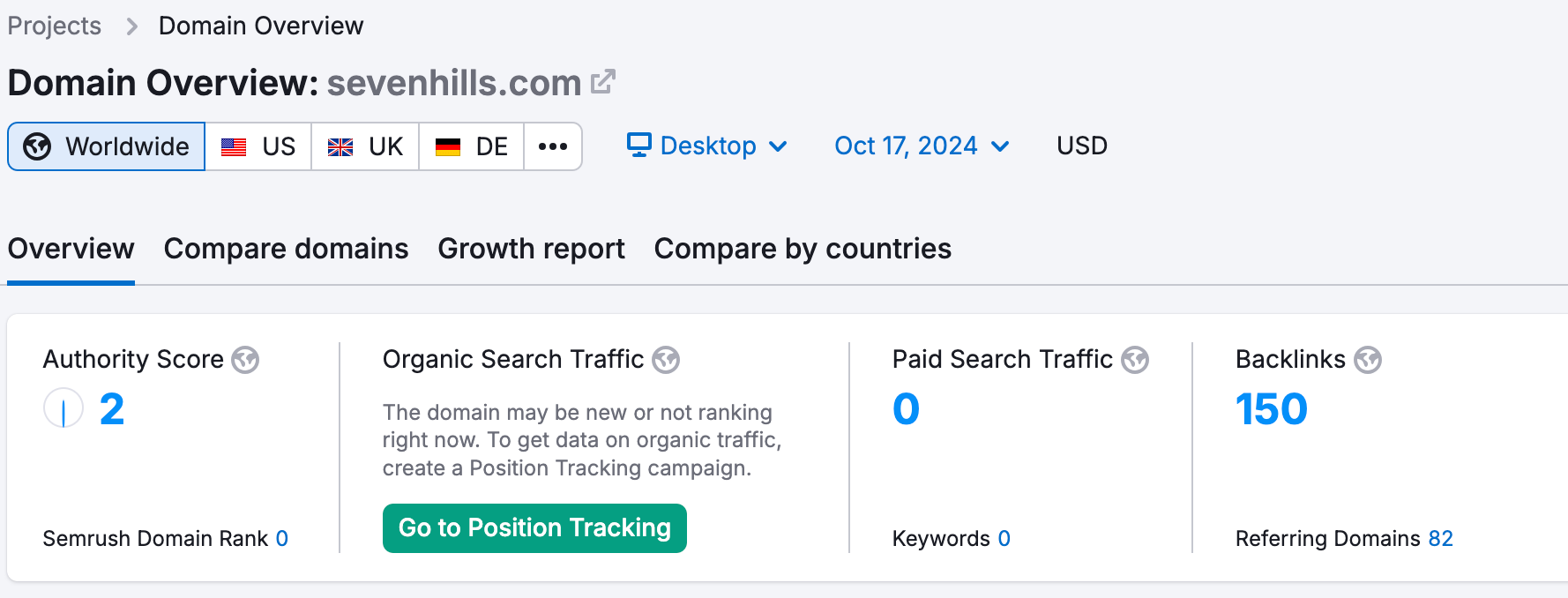
Metric Check. Examine the baseline metrics on the results screen, paying close attention to the overall Domain Authority (DA) score, historical search traffic, and total backlink volume.
Ex - when looking at a domain like sevenhills.com, examine its total authority trends.
- Inspect the Backlinks Section
Deep Dive. Scroll down to the detailed Backlinks report to evaluate referring websites, specific anchor text distributions, and individual link types
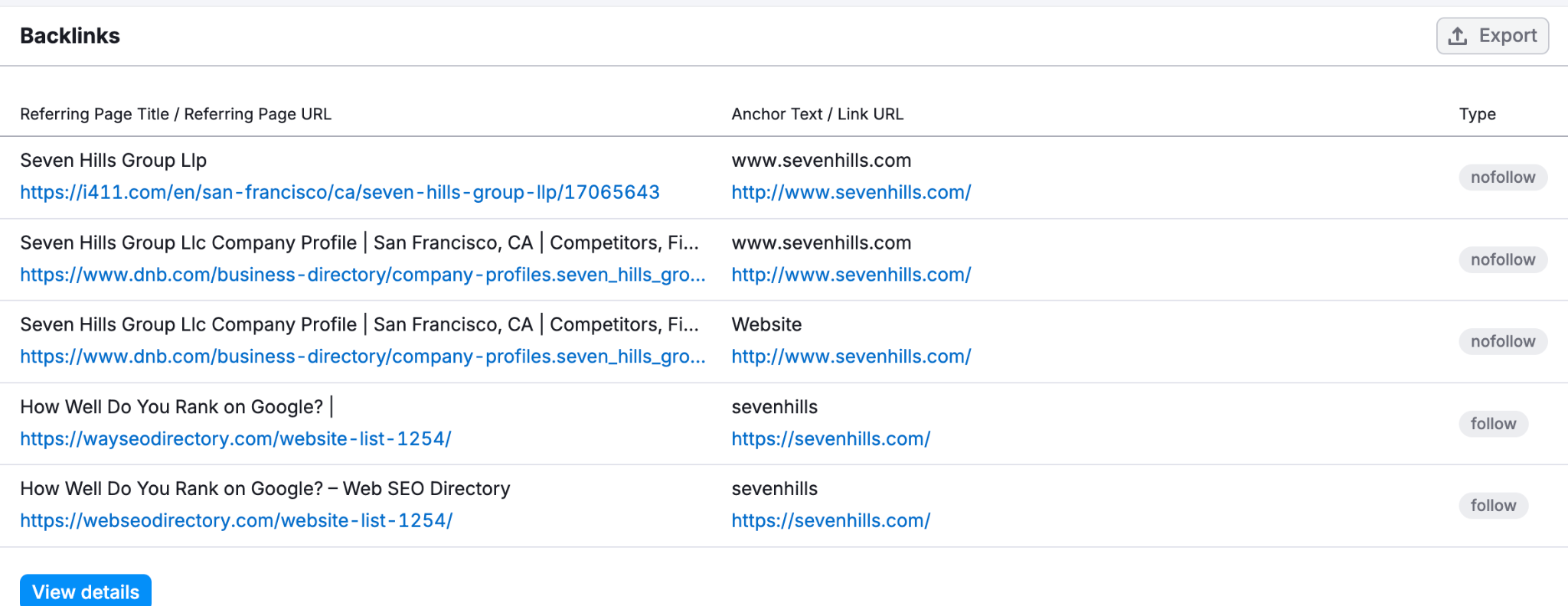
- Audit Referring Sites
Quality Control. Click through the top referring domains (such as discovering if a site like sevenhills.com draws links from review sites like trustburn.com).
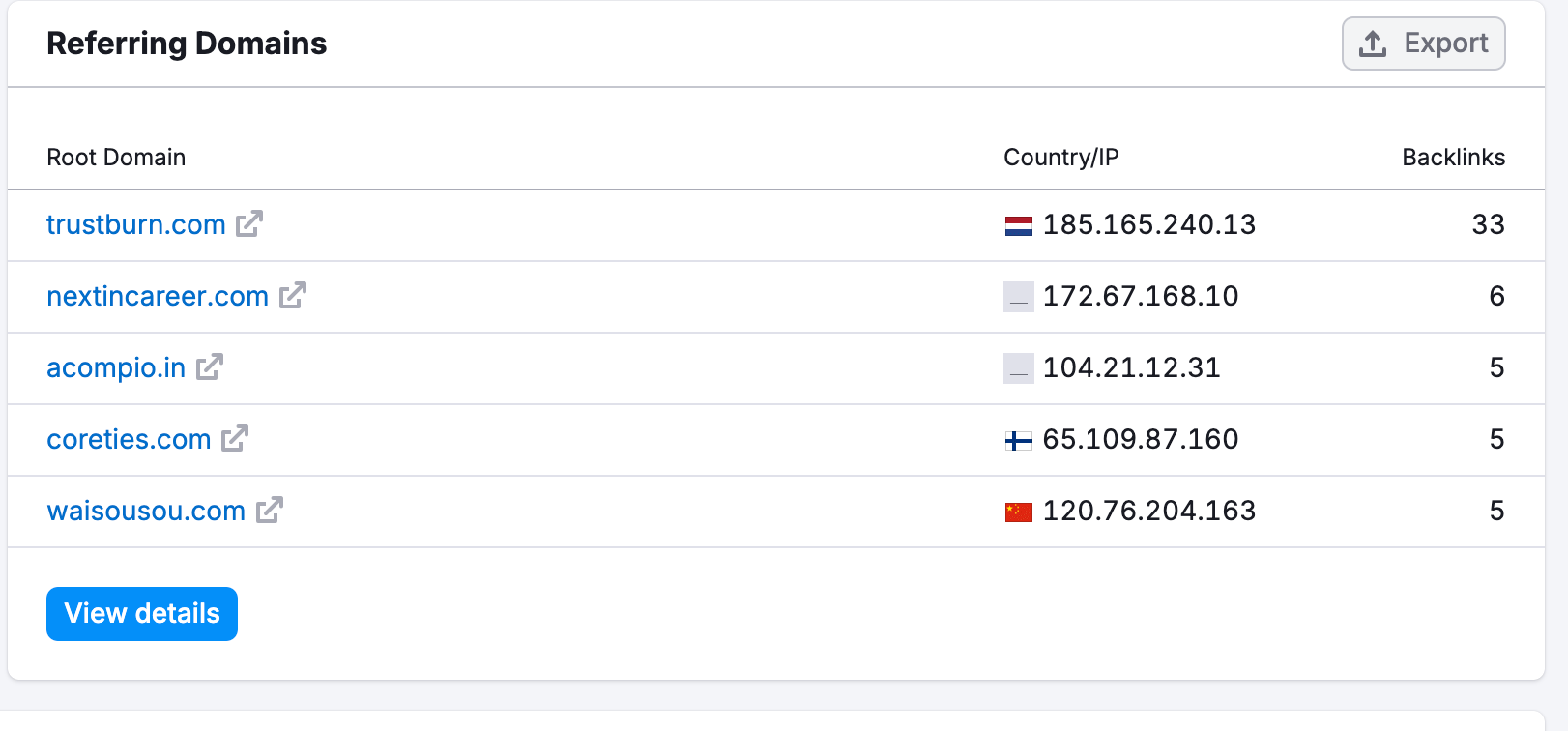
If you spot numerous links originating from insecure URLs lacking an https:// protocol, treat it as a significant red flag.
[+] [Callout] Info Insert title here [+] [Callout] Title/Title with Icon -> A domain authority score below 50 indicates that the website hasn't built substantial trust with search engines yet. If you choose to acquire it, you will need to implement a dedicated, long term content SEO strategy to rank highly
- Plug in the Domain
- Use the Wayback Machine
The Wayback Machine (operated by the Internet Archive) is a free digital library containing historical snapshots of websites across the internet. This tool allows you to visually travel back in time to inspect the exact types of content published by previous owners, view historic layout designs, and calculate the true age of the domain based on its oldest active captures.
 To use this free utility.
[+] [List] Green Unordered - Navigate to the Internet Archive website and enter the domain into the central search interface.
- Review the chronological calendar generated on your screen to explore specific snapshot dates and view historical URLs
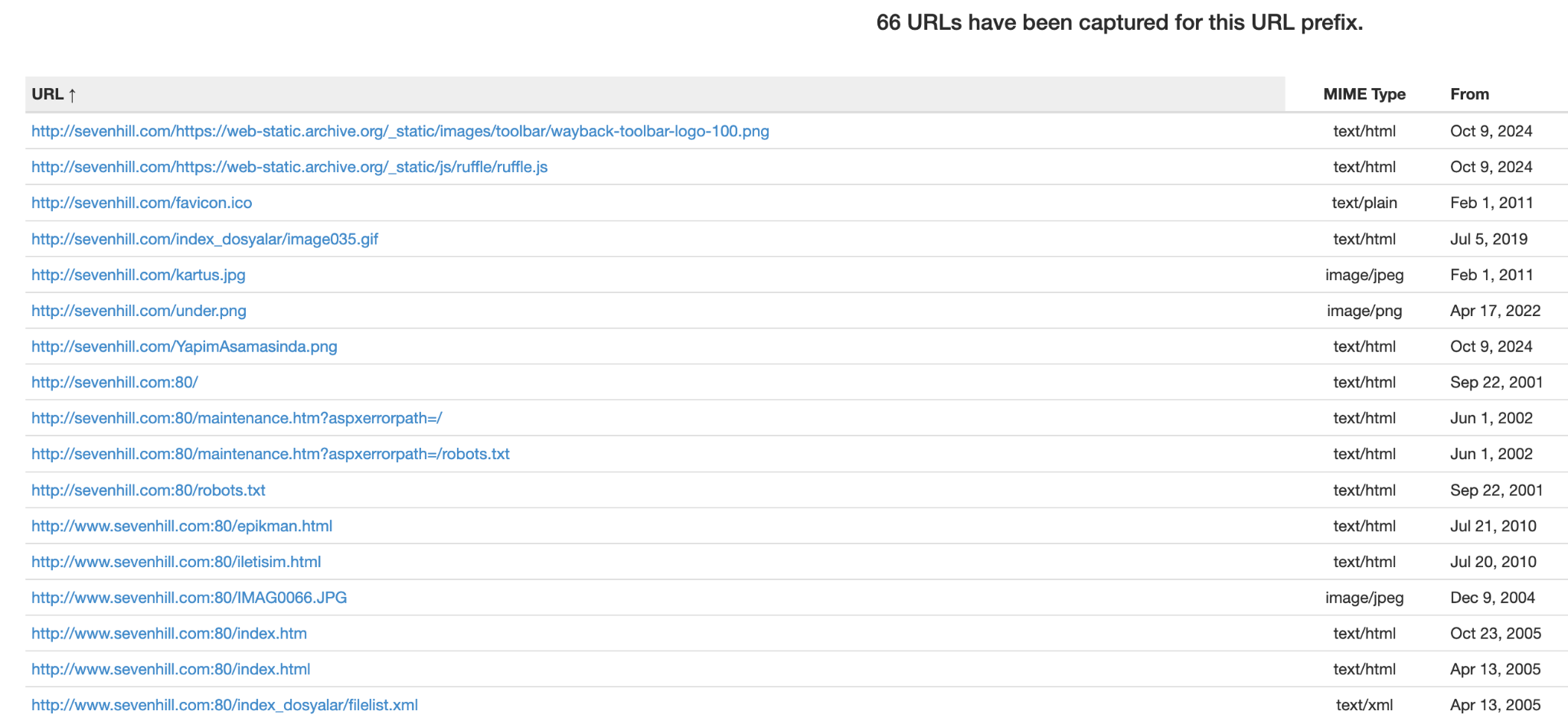
- Select the "Collections" tab to view a visual graph detailing historic content production cycles and tracking exactly when the site was active.
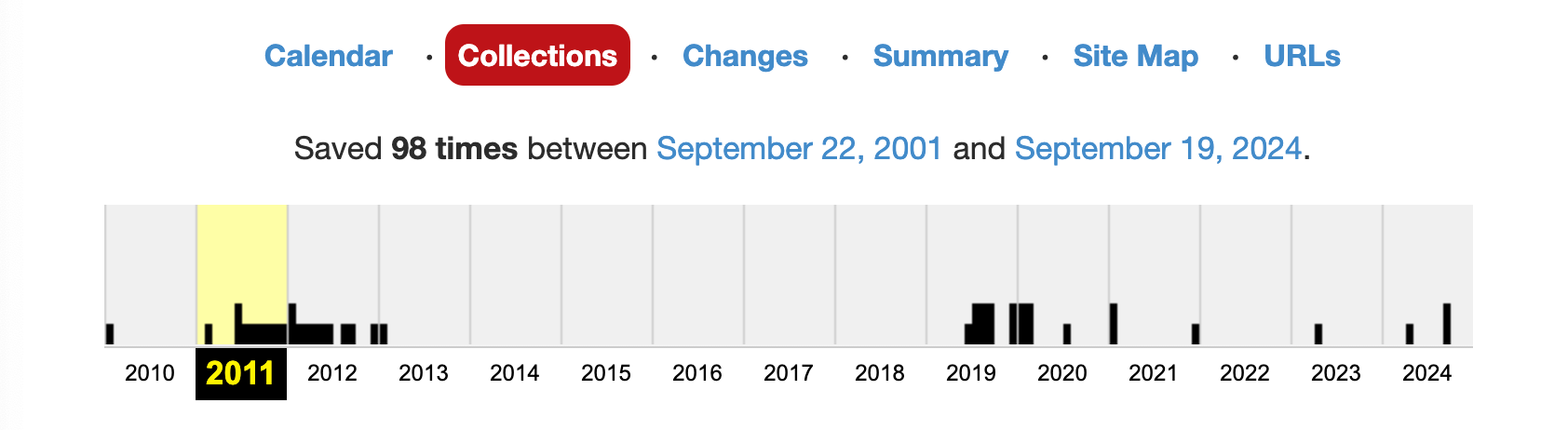
- Check for Trademarks
Failing to verify active trademarks can lead to a highly frustrating scenario known as reverse domain name hijacking. Under ICANN's Uniform Domain Name Dispute Resolution Policy (UDRP), a trademark owner can legally challenge your ownership if your domain infringes upon their protected brand assets.
If you unknowingly purchase a trademarked domain and build a high traffic website, the original trademark owner can file a UDRP complaint or a formal lawsuit. If you cannot legally justify your ownership or demonstrate a legitimate right to the name, you may be forced to surrender the domain entirely, destroying your hard work.
To avoid this, verify the domain's trademark status nationally and internationally.
[+] [List] Green Unordered - If you operate within the United States, use the Trademark Electronic Search System (TESS) provided by the United States Patent and Trademark Office (USPTO).
- Search your local country's intellectual property registries to ensure no exact matches exist. If an old trademark application appears but is no longer maintained, it will be marked as "dead" indicating the name is safer to use.

- Investigate Previous Owners
Uncovering who owned the domain in the past helps ensure you aren't inheriting an asset tied to unethical actors or entities.
To conduct this check.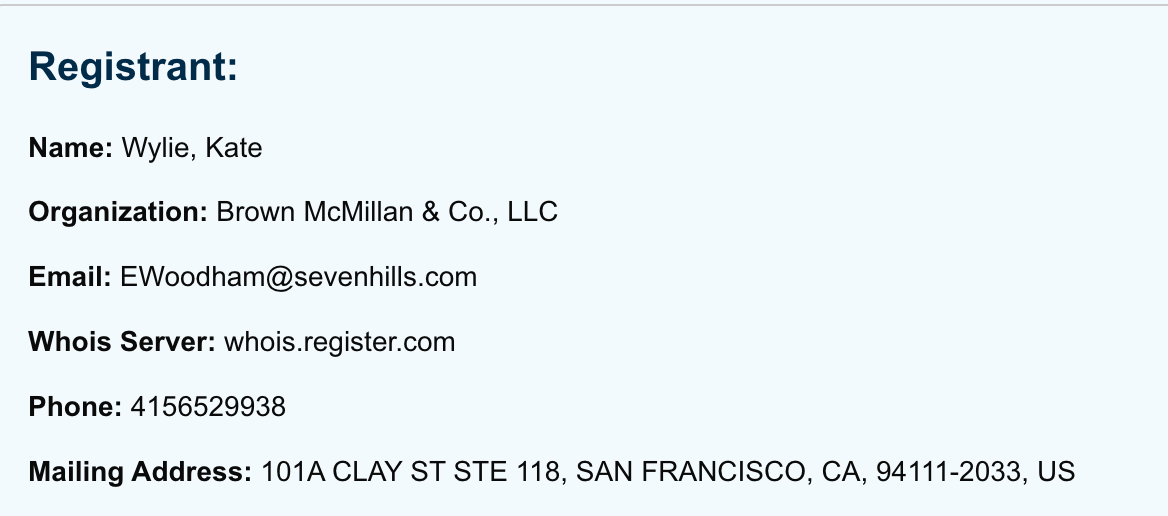
[+] [List] Green Unordered - Run a WHOIS search and look closely at the registrant details section to see the listed name and company information.
Ex - A search might reveal a legitimate company, such as a real estate firm like Brown McMillan & Co., LLC in Washington.
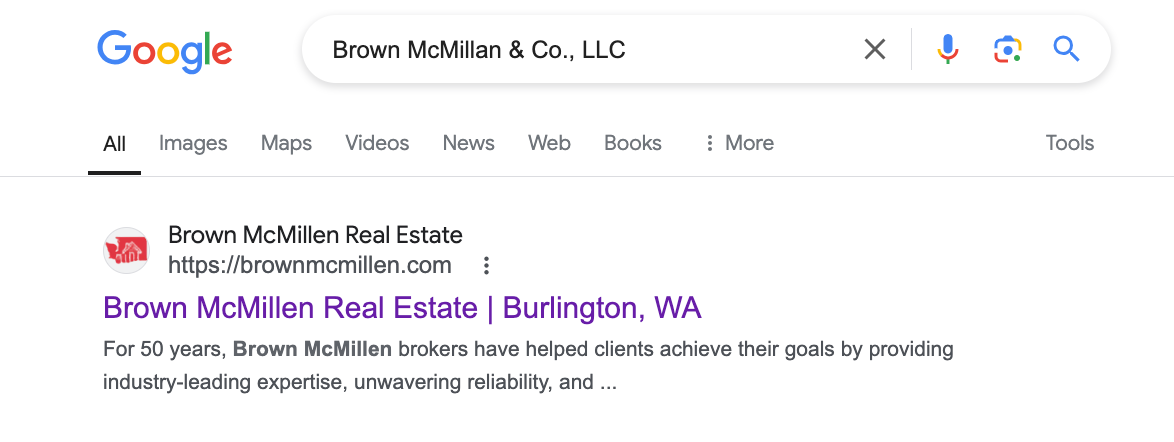
- Conduct a thorough Google search on the individual or corporate name found in the registry.
- Add qualifiers like [reviews] or [reddit] to your search queries (e.g., Brown McMillan & Co. LLC reddit) to see what communities and past customers have written about their business practices.
[+] [Callout] Success Insert title here [+] [Callout] Title/Title with Icon -> Malicious operators frequently use private proxy services to hide their identities. If a domain's historical WHOIS data is completely redacted or consistently filled with proxy contact information, proceed with extra caution.
- Run a WHOIS search and look closely at the registrant details section to see the listed name and company information.
- Check Online Mentions
Before buying, search major social media networks including Facebook, Instagram, X (formerly Twitter), and LinkedIn to see if the domain or its previous brand has an active social media footprint. This research highlights how the former brand interacted with the public and whether it left behind a negative consumer perception.
Type the domain name directly into the search bars of these platforms. If no results appear, it generally indicates that the domain never established a large social media user base or maintained active social profiles.
Best Practices When Buying A Preowned Or Expired Domain
To protect your investments and ensure a smooth rollout, keep these core principles in mind before spending your money.
- Accurately Evaluate The SEO Value
Not every expired domain features a powerful backlink profile or high authority score. If your business depends heavily on rapid organic search traffic to gain a competitive edge, prioritize domains with healthy, established link profiles.
Use the Wayback Machine alongside backlink tools to ensure the history aligns with your goals.
- Buy From A Credible Registrar
To protect your digital assets always purchase your domains through a proven, ICANN accredited registrar. Ensure your chosen provider delivers consumer friendly registrant policies, responsive 24/7 customer support highly transparent pricing with zero hidden fees and advanced security configurations to prevent DNS hijacking.
- Steer Clear Of Spam and Blacklists
Buying a domain entangled in past spam operations or active blacklists will derail your marketing campaigns. Dedicate time to checking the domain's background thoroughly using the tips outlined above before making any financial commitments.
Conclusion
Conducting a domain history check allows you to make safe, data driven decisions when purchasing digital real estate. Taking the time to perform this due diligence protects your hard earned capital, safeguards your brand's online reputation and eliminates the risk of inheriting long term search engine penalties.
Was this article helpful?
That’s Great!
Thank you for your feedback
Sorry! We couldn't be helpful
Thank you for your feedback
Feedback sent
We appreciate your effort and will try to fix the article