Finding the perfect domain name can be challenging when it's already registered. The good news is that many registered domains can still be acquired with the right approach. This guide explains how to identify a domain owner, contact them professionally, and negotiate a successful purchase. You'll also learn what to do if your preferred domain isn't available.
Key Takeaways
- Use Multiple Methods to Find the Owner – Identify a domain owner using WHOIS lookup tools, the website itself, social media platforms, domain brokers, or by contacting the domain registrar directly.
- Understand WHOIS Privacy Protection – Many domain owners use WHOIS privacy services to hide their personal information, but there are still legitimate ways to contact them or request ownership details.
- Negotiate Professionally – Research the domain's market value, communicate respectfully, and negotiate patiently to improve your chances of purchasing the domain at a reasonable price.
- Choose a Secure Payment Method – Use trusted payment options such as escrow services or structured payment plans to complete domain transactions safely and protect both parties.
- Consider Alternative Domain Options – If your preferred domain cannot be acquired, explore alternative TLDs, domain backordering, domain name generators, or similar brandable domain names to achieve your goals.
TABLE OF CONTENTS
- Key Takeaways
- Things to note about registered domain names
- Steps to Find the Owner of a Domain Name
- Tips For Contacting the Domain Owner
- How To Find Alternative Domain Names
- Use Trustname to Streamline Your Domain Due Diligence
You followed all the best practices when choosing a domain name and have finally found the best fit for your website. Now that you're ready to buy it, you find out someone else already snatched it up!
Don't give up yet! There are still several ways to acquire the domain you want. Before you start a new search for an alternative, here are some steps to help you find the owner of your chosen domain. We also included actionable negotiation tips to secure the domain.
But first …
Things to note about registered domain names
Here are some things you need to know before starting your research
The current owner might use a WHOIS Privacy service
A WHOIS privacy service protects the domain owner's personal details from the WHOIS database. Almost all ICANN-accredited domain registrars offer this feature as an add-on, so it's possible the domain owner activated WHOIS privacy for security reasons.
In addition, some registrars have an in-built WHOIS protection, designed to be an advanced option of the basic WHOIS privacy protection service. For example, at Trustname, we offer a two-tier privacy protection that makes it difficult for anyone to access the personal details of our users. This includes the customary WHOIS privacy service and a predefined contact.
Check out the domain lifecycle.
Domains are usually registered for one to ten years. If the current owner fails to renew it within the registered period, the domain expires and becomes available to the public 30 days after the expiry date.
So, if the domain has a WHOIS privacy service turned on, check the expiry date. You can keep track of the expiry date to purchase the domain immediately after it becomes available.
The domain might be parked.
Some individuals buy domain names and hold onto them to resell at a higher price later or for future use. This is called domain parking.
If the parked domain is available for sale, you'll see placeholder content indicating it's for sale, along with instructions or a link to contact the owner or broker to negotiate a sale.
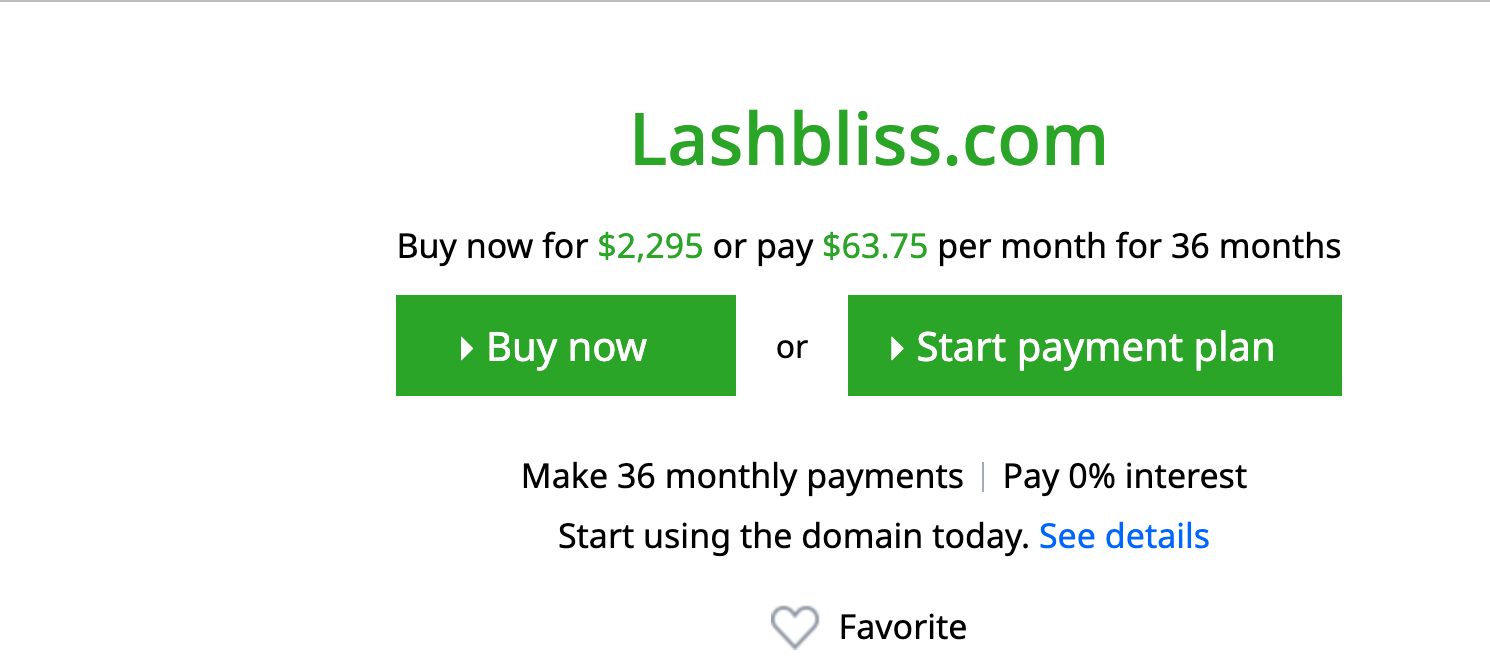
You may have to pay a premium price.
More often than not, acquired domains are single-word or exact-match domains. They're (highly) valuable and, as a result, are pegged at a high price. Even if the current owner of your choice domain is willing to negotiate and offer it for sale, expect to pay a premium price.
Steps to Find the Owner of a Domain Name
Option 1 – Do a WHOIS Lookup
Whenever you register a domain, ICANN (Internet Corporation for Assigned Names and Numbers) mandates that your contact information be publicly available through the WHOIS database.
This way, you can easily get the contact details of any domain owner by using a WHOIS lookup tool. However, if the domain owner enabled WHOIS privacy protection, their personal details will be masked or redacted.
There are different tools to do a WHOIS lookup
- Use ICANN's WHOIS Lookup tool –
Since all registrant data are available on the WHOIS database, you can easily retrieve the registrant details of any domain using the ICANN WHOIS lookup tool. To do this, visit the ICANN WHOIS website and enter the domain you want into the search bar as shown on your screen.
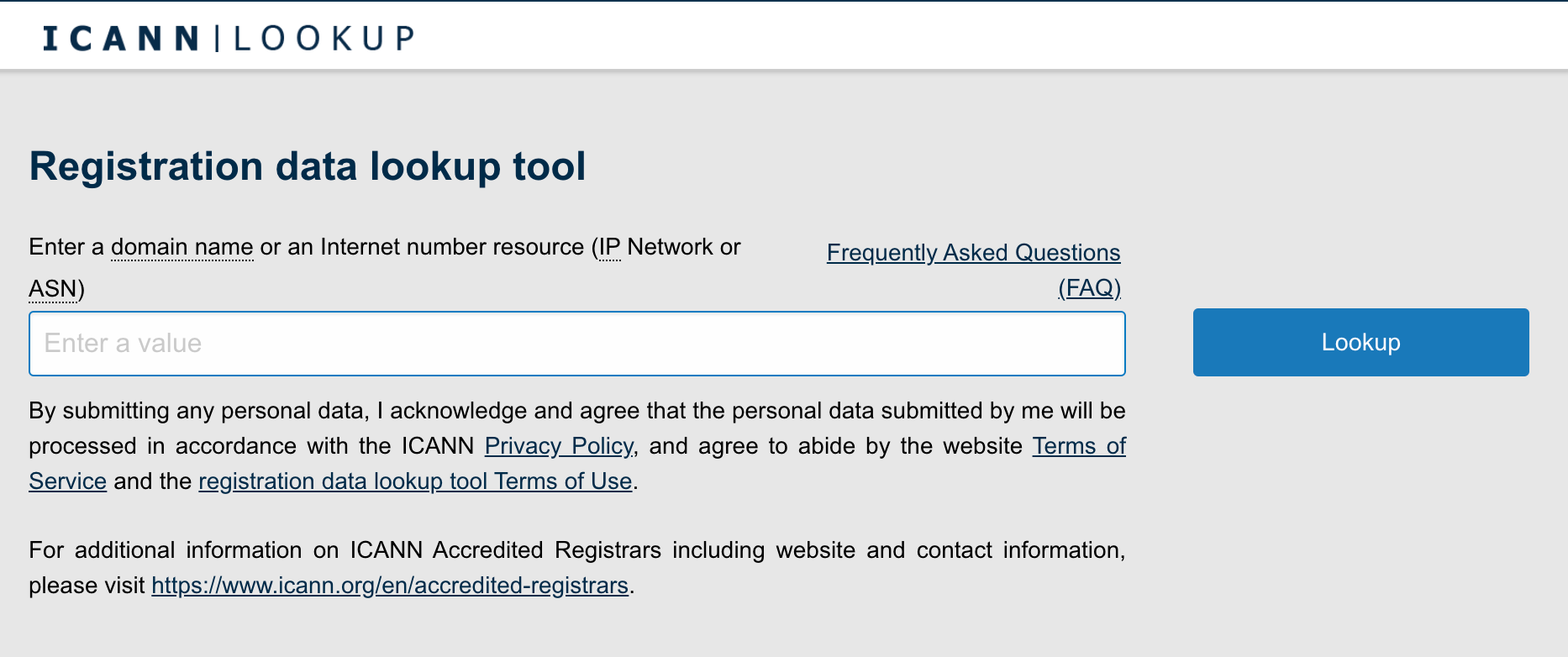 The tool will display the domain's registrant details from the WHOIS directory. But if you see a message like this, it means the registrant enabled WHOIS privacy protection.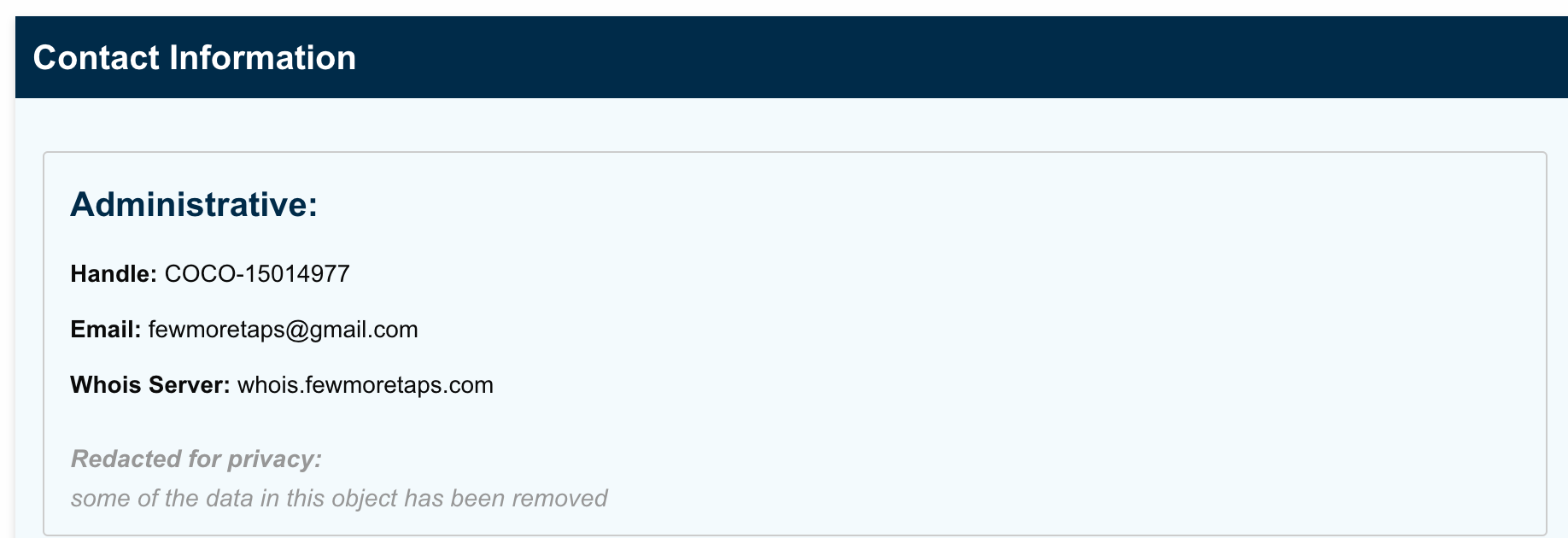
- Use Trustname's WHOIS Lookup tool –
You can also check the full details of the domain registrant using Trustname's WHOIS lookup tool.
Simply navigate to the Trustname.com website and click Domains >> WHOIS. You'll be redirected to the WHOIS lookup page. Enter the domain into the search field on your screen and click 'Search'. That's all!
All the relevant information about the domain will be displayed on your screen, including the registrant ID, contact details, address, and expiration date.
If the details are masked or redacted, you can file a request through our lookup tool to get the full information on the domain owner. To do this, click on the 'Get full info' next to the WHOIS search results
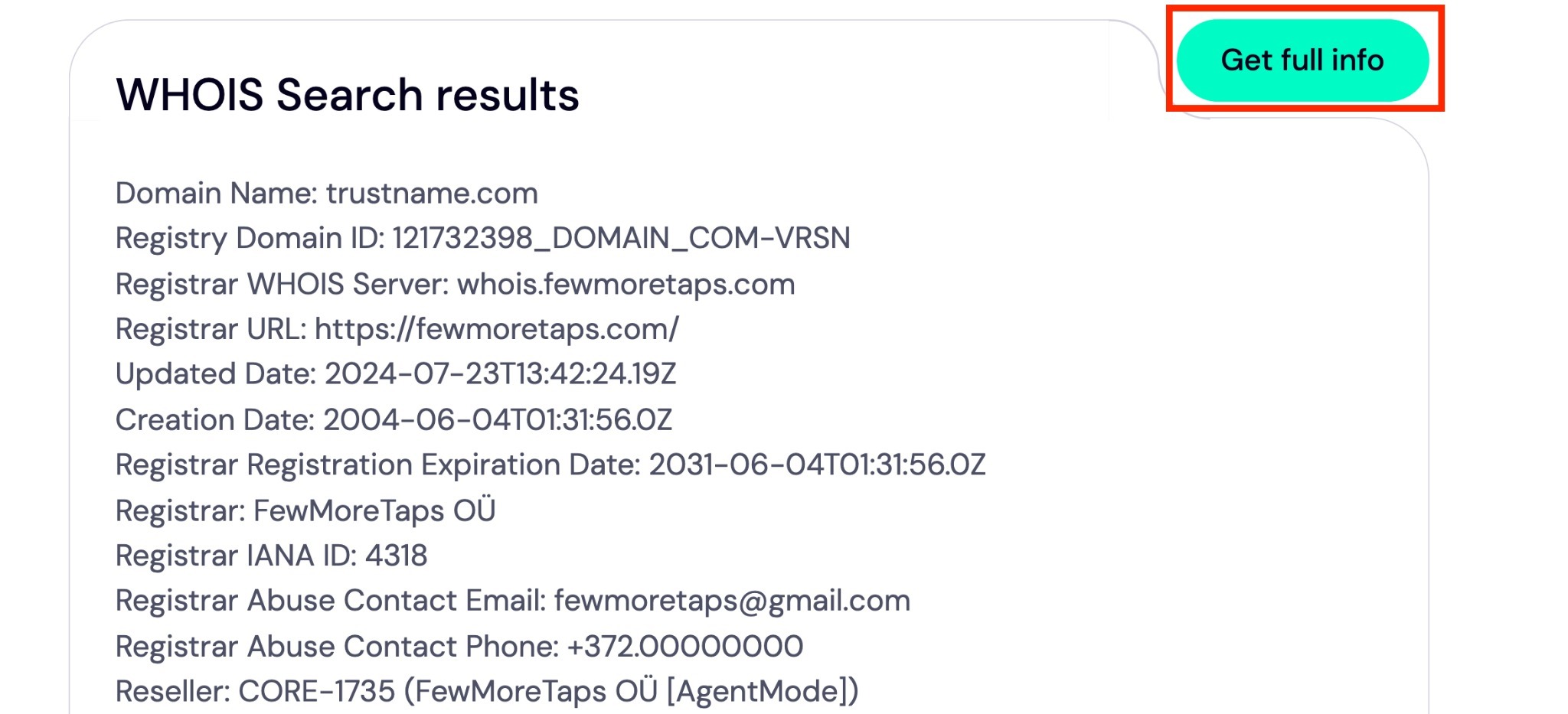 Enter your details into the fields on your screen and click 'Submit'.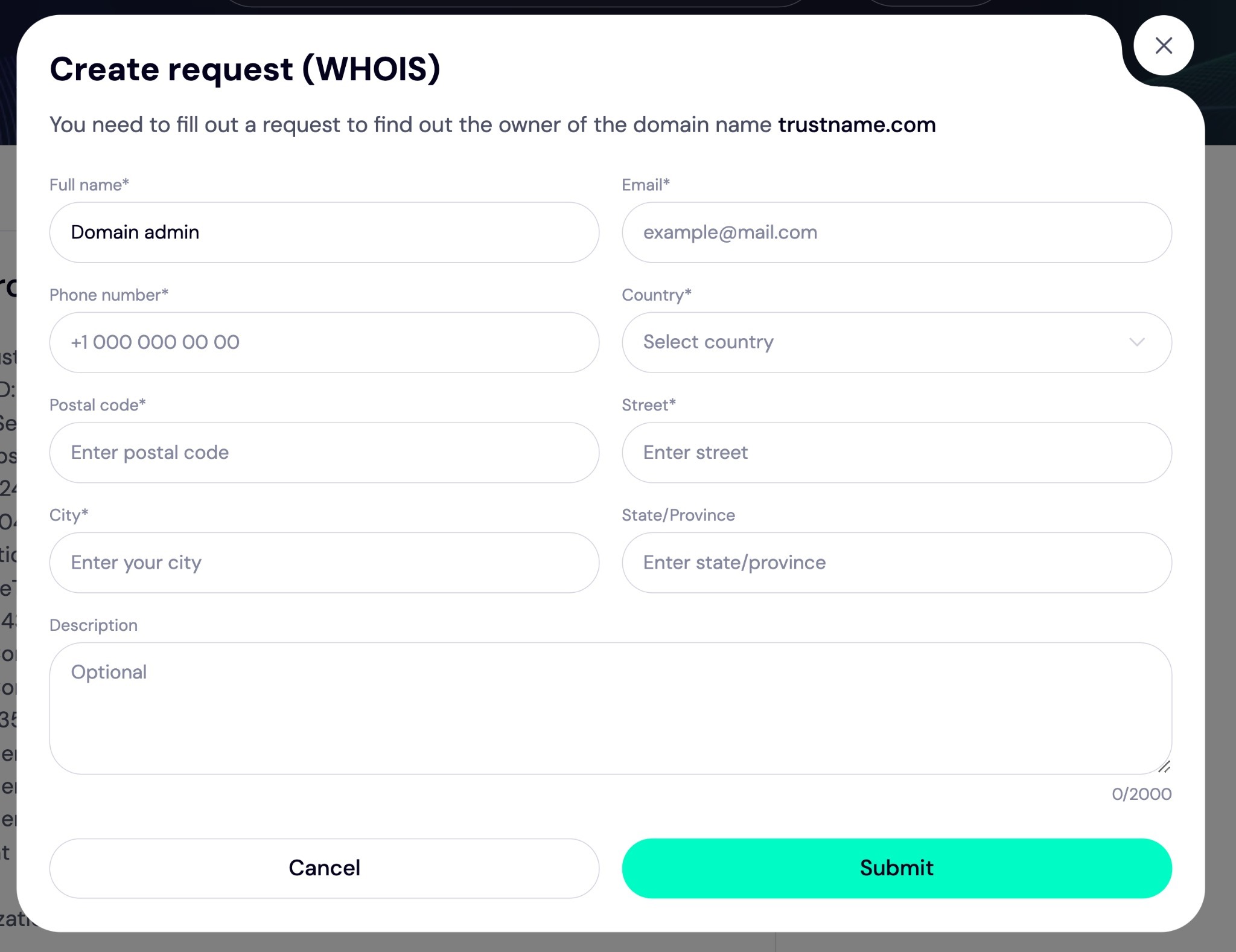
- Use other WHOIS lookup tools –
Another alternative is to use other third-party WHOIS lookup tools such as
[+] [List] Green Unordered - Shopify WHOIS domain lookup
- WhoisXMLAPI WHOIS Lookup tool
- DomainTools Whois Lookup
Just like the Trustname WHOIS lookup tool, you only need to enter the domain into the search field and click 'Lookup' beside the search box. Then, the domain details will be displayed on your screen.
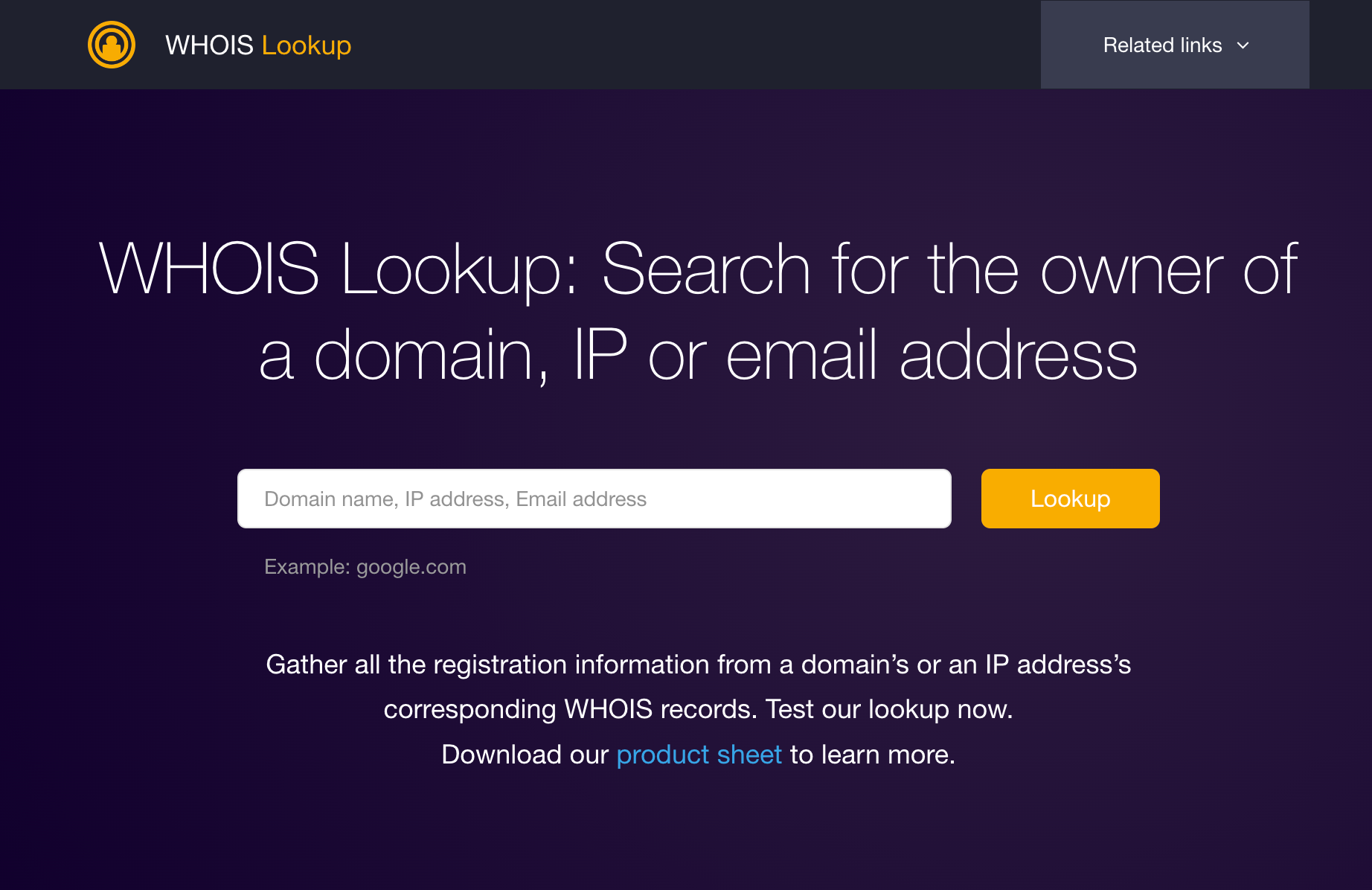
WhoisXMLAPI WHOIS Lookup tool.
Option 2 – Visit the website directly
In some cases, domain owners include their contact information on the website. This method doesn't require any technical know-how, as you can visit the website directly and look for clues.
- Look for sale ads –
If the domain is for sale, you'll see a mini sales ad on the website alongside a contact form, email address, or phone number. So, keep an eye out for banners or pop-up messages advertising its availability for sale.
- Look for auction platform messages –
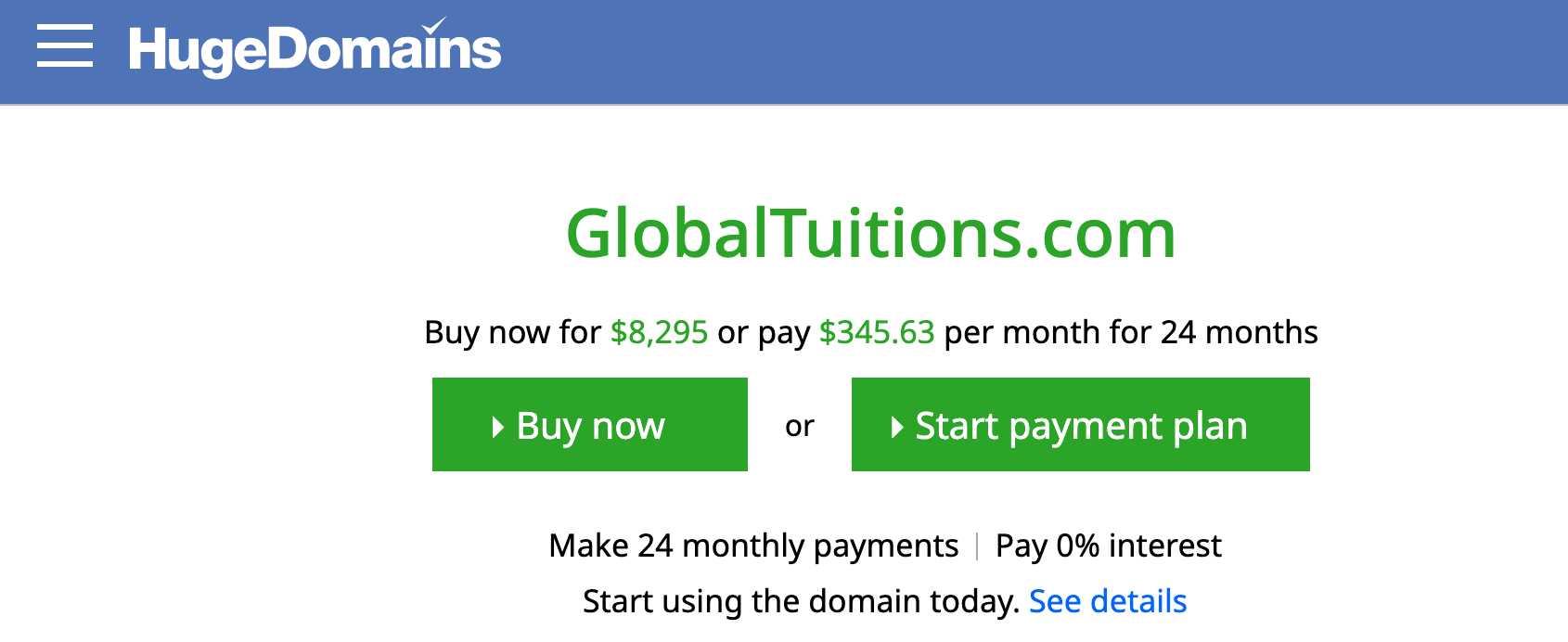
Some domainers list their domains for auction on popular domain marketplaces like Sedo or Flippa. Online business moguls who buy expired domains to resell for profit might also use these platforms to reach interested buyers.
Here, you'll see a notice on the domain's landing page to redirect visitors to the auction listing. See an example of a domain listed on HugeDomains
 Or, you can visit the platforms and search for the domain directly –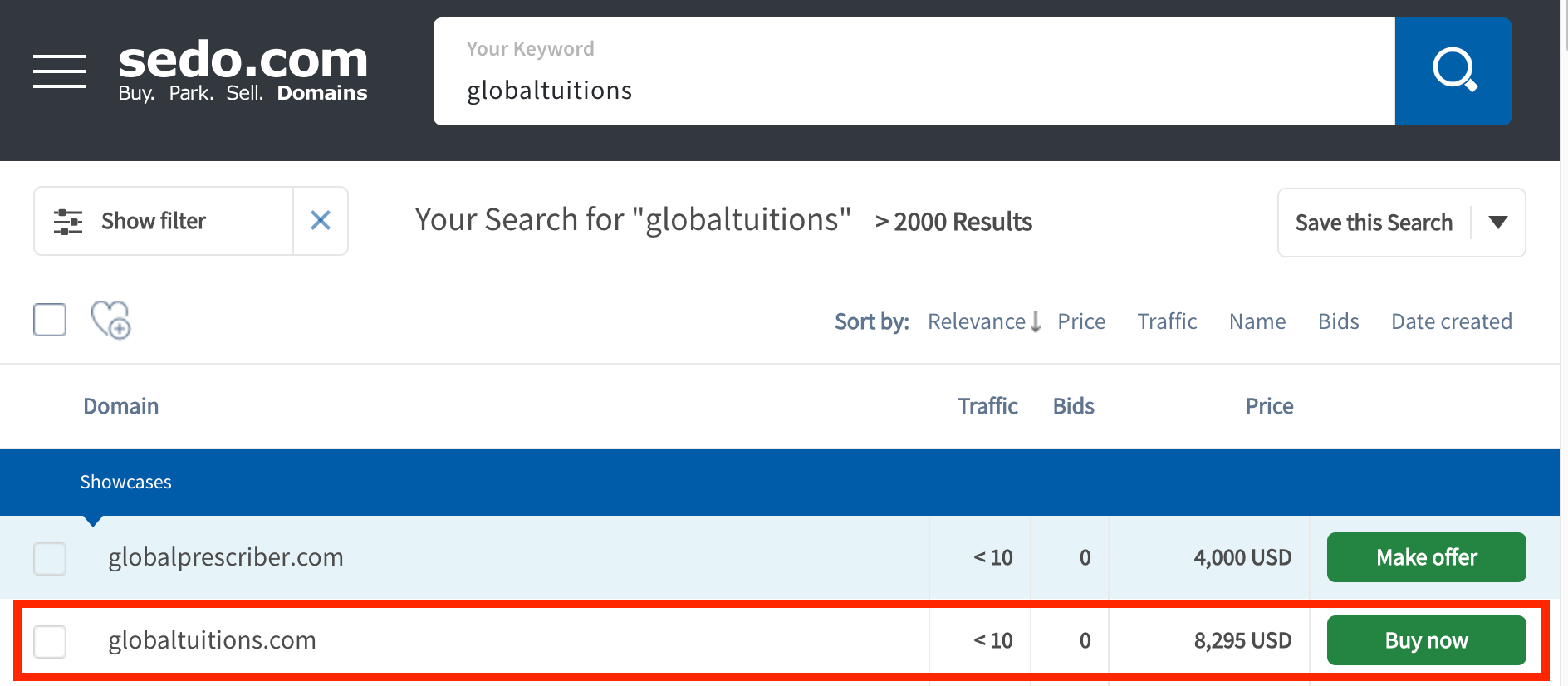
- Use the contact form or Contact Us page –
If the domain isn't listed for sale but has an active website, you can reach the owner through a contact form on the website or the 'Contact Us' page. If you can't reach the domain owner directly, you may be directed to the person managing the website.
To find this, simply head over to the website hosted on the domain you'll find this information on the WHOIS database using the lookup tools highlighted above. Check for the contact details on the 'About Us' or 'Contact Us' page on the website.
Then, send an email notifying the web manager of your interest in purchasing the domain. We'll discuss more about this later.
Option 3 – Via Social media
Another option for finding the owner of a domain is to check social media platforms. If the website is active, there's a high chance the owner has active social media channels to match. Use LinkedIn, Crunchbase, or Twitter to find key decision-makers at the companies associated with the domain.
Option 4 – Via a domain broker
If options 1 - 3 yielded no result, opt for a domain broker service. A domain broker acts as an intermediary between you and the domain owner. This person (or company) handles all the research about the registrant and will negotiate the pricing and all other aspects of the transaction, such as domain payment, transfer, and legal settlement.
The best part?
They can help you streamline the process using their expertise and industry connections to secure the domain.
Hiring a domain broker isn't cheap. Expect to pay a flat fee or a percentage of the domain valuation.
Option 5 – Contact the domain registrar
If all the options above fail, your last shot may be contacting the domain registrar to request the domain owner's details. This is because the registrar (where the domain was registered) usually collects the registrant contact information of all domains listed on their platform.
You can easily find the domain registrar's name through the WHOIS lookup tool, alongside an email to reach them in case of any issues.
Keep in mind that most registrars won't release the personal information of their domain owners due to privacy regulations. For instance, at Trustname, we'd only share the private information of our registrants if you have court orders from the US, Europe, and St. Kitts.
Review the registrar's privacy policies to know the specific requirements for getting the registrant information.
Tips For Contacting the Domain Owner
If you got the registrant's contact details following the options listed above, congrats! You're one step away from getting the domain. The next step is to contact the person and negotiate a sale. Here are a few tips that help –
1. Do your research and know the market value
Before contacting the domain owner, kickstart your purchase process by researching the domain (and seller, if possible).
You can easily get information on the domain from the WHOIS search, but you'll need to run Google or social media searches to find out who owns the domain, what they do, and how best to get their attention.
There are three major types of domain owners –
- Domain squatters – These people buy a domain name with the hopes of selling it at a higher price.
- Domain holdouts/packers – These people buy and hold a domain for future use.
- Domain past users – These people have previously used the domain but do not intend to continue using it. They're the best people to negotiate a domain sale because, unlike squatters and holdouts, they're not looking to sell merely for profit.
Once you've gathered information on the owner, the next thing is to know how much your chosen domain is valued. Platforms like NameCorp, Sedo, or Estibot are popular platforms that give you a rough estimate of the domain value.
With this info, you'll understand how to negotiate effectively without lowballing the seller or paying an outrageous price for the domain.
2. Use a professional and polite tone
Effective communication is key in any negotiation. It's important to maintain a respectful and professional tone throughout the conversation. You also don't want to sound desperate, as this may cause the seller to inflate the domain price or outright reject your offers.
You can send an email like this –
Dear [seller's name],
My name is [add your full name], and I'm interested in purchasing your domain name, [add domain]. Your [domain name] is [add a reason for buying the domain], and I believe it's in line with [your company's name] goals. Will you be interested in selling it for [add price]? If so, let me know, and I will send the funds to your account immediately. I'm also available to negotiate this further, and you can reach me at [add email address] or/and [phone number].
Thanks for your time.
Best regards,
[your name].
3. Express genuine interest in the domain
Effective communication is critical in any negotiation. Instead of jumping straight into your request, take time to build rapport with the domain owner.
Start by expressing genuine interest in the domain. This allows for a human-human connection during the conversation and gives you cues as to whether the owner is interested in selling the domain. Ask thoughtful, open-ended questions such as –
- How long have you owned the domain?
- Why did you buy it? This tells you if the owner is emotionally attached to the domain or is looking to sell immediately.
- Are you planning on doing anything with the domain?
- How interested are you in selling your domain? If the response is affirmative, proceed to ask the other questions below.
- Have you gotten any (recent) offers for this domain? This question gives you insights into the offers they rejected and why.
- Do you have a price range in mind? At this point, the owner might share prices they've rejected from other buyers. This helps you strategically position your offer to meet or exceed their expectations. And if they haven't received any offers, it opens the door for you to present a reasonable price for the domain.
4. Be patient and always follow up
When you make an offer, start by offering a price lower than the maximum you're willing to pay for the domain. This gives room for negotiation without lowballing the seller (especially if they already mentioned a price limit during your conversation).
Keep in mind that the domain owner may likely know that your initial offer isn't the final one, so expect to receive a counteroffer. Be patient throughout the negotiation and follow up regularly until you get a response.
When negotiating a sale, don't let the owner know you're willing to pay more (except if it's a premium, highly valued domain name). Stick to your initial price, except when the domain seller requests a higher price. Also, know when it's right to be flexible with your offer as long as you're not breaking the bank.
5. Be ready to walk away
When negotiating the domain, present yourself as someone not emotionally attached to it. Even though you (really) want the domain, sometimes it works to play the 'hardball'. Also, domain owners can perceive desperation during negotiation, and when they sense you're (too) eager to buy, they may inflate the price or reject your offer.
If the owner responds with a higher offer, let them know it exceeds your budget, and other sellers have already agreed to your price. You can send a response like this –
“While I believe your domain name is valuable, we don't have enough money in our budget. The best we can do is [add a price range]. Either way, thanks for your time. We'll opt for an alternative name we've been negotiating for a while.”
Chances are high that the domain owner will rethink and respond with a price within your budget.
6. Use a payment plan
If the domain owner agrees to sell, congrats! Now, it's time to come up with a payment plan. There are three options in this case –
- Full payment – You pay all upfront
- Lease–to–own – The seller forwards all their traffic to yours and allows you to manage the DNS while they retain ownership.
- Tiered payment – You pay in installments until you can complete everything. E.g., 40/40/20 or 50/50.
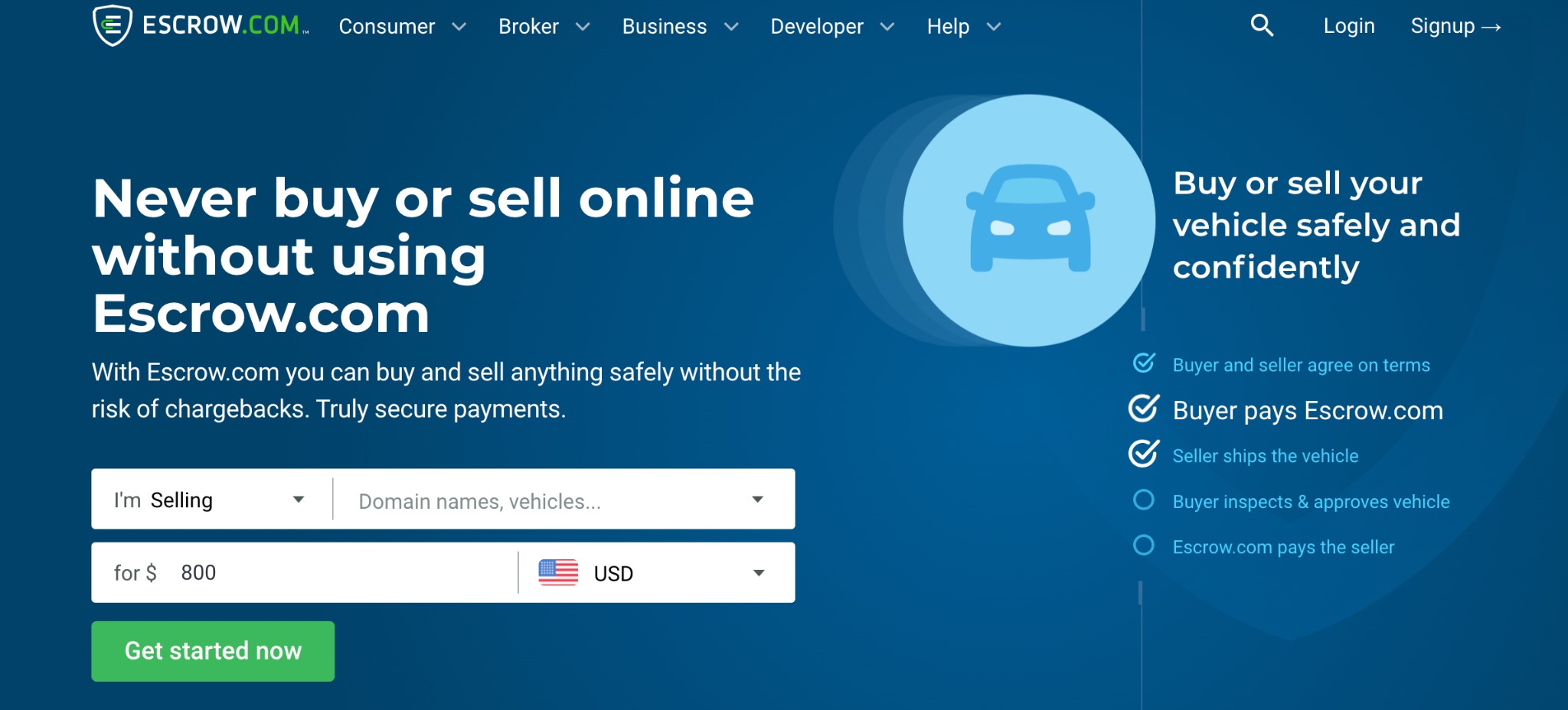
You can use an escrow service to pay for the domain, especially if you spend thousands or millions of dollars. This acts as the middleman between you and the domain owner and ensures no one gets defrauded.
7. Seek legal advice
If you're dealing with high-value, premium domain names, it's in your best interest to seek legal advice before negotiating with the seller. A domain name lawyer can help you verify the domain ownership, review contracts, and set secure grounds for the domain transaction.
They can also help to avoid any trademark issues that could arise in the future after you purchase the domain.
What happens if you're unable to get the contact details of the domain owner or reach an agreement? Let's find out –
How To Find Alternative Domain Names
- Consider buying other TLDs (top-level domains). For example, if you were initially vying for a .com domain, you can consider .org, .net, or .info. You can even choose to add keyword-based or country-based TLDs.
- Use a domain name generator to find variations similar to the one you want. Most of these tools use artificial intelligence technology and can suggest brandable names based on your input keywords.
- Place domain backorders. This service reserves your preferred domain name the moment it expires and becomes available for sale.
- Try out synonyms or related terms. For example, if autocovers.com isn't available, you may consider autoprotect.com or autoinsure.com. You can also add a prefix or suffix at the end of the domain, e.g., bestautocovers.com or autocoversstore.com.
Use Trustname to Streamline Your Domain Due Diligence
Trustname WHOIS lookup tool is an AI-powered search engine that helps you uncover all the vitals about a domain name and its owner. In one click, you'll see the domain registration date, registrar information, expiration date, registrant contact info, status, etc.
Still couldn't acquire your preferred domain name? Leverage Trustname domain search engine LLM's (Large Language Models) capabilities to find alternative domain names based on your keywords. Our tool recommends creative, unique, brandable domain names that reflect your brand identity.
Was this article helpful?
That’s Great!
Thank you for your feedback
Sorry! We couldn't be helpful
Thank you for your feedback
Feedback sent
We appreciate your effort and will try to fix the article