An SSL certificate encrypts the connection between your website and its visitors, safeguarding sensitive data while boosting your search engine rankings and brand credibility. Choosing the right validation tier Domain Validation (DV), Organization Validation (OV), or Extended Validation (EV)depends on your business type, the level of trust you need to project, and your budget.
Understanding how domain expirations and automated renewals work ensures your certificates and underlying domains remain active without interruption.
Key Takeaways
- Automated Reminders – Trustname sends mandatory renewal notices 30, 15, 7, 3, and 1 day(s) prior to domain expiration via email and account dashboard alerts.
- ICANN Compliance – Domain renewal notices are mandatory under ICANN regulations and cannot be unsubscribed from or disabled.
- Auto-Renewal Protection – Enabling auto renewal ensures continuous domain ownership, provided your linked payment method or Trustname wallet holds sufficient funds.
- Expiration Lifecycle – If missed, domains progress through a 30 day Grace Period, followed by a Redemption Grace Period (which includes potential domain auctions), and a final 5 day Pending Delete status.
TABLE OF CONTENTS
- Do I Get Email Notices About Domain Expirations?
- Always Turn On Auto-Renewal
- Always Ensure Your Account Is Funded and Your Payment Method Is Chargeable
- What If I Miss Trustname’s Renewal Notices?
Do I Get Email Notices About Domain Expirations?
When your domain name is nearing expiry, Trustname will send several notices to the registered email address linked to the domain name. We are committed to you and know how important your domain names are to your business.
Trustname will automatically send out renewal notices 30, 15, 7, 3, and 1 day(s) before expiration to the email address that is linked to your Trustname account and also to the registrant email address linked to your domain name in the Whois database.
To ensure you never miss any of our renewal notices, add Trustname to your safe sender list so that they don’t end up in your spam folder. You will also receive a renewal notification on your Trustname account, and this will be signaled in the notification bar.
ICANN requires that all ICANN accredited registrars send multiple renewal notices to domain owners via Whois emails hence, there's no way to disable the renewal notices we will be sending to you. 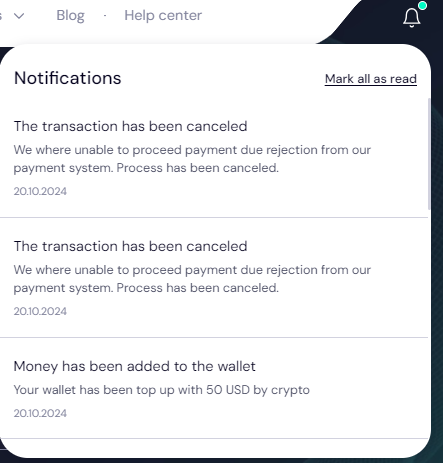
Always Turn On Auto-Renewal
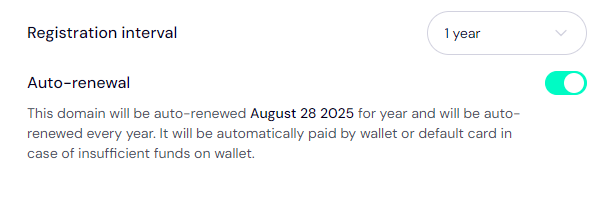
We recommend that you always turn on auto renewal on your Trustname account so we can charge you for your products automatically and you don't accidentally lose them due to expiry. To turn on auto renewal on your account, follow these steps.
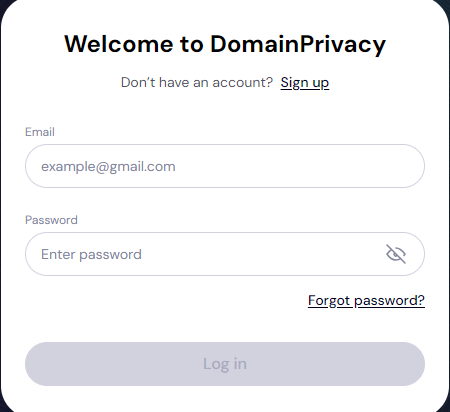
- Log In to Your Trustname Account
Click on "Log In" at the top right corner of the Trustname.com website homepage. Enter your username and password, and you're in!.
- Access Your Domain List
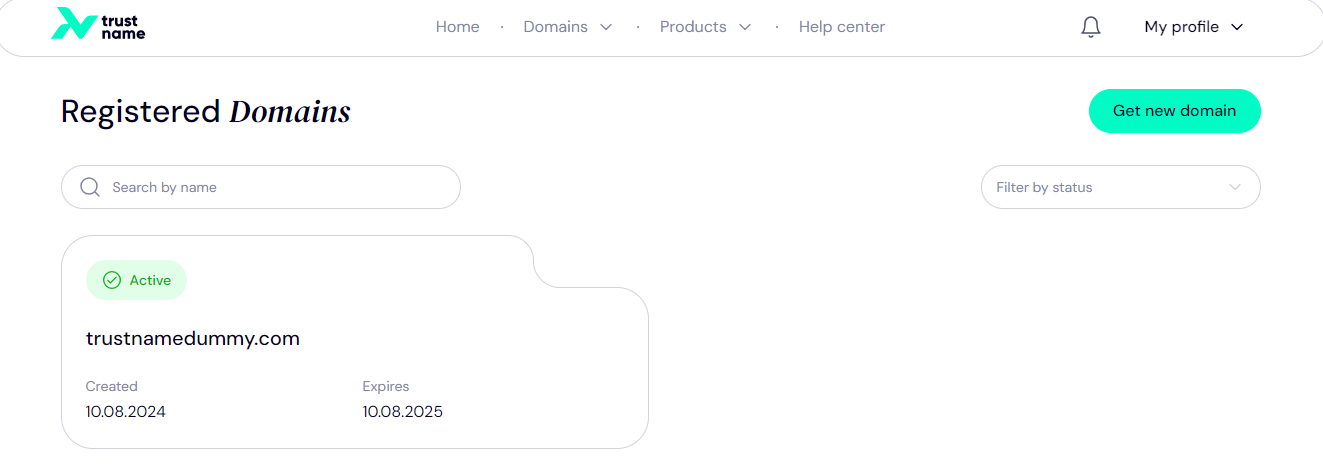
Once you're in, click on the Domains dropdown in the header of the homepage and click on Registered Domains to access your list of domains.
- Select the Domain for Auto-Renewal
Next, you can either scroll to find the domain name or use the search bar to find the domain you want to auto renew. Click on the domain you want to set up auto renew for.
- Head to the Auto-Renewal Settings
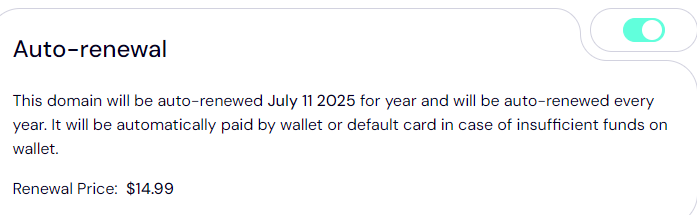
Scroll down and find the Auto Renewal section. Toggle the button on or off to configure auto renewal.
Always Ensure Your Account Is Funded and Your Payment Method Is Chargeable
You should also ensure that your account or payment method is funded and chargeable. Ideally, if you have added a card to your Trustname account, you should use it to top up your wallet for the smoothest transactions.
Read how to top up your Trustname wallet for more details.
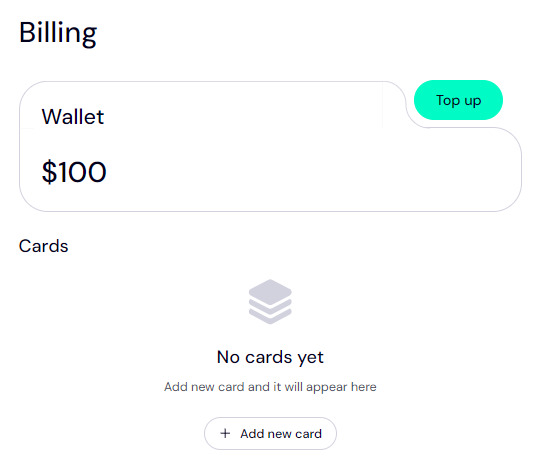
If you are registering domains for the first time on Trustname, you can decide whether to enable auto renewal or not on the checkout page. If you ever need to check your payment methods and update them, just head to "My profile > Billing".
From the Billing page, you'll be able to see your Trustname wallet balance and any added cards.
That’s it!
What If I Miss Trustname’s Renewal Notices?
If you miss our renewal notices and we can't charge your payment method, your domain will expire and enter the Grace Period (30 days on Trustname). During the grace period, the domain is still reserved for you, and you can renew it for the standard renewal price.
If the grace period elapses and the domain is not renewed, it progresses into the Redemption Period (or Redemption Grace Period, as we call it at Trustname). During the redemption period, the domain can still be renewed by you, but this will usually cost an extra fee.
You'll also need to send a message to our customer support team to renew a domain in the redemption period.
Your domain may be placed on auction in the redemption phase. During these auctions, interested buyers bid on the domain name with increasing amounts, and once the auction ends, the domain is given to the highest bidder. Once your domain is sold at auction, you can no longer renew it.
If a domain is not bought at auction, it is then moved to "Pending Delete" The pending delete phase usually lasts for 5 days, and during this phase, the domain is locked and cannot be renewed, transferred, or modified in any way.
Not all domains have Grace Periods. Domains with special TLDs like .FR, .LI, .CH, .PE, .ES, .SG, and their second level TLDs don't have grace periods, and you absolutely need to renew them at least 2 weeks before they expire.
Was this article helpful?
That’s Great!
Thank you for your feedback
Sorry! We couldn't be helpful
Thank you for your feedback
Feedback sent
We appreciate your effort and will try to fix the article