Paying with cryptocurrency on Trustname is a fast, secure, and convenient way to purchase domains and other services. This guide explains how to top up your Trustname Wallet with crypto, use it for payments, and avoid common mistakes during the payment process.
Key Takeaways
- Fund Wallet – Top up your Trustname Wallet using cryptocurrency.
- Pay Securely – Use your wallet balance to purchase Trustname services.
- Follow Steps – Copy the wallet address and select the correct blockchain network.
- Avoid Errors – Never type wallet addresses manually or use the wrong network.
- Get Support – Contact Trustname after payment for wallet top-up confirmation.
The problem is clear. Many domain registrars today have broken payment systems. From customers complaining about getting charged for domains and not having the domains added to their accounts to transactions getting reversed several days after the customer has paid and started to build websites with their domains, it's wild.
Many of these payment issues come from unnecessary verification processes and requirements that these payment solutions put in place. And if you're making cross border payments, they are even more stringent, there's no guarantee that your card will work.
Trustname is leading the charge among domain registrars on seamless, permission less payments. By accepting crypto payments, we enable our customers to make lightning quick payments for all of our services from anywhere in the world, without the headaches of traditional fiat methods.
Here's how to make payments on Trusname using crypto.
Your Trustname Wallet
Every Trustname account you create comes with a built-in wallet that allows you to conveniently purchase items in your cart domains, SSLs, websites, etc.
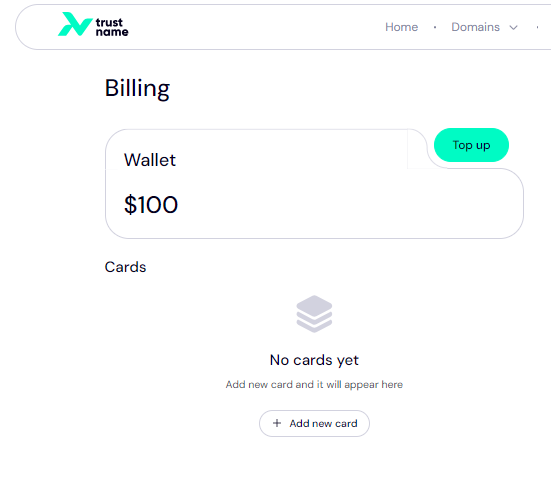
Avoid payment glitches and bank delays with your Trustname wallet, your funds are not passing through banks who usually over reach and complicate payments with unnecessary checks and verifications.
You are guaranteed swift, seamless payments.
Now, our crypto payment support goes hand in hand with your Trustname wallet. To consolidate all your payments and ensure you have the best experience, your Trustname wallet acts as the central payment hub.
First, you need to top up your Trustname wallet by making a crypto payment, then use the funds in your wallet to pay for any service you are interested in.
Topping Up Your Trustname Wallet
Ready to pay in crypto and fund your Trustname wallet?
Follow these steps:
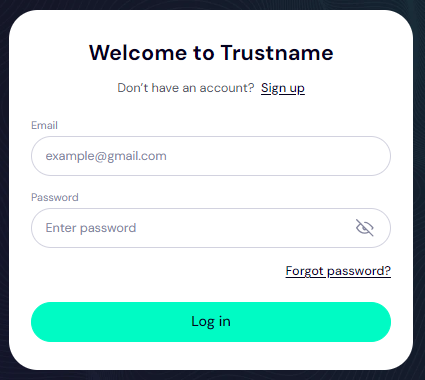
- Log In To Your Trustname Account
Head to the Trustname.com website and log in to your account with your username and password.
- Head To Your Billing Settings
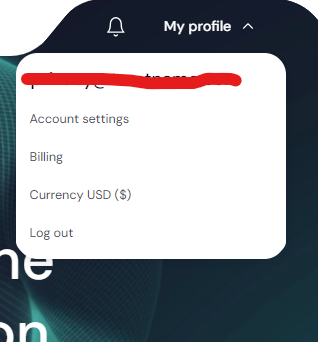
Once you are logged in, navigate to your billing settings to access your payment methods.
At the top right side of the screen, click on the 'My profile' dropdown and click on 'Billing' from the list.
- Top Up Your Trustname
WalletOn the page, you'll see your Trustname wallet and your current balance. You'll also see any cards you have added.
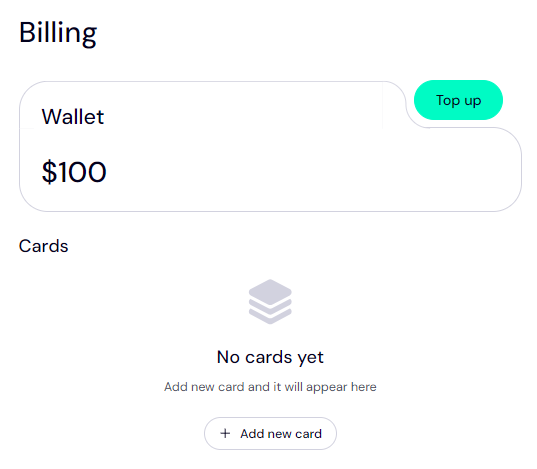
Click on the 'Top up' button at the top right and then select 'By crypto'.
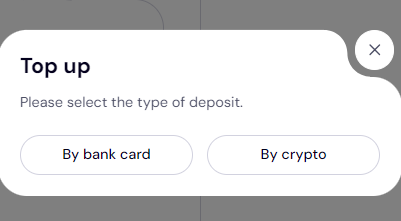
- Select Your Crypto
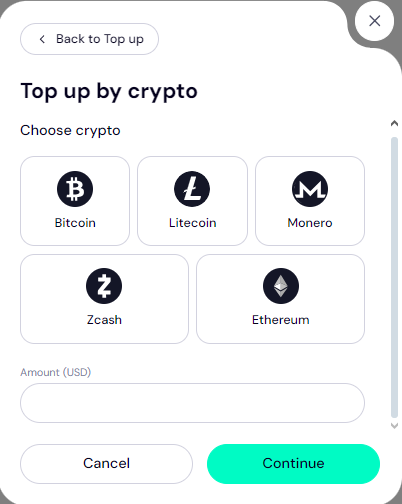
On the next page, you'll see a gallery of some of the cryptocurrencies we accept at Trustname. We, of course, accept Bitcoin (BTC), Ethereum (ETH) and a host of other altcoins.
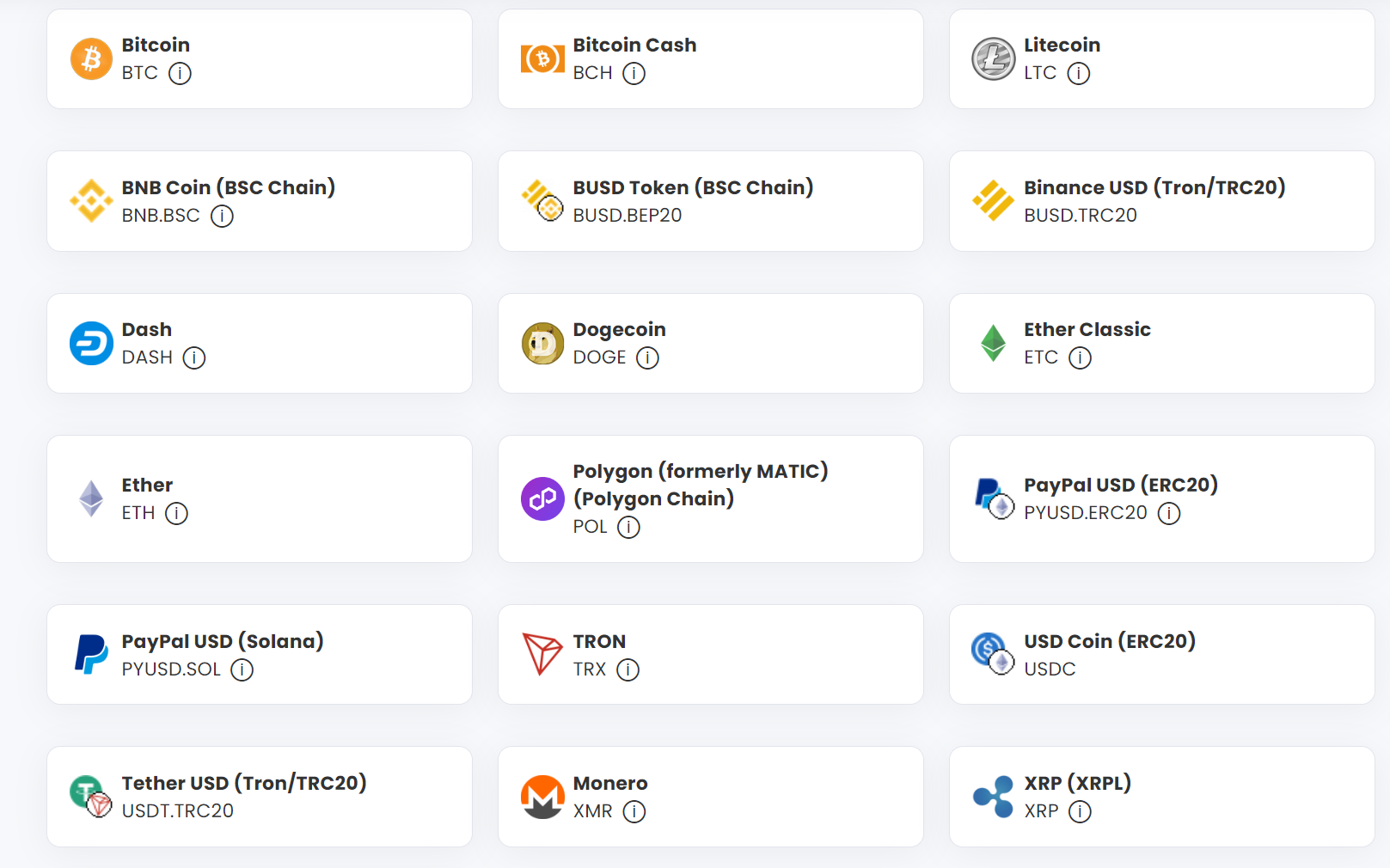
A more comprehensive gallery of Trustname's accepted cryptocurrencies.
Click on the Cryptocurrency you want to pay with, and under the 'Amount (USD)' field, fill in the amount in USD that you want to credit your wallet with. Click on 'Continue'.
- Obtain The Crypto Wallet Address
You will then be redirected to the crypto wallet address page. Using Bitcoin (BTC) and a $50 to illustrate, our portal will show you the Bitcoin address, the network to use, and the required amount in the cryptocurrency you chose to send.
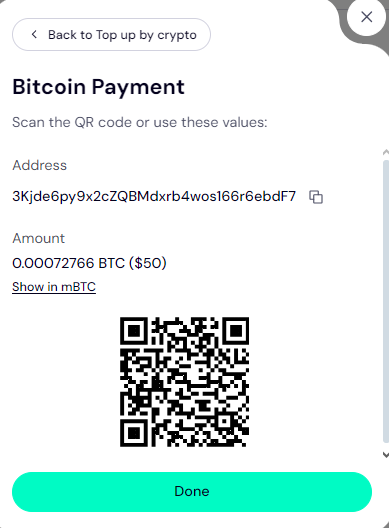
To obtain the crypto address, click on the 'Copy' icon to the right of the address.
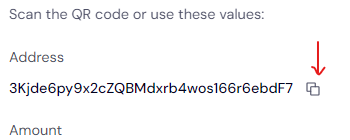
Ideally, you should be logged in to your Trustname account on the same device where your crypto wallet or exchange app is so you can paste it in directly.
Alternatively, you can obtain the crypto wallet by scanning the QR code at the bottom of the portal in your crypto app.
- Make Your Crypto Payment
Now, head to your crypto wallet app or exchange and log in to your account. Access your wallet and send the specified payment amount to the address you obtained from our portal.
[+] [Callout] Success Insert title here [+] [Callout] Title/Title with Icon -> Don't try to manually type out the address from our portal. Crypto wallet addresses are typically 40 characters long and are case sensitive, so it's super easy to miss a character or use the wrong case.
If even one character is amiss and you make the payment, your funds will never make it to Trustname and will be gone forever. Also, watch out that you don't accidentally add spaces in the address field. Always copy the wallet address and paste it directly into your crypto wallet app.
Also, make sure that you select the exact same Blockchain network in your crypto wallet or exchange app as the network we specify in the crypto payment portal on Trustname. For example, ERC20 tokens must be sent to an ERC20 address. If you send ERC20 tokens to a BSC or TRC20 address, the funds will be lost forever and cannot be recovered by anyone, including us.
[+] [Callout] Default Insert title here [+] [Callout] Title/Title with Icon -> Alternative Addresses
If you got the 'Bitcoin address provided is invalid' message when you tried to top up your Trustname wallet, you can send the funds to our other addresses.
Once you make the payment, kindly notify us and send the transaction ID and a screenshot of the success message, so we can process your order manually. We have several wallet addresses for the different cryptocurrencies we support.
- Contact Us
Once you have made your payment, kindly reach out to our agents so we can top up your wallet manually. Dont worry, we are not like other registrars who will direct you to chatbots or limit your support options to email and won't reply for days.
You can reach out to us and chat with us live or submit a ticket. Our support team is comprised of seasoned domain name experts, many of whom are webmasters themselves, who are at your beck and call.
Head to Trustnames support page once you've made your payment and click on 'Online chat'.
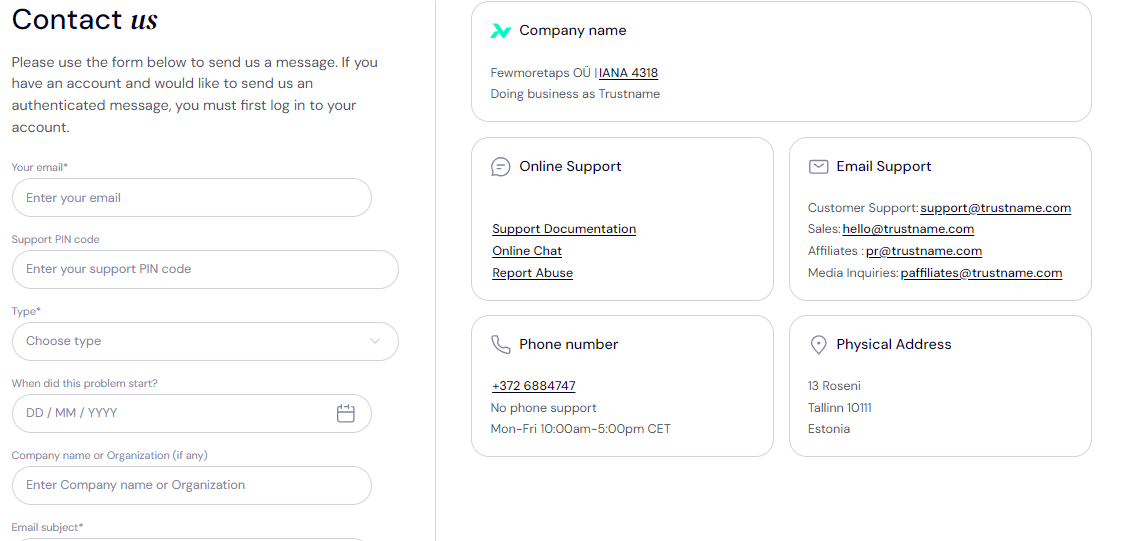
Once you get in touch with us, send the transaction ID and a screenshot of the success message from your wallet app, or copy the payment confirmation link and paste it in the chat box.
- Your Wallet Is Topped Up
Once we confirm the receipt of your crypto payment on our end, we will top up your Trustname wallet with the amount you specified.
Now, your Trustname wallet funds are ready to be used!
Making A Payment With Your Wallet - Domain Example
To make a payment for any of our services using your Trustname wallet.
Follow these steps.
Using a domain registration as an example, follow these steps.
- Search For Your Desired Domain Name
In the domain search portal, type in your desired domain name, including the TLD/extension and click 'Search'. If your first choice is taken, Trustname will suggest alternative names.
[+] [Notice] Default Insert title here [+] [Notice] Title -> You can search for more than one domain name at once. Simply type them out and separate each one with a comma.
- Register Your Domain
Once you've found an available domain, click on 'Buy'.

On the next page, you'd need to fill in your domain contact details the Registrant, Administrative, Technical and Billing info.
Alternatively, under 'Contact Info' you can click on 'Use a predefined contact' to use our third party registration where we assign the registrant to our partner proxy company, so your personal information is never linked to the Whois database in the first place.
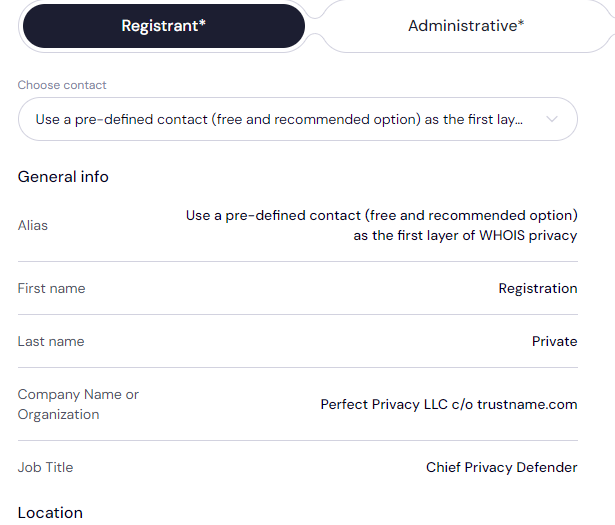
Read why we register domains in the name of Perfect Privacy LLC. for more details.
If you want to enjoy our full Two-Tier domain privacy, scroll down and click on ‘Use for all contact types
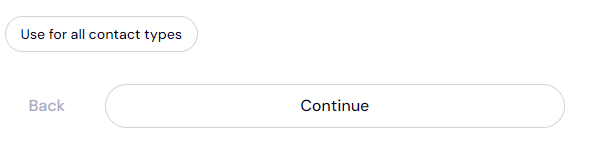
Click 'Continue' until all the fields are filled up and click on 'Go to checkout' in the top right corner.
If you want to use your own details, you'll need to provide the following.
[+] [List] Green Unordered - Registrant Details – Your full name, address, email, and phone number.
- Administrative Contact – Details of the person responsible for managing the domain (this can be the same as the registrant).
- Technical Contact – Information about the individual responsible for technical issues related to the domain.
- Billing Contact – Details on the billing address associated with the domain name. Click 'Continue to checkout'.
- Domain Contact Verification
After registering the domain, you'll receive an email to verify your domain contact details. Complete the verification within 15 days.
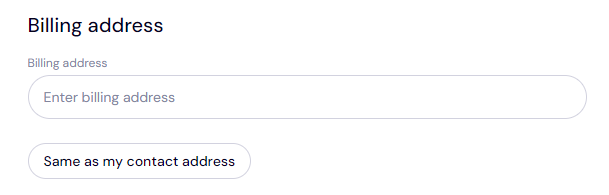
- Select Billing Address
To speed up the process, simply click on 'Same as my contact address' if you are registering the domain on your behalf.
- Select Registration Duration
You can register a domain for a minimum of 1 year and up to a maximum of 10 years. Choose the duration that best suits your needs.
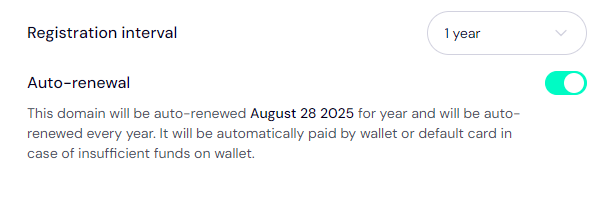
We recommend enabling auto renewal so your domains stay active without requiring any manual input from you.
- Complete Your Payment
And we're here! Select 'Wallet' as your payment method to use the funds you just added to your balance via crypto.
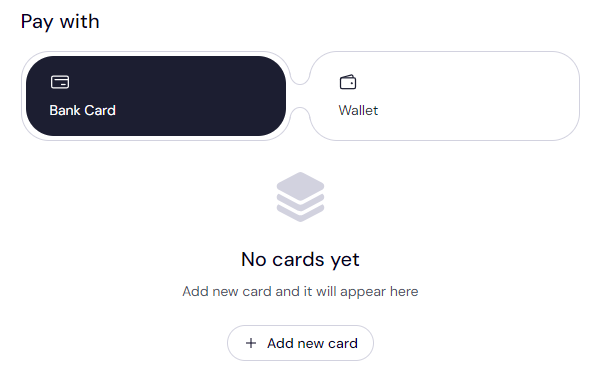
Click 'Pay'. That's it!
Once payment is processed, you’ll receive a confirmation email with your order details and the registration status of your domain.
Where To Buy BTC, ETH, USDT, And Other Altcoins
There is a plethora of crypto exchanges where you can purchase BTC, ETH, USDT, or any other altcoin we support, however, Trustname recommends Coinbase, a reputable, U.S. based Bitcoin exchange platform that allows you to create a digital wallet for different cryptocurrencies and can be used on their iPhone or Android apps or in your web browser.
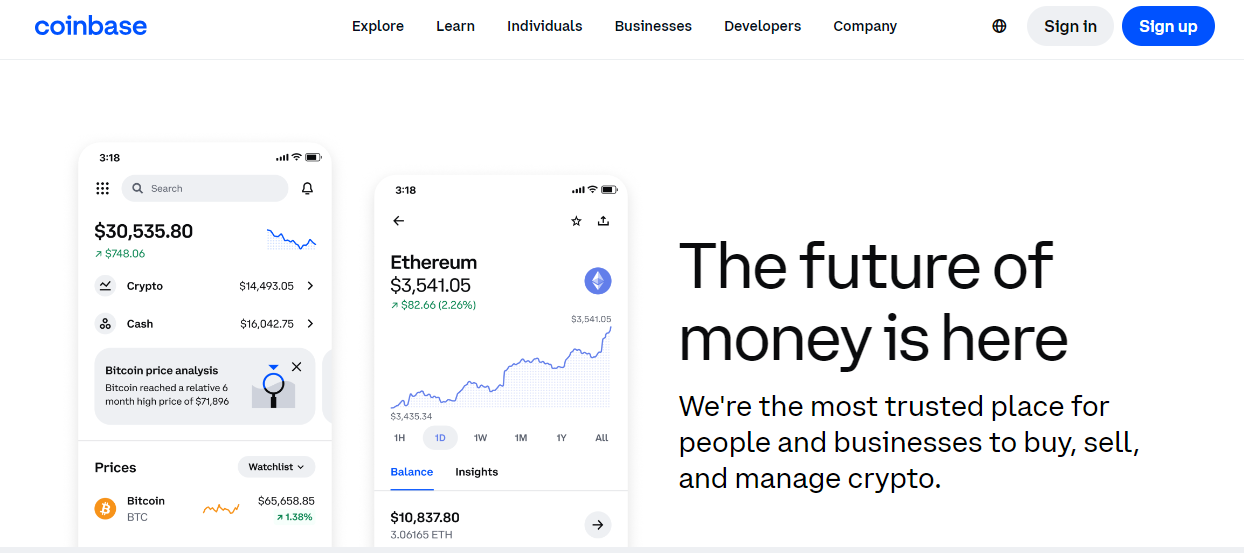
If you are based in the United States, the United Kingdom, or Australia, Coinbase allows you to purchase most cryptocurrencies directly using a credit or debit card. Visit Coinbase.com or download the Coinbase app for iOS or Android from your app store.
Buy Bitcoin (BTC), ETH, USDT, or any other altcoin instantly with your debit/credit card, or use a bank account for lower transaction fees. Then send your purchased crypto to our wallet by scanning the QR code on the Checkout page.
Check out other crypto exchanges featured in the Top 100 Exchanges list to buy your crypto.
Preventing Failed Crypto Payments On Trustname
Unlike traditional payments, crypto payments are non-reversible, so you should ensure you take the right steps to ensure your payments don't run into any issues.
Follow these steps.
- Make Sure The Crypto And Networks Match
Make sure the cryptocurrency you choose in your Trustname portal is what you send from your crypto wallet. For example, you should only send Bitcoin (BTC) to the BTC wallet address Trustname gives you.
Also, make sure that the cryptocurrency network specified on Trustname is the one you choose in your crypto wallet app.
- Avoid Manually Copying The Address
Another very important precaution is to ensure you never manually copy the crypto wallet address from your Trustname portal. It's easy to make a mistake this way and lose your crypto.
Copy the address using the copy button and paste it directly into your crypto app. Or better still, use the QR scanner in your crypto app to scan the wallet address in your Trustname portal.
- Ensure Your Crypto Wallet Is Funded
And finally, ensure that your crypto wallet is funded enough to cover the transaction and any extra gas fees. Insufficient funds in your wallet will stop the transaction from going through.
That's it!
Was this article helpful?
That’s Great!
Thank you for your feedback
Sorry! We couldn't be helpful
Thank you for your feedback
Feedback sent
We appreciate your effort and will try to fix the article