Learn how to top up your Trustname wallet using either a bank card or cryptocurrency. This guide walks you through every step, explains how taxes work, and highlights important precautions to ensure your payment is processed successfully.
Key Takeaways
- Fast Payments – Top up instantly using a bank card or crypto.
- Zero Wallet Fees – No additional Trustname transaction fees.
- Tax Information – VAT/GST applies only when purchasing services.
- Crypto Safety – Always use the correct wallet address and network.
- Manual Assistance – Contact support after crypto payments for wallet credit.
TABLE OF CONTENTS
Your Trustname account comes with a built-in wallet you can fund to purchase any of our services. Enjoy seamless, lightning-quick transactions and save yourself the stress that comes with traditional bank or card payments. With your Trustname wallet, you also get the chance to earn on your auctioned-off domains.
You can fund your Trustname wallet using your bank card or cryptocurrencies! By accepting crypto, we ensure you enjoy the most anonymity, as it seamlessly complements our Two-Tier domain privacy. Here's how to top up your Trustname wallet:
Trustname's Wallet - Enabling Seamless Transactions
Your built-in wallet simplifies transactions made on our platform. Since your funds are already with Trustname and the purchases you'll be making are on our platform, you can have your products in your account in seconds.
- No Bank Delays Or Verifications Required
Many transitional payment methods like bank cards, transfers, and third-party payment solutions often overreach, requesting you to carry out unnecessary verifications and holding funds for days on end.
This is even worse for cross border transactions where bank cards are rejected outright.
By using your Trustname wallet, you can avoid these delays and have your products in your account right away. You also won't have to verify your identity or your funds - our only role is to help you register domains. No other questions asked!
- Zero Purchase Fees
Another excellent perk you enjoy with your Trustname wallet is zero fees on your transactions. Your product is paid for and assigned within your Trustname account, and you pay no extra fees assigned from the cost of the product itself.
The same can't be said for bank and card payments. You will often need to send more than the product price to cover additional transfer fees.
- A Note On Taxes
While Trustname won't charge you any money for your wallet transactions, it is important to specify that your relevant taxes may still apply, depending on your region.
For customers in the EU/AU/UK and India, your consumption tax may apply. When topping up your Trustname wallet, no Value Added Tax (VAT) or Goods and Services Tax (GST)) is included.
[+] [Callout] Info Insert title here [+] [Callout] Title/Title with Icon -> Topping up your wallet isn't considered a final sale of a good or service to you, the customer. The VAT only applies when you purchase one of our services. If indeed it is required, your tax fee will be added to your total bill when you spend money from your wallet.
The tax added is calculated based on your billing address and is added at checkout. If you're an individual and not sure which billing address to choose, click the 'I'm feeling lucky' button close to the billing address field, and we will recommend a billing address you can use.
Topping Up Your Trustname Wallet
Let's dive right into topping up your wallet. You can top up your Trustname wallet via bank card and crypto.
- Via Bank Card
To top up your Trustname wallet via bank card, follow these steps:
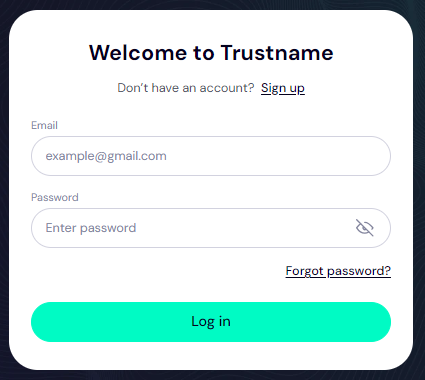
[+] [List] Green Ordered - Access Your Trustname Account
Head to the Trustname.com website and log in to your account with your username and password.
- Head To Your Billing Settings
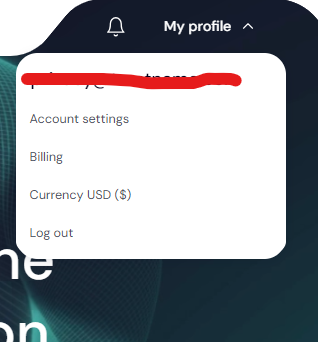
Once you are logged in, navigate to your billing settings to access your payment methods.
At the top-right side of the screen, click on the 'My profile' dropdown and click on 'Billing' from the list.
- Top Up Your Trustname Wallet
On the page, you'll see your Trustname wallet and your current balance. You'll also see any cards you have added.
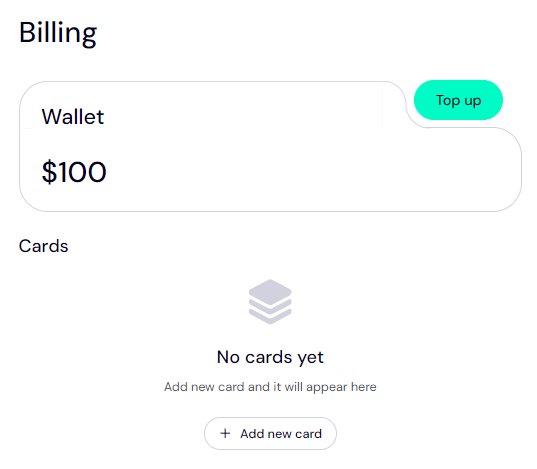
If you haven't added a card yet, click on the '+Add new card' button.
- Add Your Bank Card
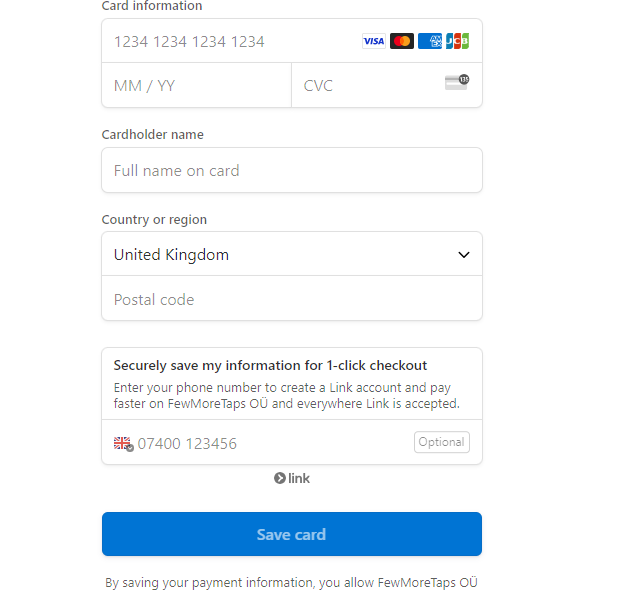
On this page, fill in your card information, your country or region, and your postal code. To expedite the process, you can enter your phone number (which will be verified), and we'll create a 1-click checkout for you. Click on 'Save Card' to add your card.
- Top Up Your Wallet
With your card added, click on the 'Top up' button at the top right and select 'By bank card'.
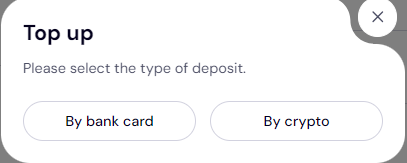
Type in the amount you want to credit your Trustname wallet with in $
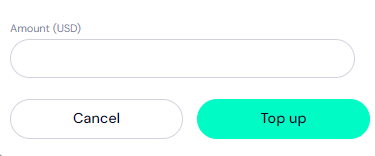
Click 'Top up'. That's it! You should see your Trustname wallet funded.
- Access Your Trustname Account
- Via Crypto
You can also fund your Trustname wallet via crypto.
[+] [List] Green Ordered - Access Wallet
Follow the same steps outlined above to reach your wallet, but this time, click on the 'Top up' button at the top right and then select 'By crypto'.
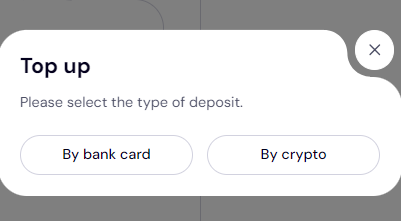
- Select Your Crypto
On the next page, you'll see a gallery of some of the cryptocurrencies we accept at Trustname. We, of course, accept Bitcoin (BTC), Ethereum (ETH), and a host of other altcoins.
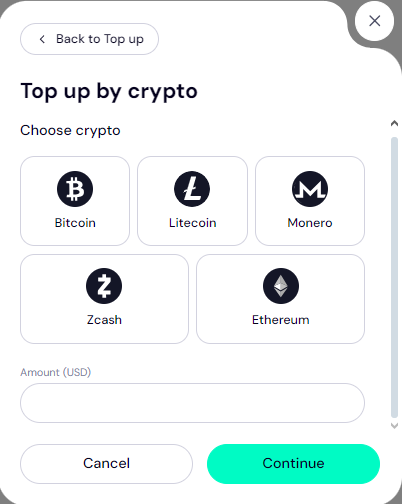
A more comprehensive gallery of Trustname's accepted cryptocurrencies.
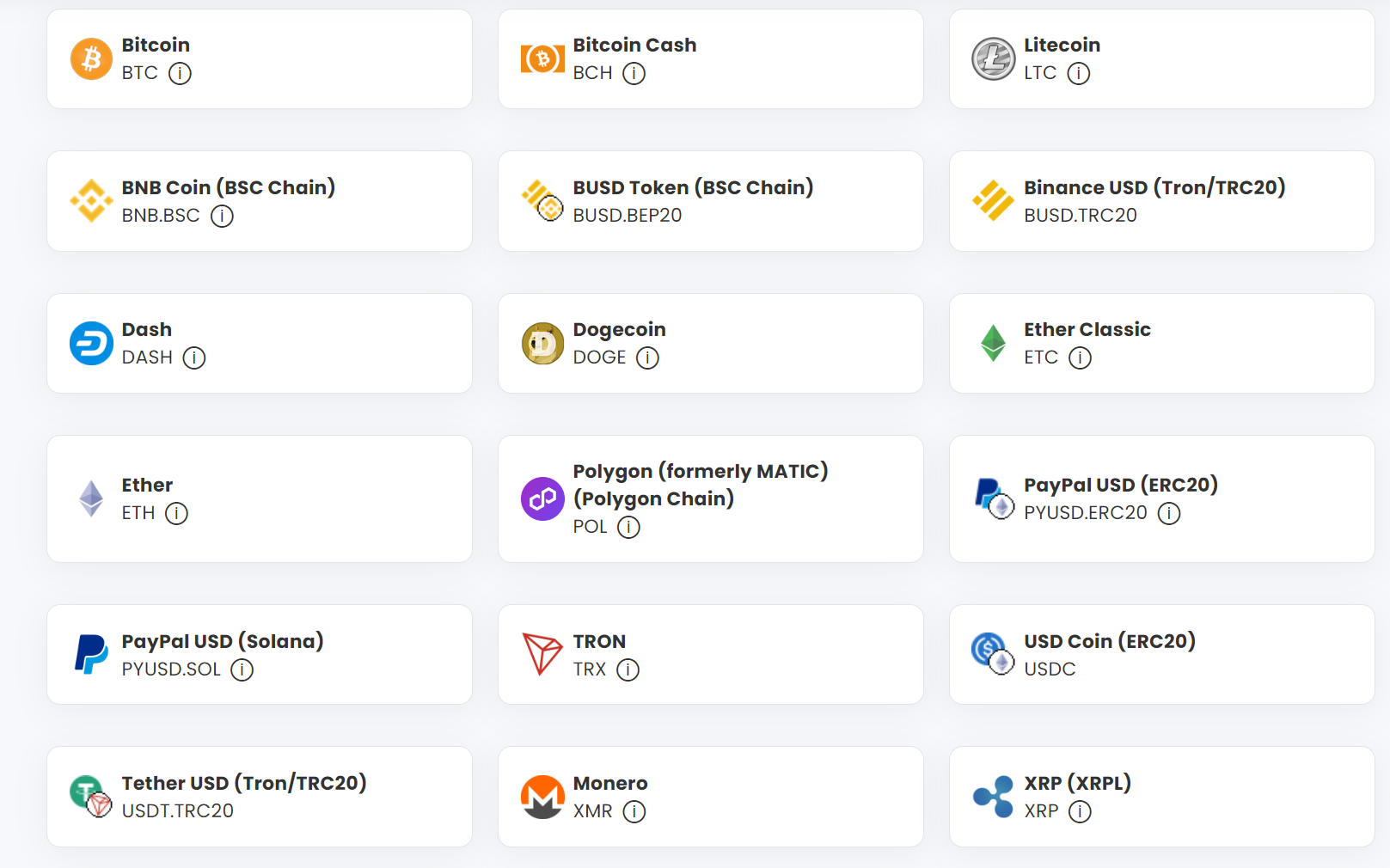
Click on the cryptocurrency you want to pay with, and under the 'Amount (USD)' field, fill in the amount in USD that you want to credit your wallet with. Click on 'Continue'.
- Obtain The Crypto Wallet Address
You will then be redirected to the crypto wallet address page. Using Bitcoin (BTC) and a $50 payment to illustrate, our portal will show you the Bitcoin address, the network to use, and the required amount in the cryptocurrency to send.
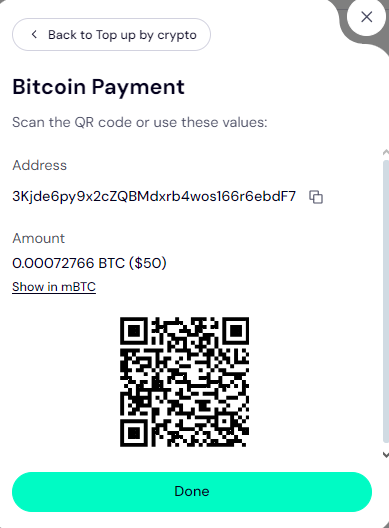
To obtain the crypto address, click on the 'copy' icon to the right of the address.
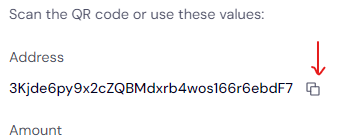
Ideally, you should be logged in to your Trustname account on the same device where your crypto wallet or exchange app is so you can paste it in directly.
Alternatively, you can obtain the crypto wallet by scanning the QR code at the bottom of the portal in your crypto app.
- Make Your Crypto Payment
Now, head to your crypto wallet app or exchange and log in to your account. Access your wallet and send the specified payment amount to the address you obtained from our portal.
Important!!!
[+] [Callout] Warning Insert title here [+] [Callout] Title/Title with Icon -> Don't try to manually type out the address from our portal. Crypto wallet addresses are typically 40 characters long and are case-sensitive, so it's super easy to miss a character or use the wrong case.
If even one character is a miss and you make the payment, your funds will never make it to Trustname and will be gone forever. Also, watch out that you don't accidentally add spaces in the address field. Always copy the wallet address and paste it directly into your crypto wallet app.
Also, make sure that you select the same Blockchain network in your crypto wallet or exchange app as the network we specify in the crypto payment portal on Trustname. For example, ERC20 tokens must be sent to an ERC20 address.
[+] [Callout] Info Alternative AddressesInsert title here [+] [Callout] Title/Title with Icon -> If you send ERC20 tokens to a BSC or TRC20 address, the funds will be lost forever and cannot be recovered by anyone, including us.
If you got the 'Bitcoin address provided is invalid' message when you tried to top up your Trustname wallet, you can send the funds to our other addresses.
[+] [Callout] Info Insert title here [+] [Callout] Title/Title with Icon -> Once you make the payment, kindly notify us and send the transaction ID and a screenshot of the success message, so we can process your order manually. We have several wallet addresses for the different cryptocurrencies we support.
- Contact Us
Once you have made your payment, kindly reach out to our agents so we can top up your wallet manually. Don't worry, we are not like other registrars who will direct you to chatbots or limit your support options to email and won't reply for days.
You can reach out to us and chat with us live or submit a ticket. Our support team is comprised of seasoned domain name experts, many of whom are webmasters themselves, who are at your beck and call.
Head to Trustname's support page once you've made your payment and click on 'Online chat'.
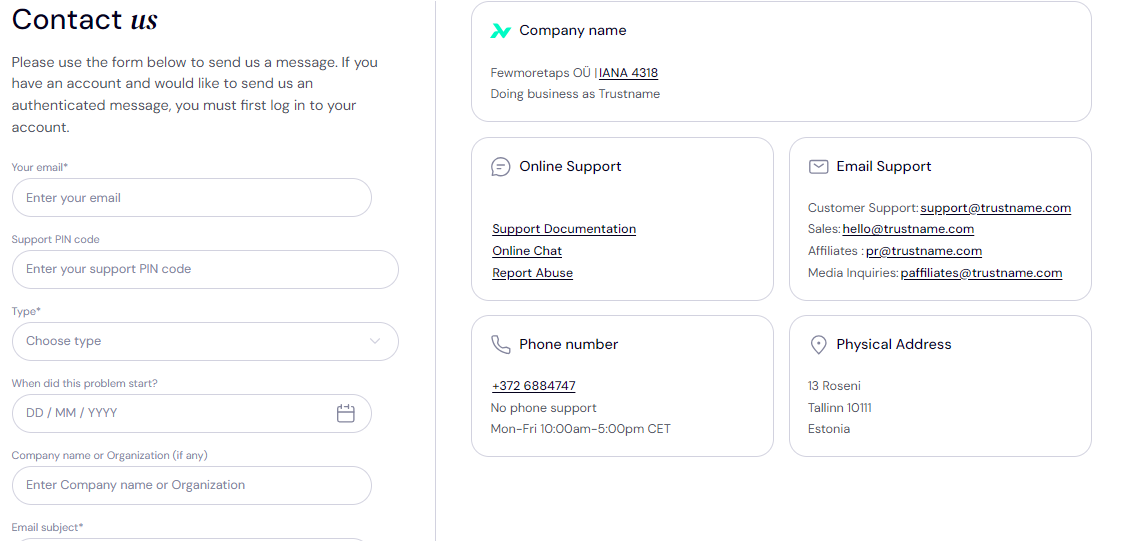
Once you get in touch with us, send the transaction ID and a screenshot of the success message from your wallet app, or copy the payment confirmation link and paste it in the chat box.
- Your Wallet Is Topped Up
Once we confirm the receipt of your crypto payment on our end, we will top up your Trustname wallet with the amount you specified. Now, your Trustname wallet funds are ready to be used!
- Access Wallet
Was this article helpful?
That’s Great!
Thank you for your feedback
Sorry! We couldn't be helpful
Thank you for your feedback
Feedback sent
We appreciate your effort and will try to fix the article