
Transferring your domain from Chemicloud to Trustname brings better value with steady pricing, expert support, and advanced privacy protection. The steps are straightforward prepare your domain by unlocking it and obtaining the EPP code from Chemicloud, then complete the transfer smoothly at Trustname.
Key Takeaways
- Fair Pricing – Fixed $14.99 renewals include free SSL, DNS, email, and privacy, no renewal hikes.
- Expert Help – 24/7 live chat with domain pros beats Chemicloud's often unhelpful responses.
- Advanced Privacy – Free two-tier Whois uses proxy layers to thoroughly shield your details.
- Simple Prep – Confirm 60 day eligibility, turn off domain lock, and get the EPP code in the Chemicloud dashboard.
- Fast Transfer – Enter the domain/code at Trustname, select the contact (pre-defined for privacy), and pay $7.77 with the WELCOME777 promo.
TABLE OF CONTENTS
- Key Takeaways
- What Perks Should You Expect With Trustname?
- Before Initiating Your Transfer - Here's What You Should Know
- Prepare Your Domain At Chemicloud For The Transfer
- Initiate The Transfer at Trustname
- Safeguard Your Domain at Trustname
- Troubleshoot a Failed Domain Transfer
Looking to transfer your domain from Kinsta to Trustname? We can't wait to have you here. While Chemicloud is one of the popular registrars on the market, popular doesn't always mean best. From mediocre support to pricey domain renewals, it's no wonder you want to move your domain.
Transfer your domain from Chemicloud to Trustname and enjoy unbeatable prices, world-class human support, and the very best domain privacy on the planet. Let's show you how. But first…
What Perks Should You Expect With Trustname?
- The Best Pricing On The Market
Like many domain registrars/web hosts on the market, Checmicloud attracts initial registrations by listing low prices for the first year. However, subsequent renewals are usually charged at several times the initial cost from the second year onward.
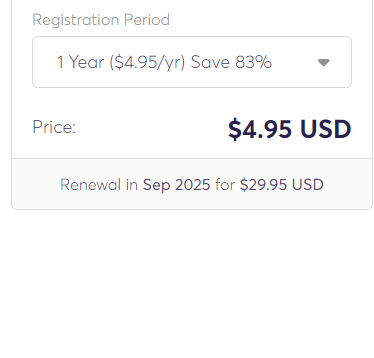
At Trustname, we charge a fixed $12.99 for the first year and $14.99 for renewals. And the best part? You get all the domain essentials free of charge.
Chemicloud charges $3.95 per year for domain privacy
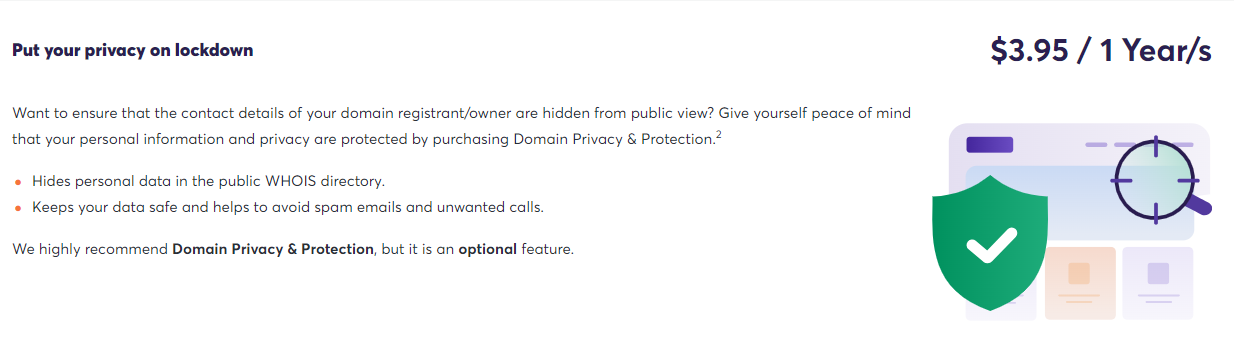
Not only is domain privacy free on Trustname, but you also get a free SSL (for the first year), access to our premium DNS, a free branded email, and DNSSEC addons worth $100.
- Top-Tier Support
On-demand support when you need it?
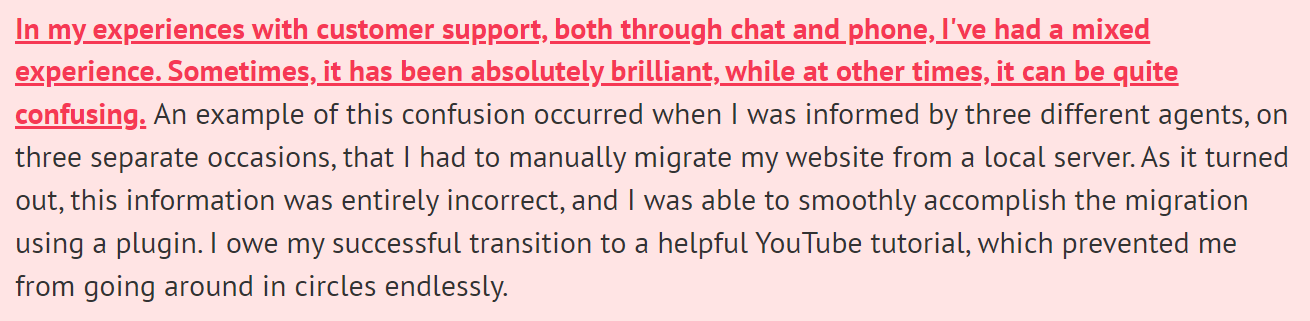
Trustname is the registrar for you. Chemicloud customers complain about their support and about how agents don't have a solid grasp of a number of domain management queries.
Have a niche request or a slightly more complex issue you need solved?
Chances are you may be misled and not get accurate information from their agents.
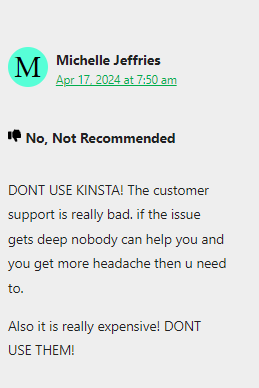
Head over to Trustname and enjoy world-class support from an ever-growing team of domain management experts (many of whom are webmasters themselves). Our support agents are available 24/7/365, and we encourage our customers to contact us via live chat for quick help.
- Unrivaled Domain Privacy
Registrars like Chemicloud provide basic Whois privacy, replacing your domain contact information in the Whois database with proxy details or 'Redacted for privacy' (for EU customers).
At Trustname, we offer a one-of-a-kind Two-Tier Domain Privacy that allows you to register domains anonymously and then hide your domain contact information at the second level. You'll never have to link your personal information with your domain in the first place if you don't want to.
What's more? Our partner proxy company will take all the flak for you if we receive a domain abuse report.
Read more on Why Trustname registers domains in the name of Perfect Privacy LLC. to learn more about our Two-Tier Privacy.
Before Initiating Your Transfer - Here's What You Should Know
- Review Your Domain Nameservers
You should review the nameservers set on your domain in your Chemicloud account before transferring it. If your domain is pointing to Chemicloud's nameservers, DNS queries will stop resolving when your domain is moved, and your website will experience downtime.
If they are set to a third-party provider (i.e., another web host), then you don't need to worry.To check the nameservers set in your Chemicloud account, log in with your name and password. Click 'Domains' in the left menu, enter Search for your domain in the left, and click 'Manage Domain' next to it.
Scroll down to the Manage field and review your domain's nameservers.
- Transferring Your Domain Doesn't Take Your Website Along
Your domain name and website are two different services. If you also want to move your website to Trustname or another web hosting provider, you would need to purchase a web hosting plan from the new host and, ideally, reach out to us.
We'll help you migrate your website conveniently. - Transfer Pricing And Policy
Trustname charges a base fee of $7.77 (with our promo code) to transfer your domain name to us,s but this adds an extra year to your domain name's current expiration date. - Transferring Expired Domains
You can transfer a domain only while it is active or during the grace period after it expires. If you didn't renew your domain during the Grace Period and it moves into the Redemption Period, you will need to renew it first with Chemicloud at an extra fee and wait for the ICANN 60 day lock to elapse.
You should transfer domains at least two weeks before they expire.
Prepare Your Domain At Chemicloud For The Transfer
Confirm The Domain's Transfer Eligibility
To adhere to ICANN regulations, you won't be able to transfer any domain name from Chemicloud until 60 days have passed since it was registered, since the last registrar transfer, registrant change, or change to the domain's contact details.
Confirm that your domain is at least 60 days old and hasn't had any registrant or registrar changes made in the last 60 days before proceeding with the transfer.
Unlock The Domain At Checmiclou.d
The Domain Lock is a basic security feature offered by most registrars, including Chemicloud, that prevents unauthorized transfers of your domain. To transfer it out, you need to disable the Domain Lock.
Don't worry, once your domain is with us at Trustname, we will automatically lock your domain.
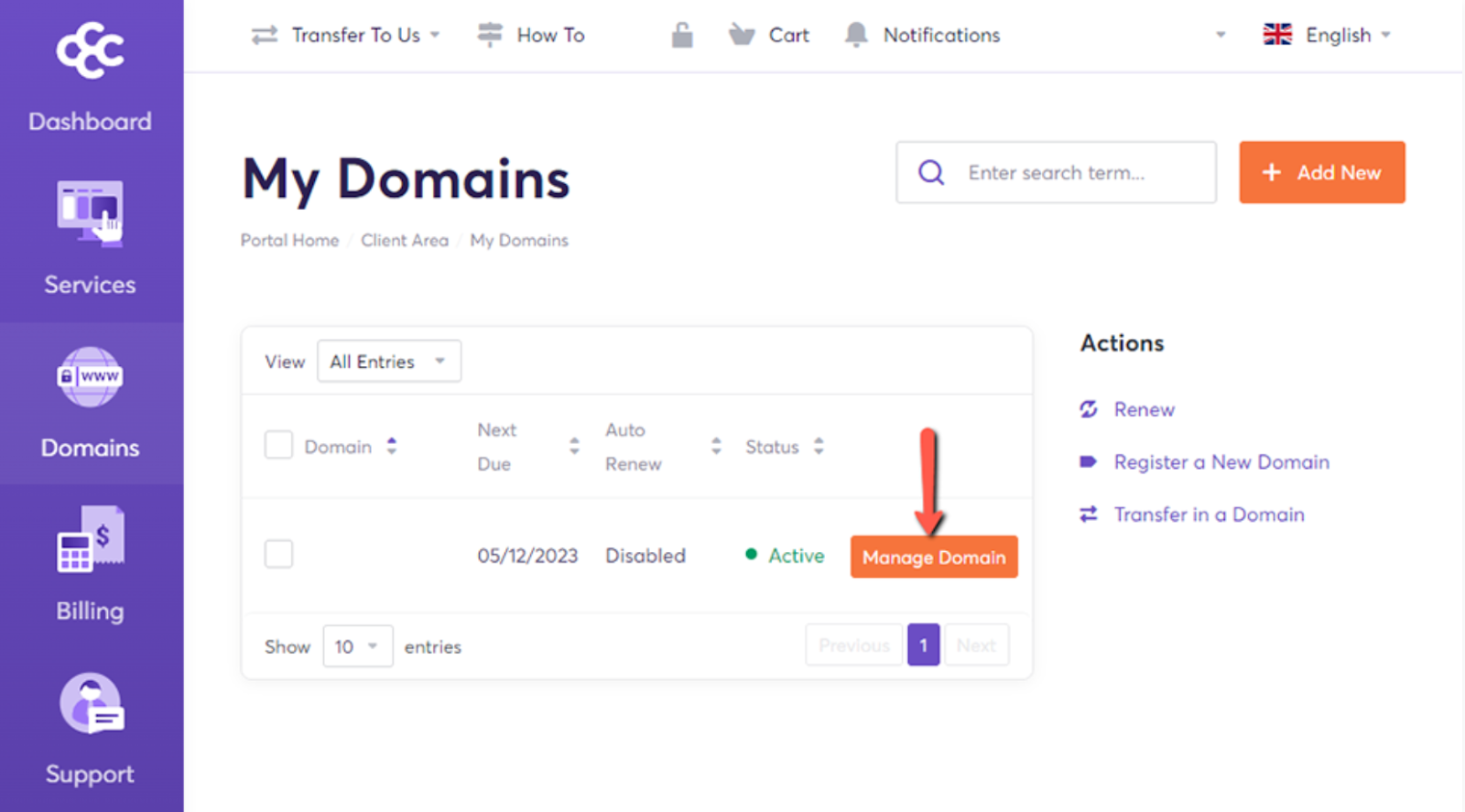
Log in to your client account on Chemicloud. Click the 'Domains' menu in the left-hand sidebar, then, beside the domain you want to transfer, click the 'Manage Domain' button.
Under Manage, click the 'Registrar Lock' link, then change the status to OFF. That's it!
Obtain The Auth (EPP) Code
You would also need to obtain the Auth Code that helps Trustname validate your request with Chemicloud.
Similar to where you found your domain lock settings, log in to your account with your username and password.
Next, click the 'Domains' tab at the top of your dashboard to see your domain list.
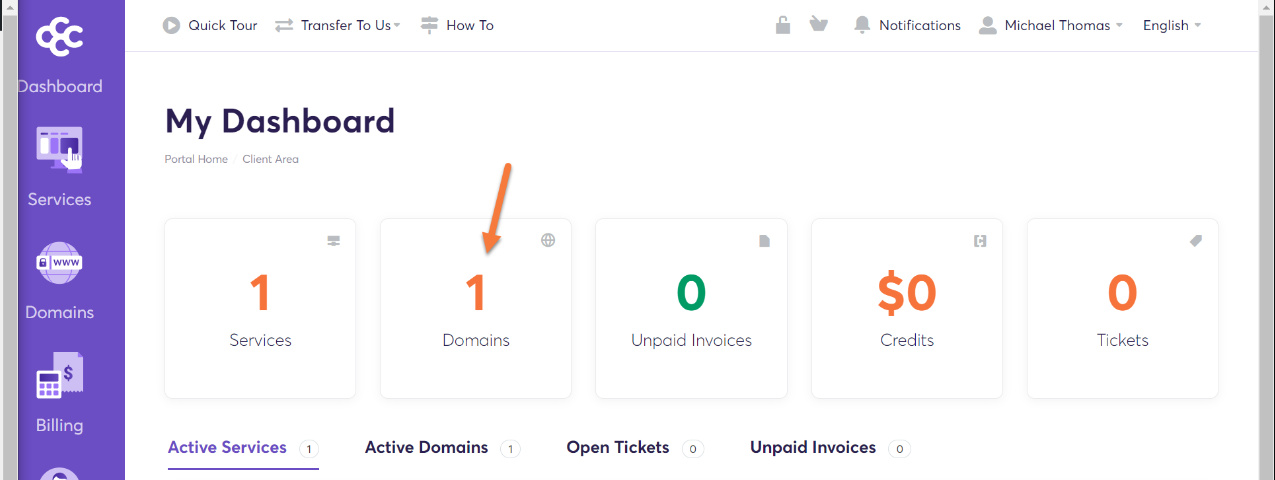
Click on the 'Manage Domain' button attached to the row of the domain you want to send to us
Head to the Get EPP code portal
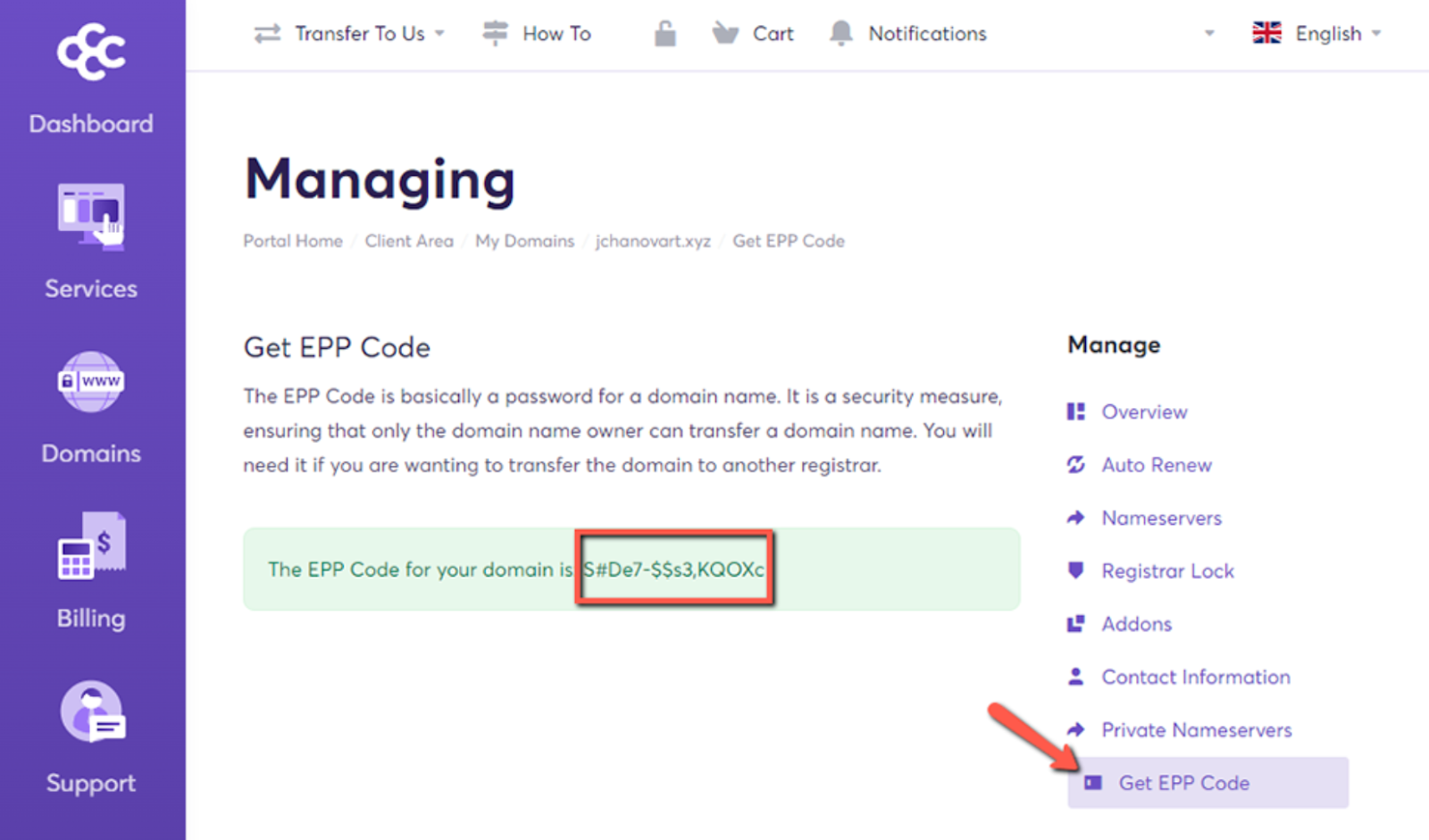
Copy the EPP code for later use at Trustname.
You are now ready to send your domain to Trustname. Head to our Domain Transfer page .
Initiate The Transfer At Trustname
- Head to the Trustname.com website and click 'Log In' at the top right corner to access your Trustname account
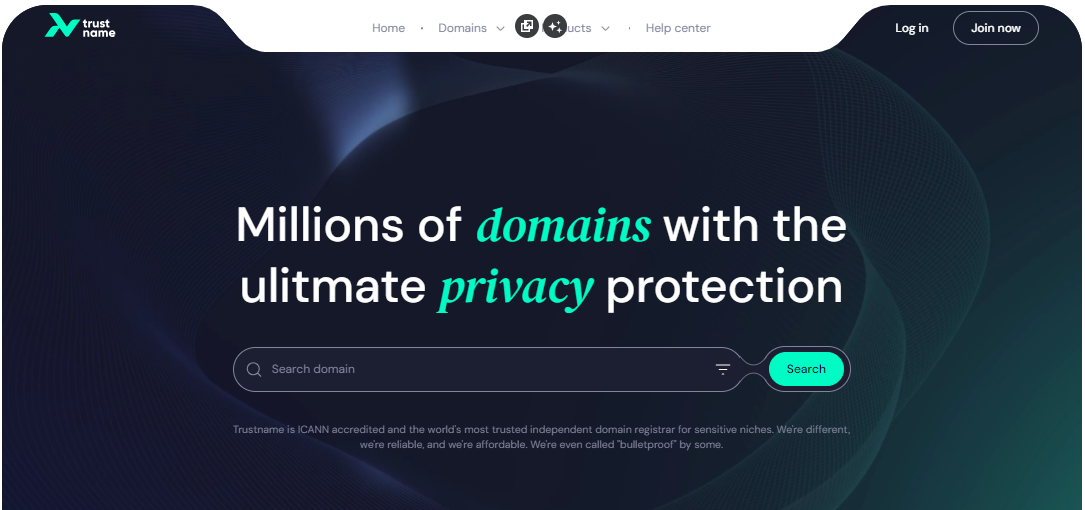
- Fill in your account username and password to gain access to your customer portal
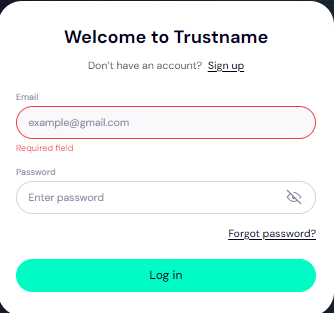
Click 'Log in'.
- Under the 'Domains' dropdown in the header, click on 'Transfer'
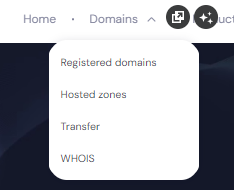
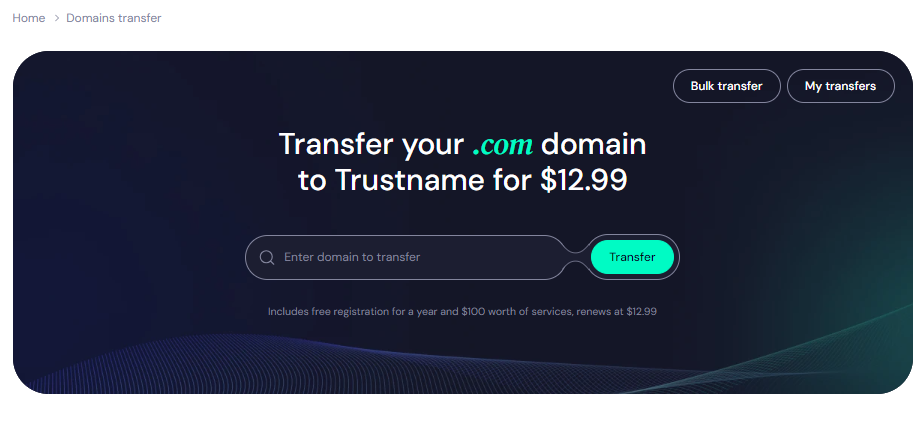
- Type in your domain, including the domain extension, and click on 'Transfer'
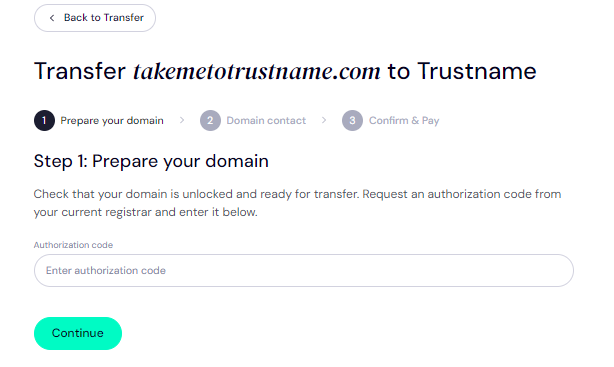
- Enter the Auth Code (EPP code) you got from the Chemicoud portal for your domain and click on 'Continue'
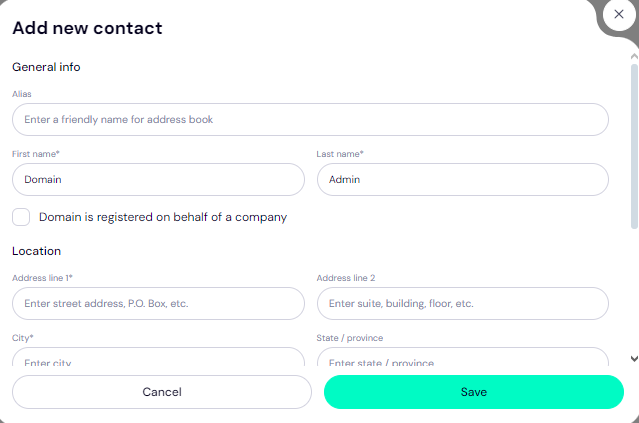
- Fill in your domain contact details. You can choose to use your own information by clicking on the 'Choose contact' dropdown and selecting 'Add new contact'.
Or you can click 'Use a pre-defined contact' to enable Trustname's Two-Tier Privacy Protection.
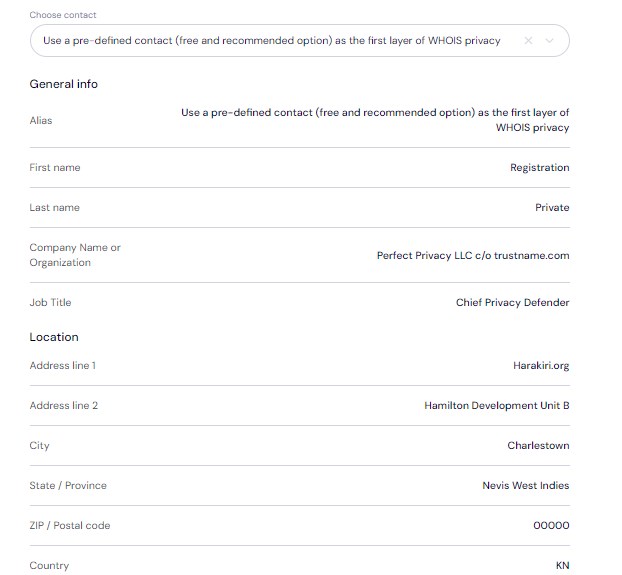
[+] [Callout] Info Insert title here [+] [Callout] Title/Title with Icon -> You retain complete control of your domain even if you choose 'Use a pre-defined contact' we only offer this service to give you the most privacy and minimise your digital footprint.
Click 'Continue'.
- Pay for your domain transfer and get 1 extra year on your domain's current expiry date.
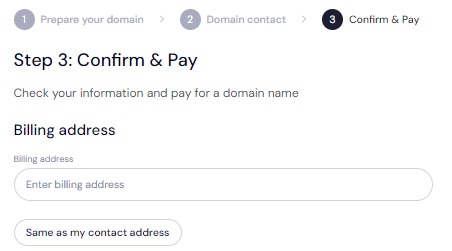
Enter your billing address or select 'Same as my contact address' so you don't need to fill it in manually
- Choose your payment method. You can use a bank card or existing funds in your Trustname wallet to make a payment
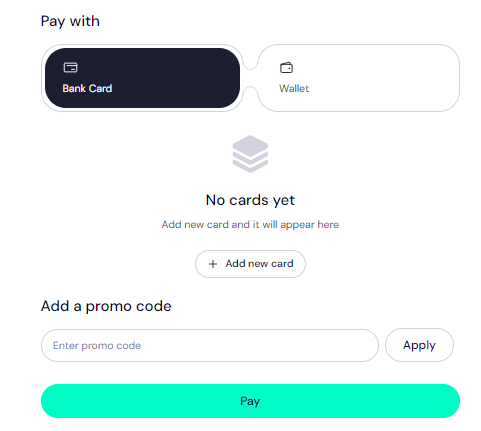
If you don't have a bank card set up yet, click on 'Add new card' and fill in your card details to set it up.
Trustname also accepts cryptocurrencies for payment!
Trustname's Domain Transfer Promo Code - WELCOME777
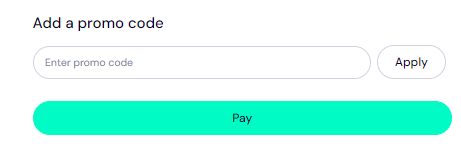
Use our promo code WELCOME777, and we will only charge $7.77 for your domain transfer - with a 1-year registration included at no extra cost and added to your domain's current expiry date.
Type in WELCOME777 in the 'Add a promo code' section
- Select your domain registration period (between 1 to 10 years at a time).
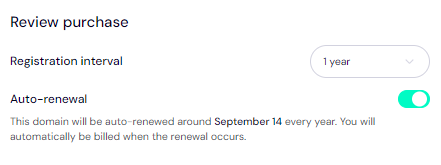
Leave the Auto-renewal button ON so we renew your domain name well before it expires.
- Click on the 'Pay' button and follow the on-screen prompts. That's it! Your domain should be on its way from Chemicloud to us.
Safeguard Your Domain At Trustname
Once your domain is with us, turn on two-factor authentication (2FA), review your domain lock, review our Two-Tier privacy to see your domain Whois info, and check your nameservers.
Troubleshoot A Failed Domain Transfer
Once you have taken these steps, your domain transfer from Chemicloud to Trustname should go smoothly. However, if you are experiencing any issues, you may need to recheck the Auth Code, ensure your domain is eligible, and confirm it is unlocked.
You may also need to disable Domain Privacy if it's enabled.
Read Troubleshooting Failed Domain Transfers to Trustname for more help.