
The guide provides a step-by-step roadmap for users looking to escape HostGator's high renewal costs and "unprofessional" support. It positions Trustname as a transparent, high-privacy alternative that offers flat rate pricing and a Two-Tier anonymity system.
The article covers everything from technical preparation (unlocking the domain) to the final checkout process using promotional discounts.
Key Takeaways
- Financial Transparency – Unlike HostGator's escalating renewal fees (which can reach $22.99 or higher), Trustname offers a flat renewal rate of $14.99, ensuring long-term predictability for your budget.
- Two-Tier Privacy Protection – Trustname allows you to register domains anonymously via a proxy service, meaning your personal details are never linked to the domain in the first place, providing a much higher level of security than standard Whois redaction.
- The 60 Days Lock Rule – Under ICANN regulations, you cannot transfer a domain that was registered or modified within the last 60 days. Ensure your domain is old enough before initiating the move to avoid system errors.
- Strategic DNS Prep – Always point your domain to your new host's nameservers before starting the transfer. Since DNS settings cannot be changed during an active transfer (which takes 5 to 7 days), this prevents your website from going offline during the transition.
- Transfer Eligibility – You can only move active domains or those in their "Grace Period." If your domain falls into the "Redemption Period" after expiration, you will be forced to pay high recovery fees and wait another 60 days before you can leave HostGator.
TABLE OF CONTENTS
- Key Takeaways
- Perks You Should Expect With Trustname
- Before Initiating Your Transfer - Here's What You Should Know
- Prepare Your Domain At HostGator For The Transfer
- Initiate The Transfer At Trustname
- Safeguard Your Domain At Trustname
- Troubleshoot A Failed Domain Transfer
With their high renewal fees, unprofessional support, and suspicious system errors designed to take your money, we understand why you're eager to move your domain away from HostGator.
To move your domain from HostGator to Trustname, you simply need to unlock your domain, obtain the Auth(EPP) code in your HostGator account, disable domain privacy and initiate the transfer at Trustname. Let's show you how. But first…
Perks You Should Expect With Trustname
- Unbeatable And Transparent Pricing
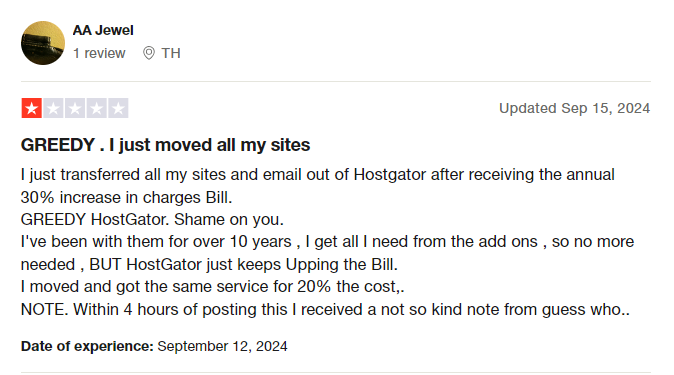
Customers on HostGator complain about the ridiculous renewal costs and policies. When you purchase a .com domain at $12.99, your next renewal jumps to $22.99. To make matters worse, there's a 30% yearly increment on renewals, which will punch a hole in your pockets in the long run.
But that's not all, even if you turn off 'auto-renewal', their system will automatically charge your card without your consent.
At Trustname, we pride ourselves on how transparent our packages are. What you see is what you get. We charge a flat $12.99 fee for most domains for the first year and $14.99 for renewals.
- Professional Support
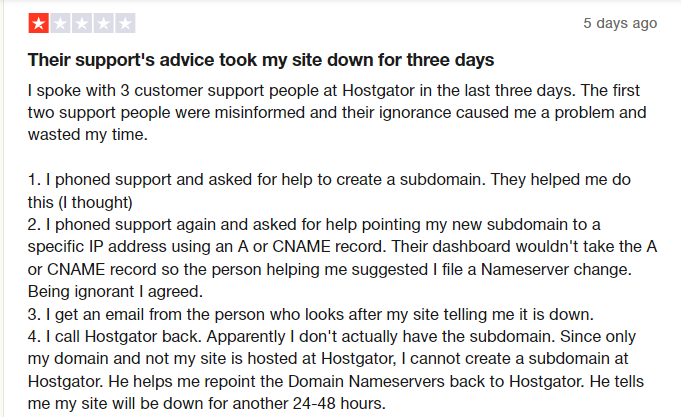
A major flaw of HostGator is how unprofessional their support is. They seem to have a team of people who know little about the industry attending to customer complaints.
This subsequently leads to errors that could cause website downtime and huge financial losses. When a customer reaches out, they keep escalating the issue to non-existent admins until that customer eventually gives up.
At Trustname, we ensure you get world class support from human agents who are webmasters with decades of experience resolving domain name issues. Additionally, we encourage our customers to contact us via live chat to ensure your inquiries are resolved quickly.
- World Class Privacy
HostGator gives you the basic Whois privacy that replaces your domain contact information in the Whois database with proxy details or 'Redacted for privacy' (for EU customers).
At Trustname, we offer a one of a kind Two-Tier Domain Privacy that allows you to register domains anonymously and then hide your domain contact on a second level.
You'll never have to link your personal information with your domain in the first place if you don't want to. What's more? Our partner proxy company will be contacted first should you encounter any legal issues.
Read more on Why Trustname registers domains in the name of Perfect Privacy LLC. to learn more about our Two-Tier Privacy.
- Bulletproof Abuse Report Policy
At Trustname, we've made it clear that we only facilitate domain registrations. We do not involve ourselves with the legality or illegality of a website's content. That is the judiciary's job.
If you run a grey-area business or one that's abuse-prone, Trustname is the best haven for your domain name. Except in cases of gross illegal content like child pornography, arms dealing, or sales of opioids, Trustname retains a neutral stance, no matter the number of abuse reports we get.
We put our customers first, and if we do find out that a domain has been engaged in illegal content, we still allow the registrant to transfer their domain name out.
Before Initiating Your Transfer - Here's What You Should Know
- Check Your Domain Nameservers
Domain nameservers point web browsers to the IP address of the web servers hosting your website. If your domain is set to HostGator's nameservers, they will stop resolving queries once your domain is moved and your website will experience downtime.
We advise you to change your nameservers to your new web host before initiating the transfer.
- Transferring Your Domain Doesn't Take Your Website Along
Although your domain name and website work together, they are two different services. If you want to also move your website to Trustname or another web hosting provider, you would need to purchase a web hosting plan from the new host. Reach out to us so we can help you migrate your website conveniently.
- Transfer Pricing And Policy
We charge a base fee of $7.77 (with our promo code) to transfer your domain name to us but this adds an extra year to your domain name's current expiration date.
- Transferring Expired Domains
You can only transfer a domain name when it is active or during the grace period after it expires. If you didn't renew your domain during the Grace Period and it's now in the Redemption Period, you are going to have to renew it first for an extra fee and wait for ICANN's 60 days lock to elapse.
We advise you to transfer domains at least two weeks before their expiration date.
Prepare Your Domain At HostGator For The Transfer
Confirm The Domain's Transfer Eligibility
The Internet Corporation for Assigned Names and Numbers (ICANN), the regulatory body over domain names, enforces a 60 days registrar lock on domains that were recently transferred or modified.
Confirm that your domain is at least 60 days old and hasn't had any registrant or registrar changes made in the last 60 days before proceeding with the transfer.
Unlock The Domain At HostGator
Before you transfer out your domain from HostGator, the first step is to disable the domain lock. This extra security feature ensures you're the only one who can transfer your domain.
Follow these steps:
- Log In to your HostGator domain management portal. Once logged in, go to the Domains tab and click on the 'Domain' you want to transfer.
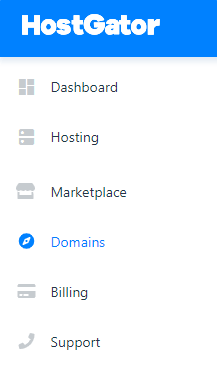
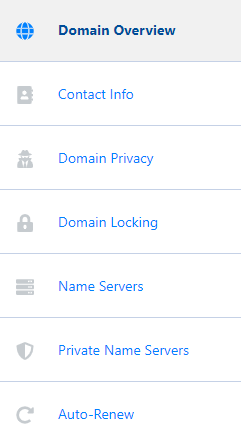
- Move your mouse over the icons on the left-hand side, and it will expand a list of settings for your domain. Click on 'Domain Locking'.
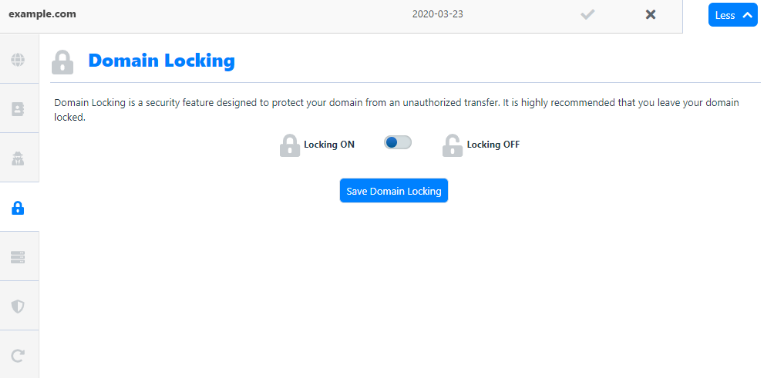
On the Domain Locking page, toggle the button to the Locking OFF position to unlock the domain and click 'Save Domain Locking' to save the change.
Obtain The Auth (EPP) Code
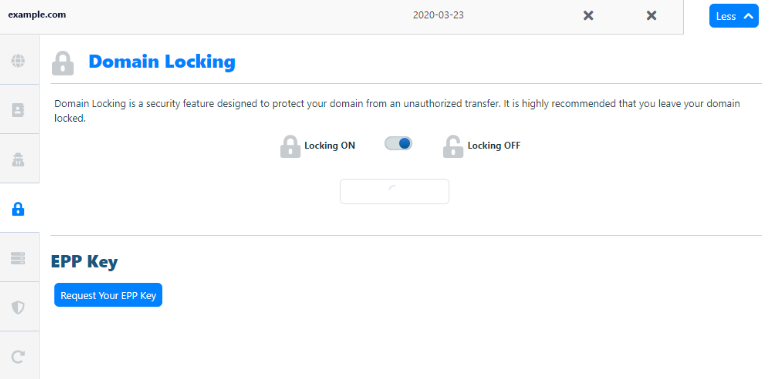
The next step is to obtain the Auth Code that helps Trustname validate your request with HostGator. Since the domain name is already unlocked, look below you will see 'Request Your EPP key' Click on it and the Auth code will be automatically generated.
Disable Domain Privacy
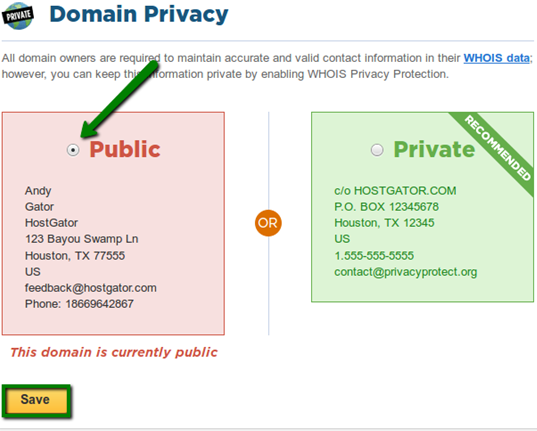
Log into your HostGator domain management portal and go to the Domains tab. Click on the 'Domain' name in question, hover your mouse over the icons on the left, then click 'Domain Privacy' On the Domain Privacy page, select the Public button to disable Domain Privacy, and click 'Save'.
Initiate The Transfer At Trustname
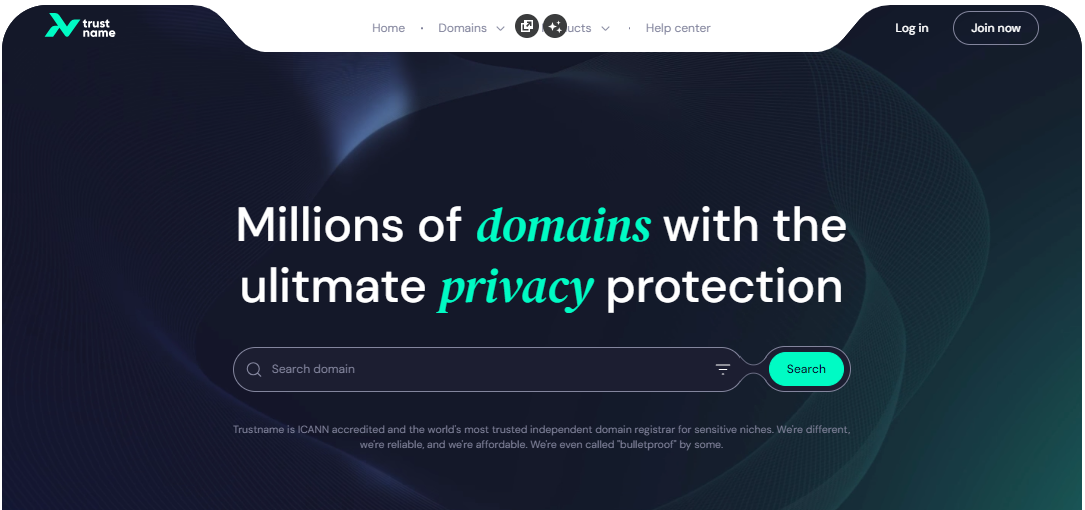
- Head to the Trustname.com website and click 'Log In' at the top right corner to access your Trustname account.
- Fill in your account username and password to gain access to your customer portal.
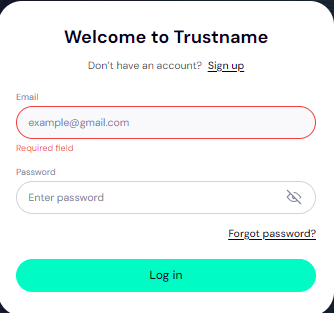
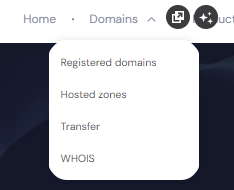
Click 'Log In'. - Under the 'Domains' dropdown in the header, click on 'Transfer'.
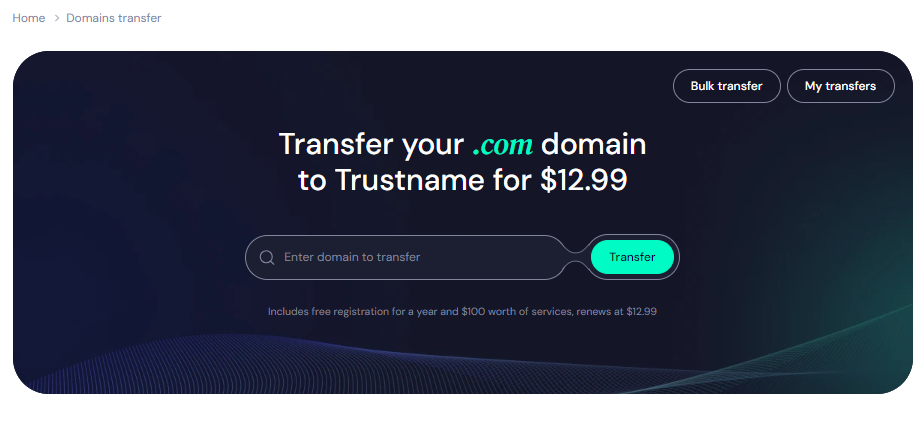
- Type in your domain including the domain extension and click on 'Transfer'.
- Enter the Auth Code (EPP code) HostGator emailed you and click on 'Continue'.
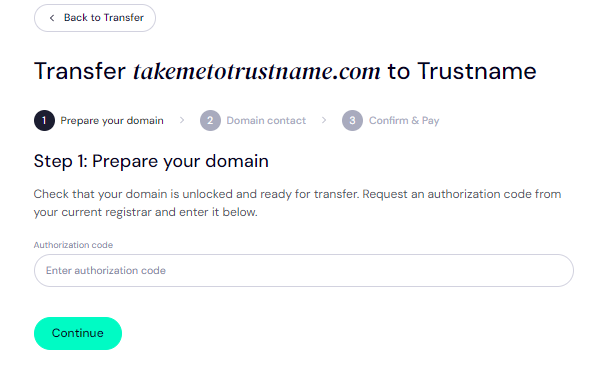
- Fill in your domain contact details. You can choose to use your details by clicking on the 'Choose Contact' dropdown and selecting 'Add New Contact'.
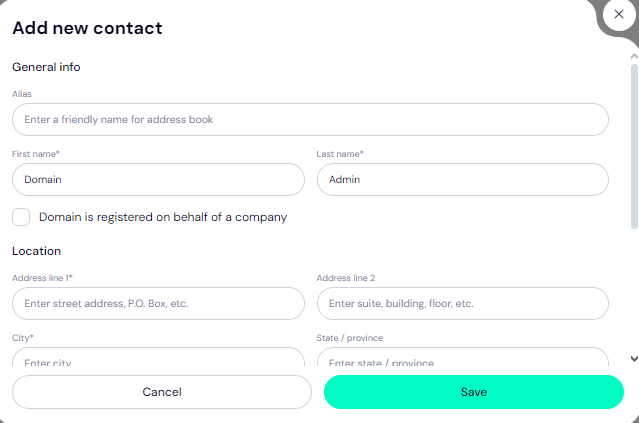
Or you can click 'Use a pre-defined contact' to enable Trustname's Two-Tier Privacy Protection.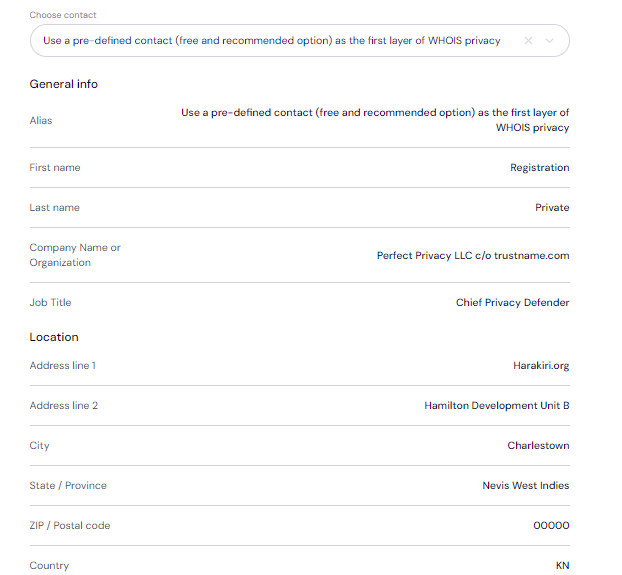
[+] [Notice] Info Insert title here [+] [Notice] Title -> You retain full control of your domain even if you choose 'Use a pre-defined contact' we only offer this service to give you the most privacy and minimize your digital footprint.
Click 'Continue'.
- Pay for your domain transfer and get 1 extra year on your domain's current expiry date.
Enter your billing address or select 'Same As My Contact Address' so you don't need to fill it in manually.
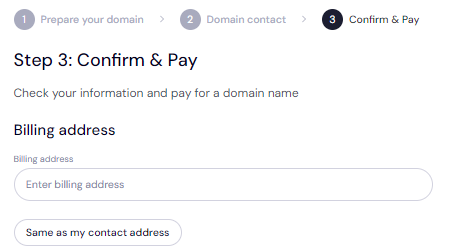
- Choose your payment method. You can use a bank card or existing funds in your Trustname wallet to make a payment.
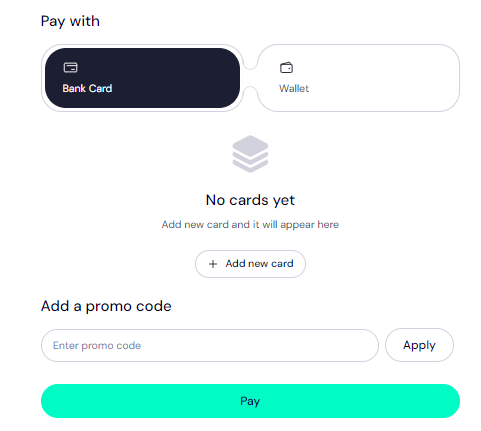
If you don't have a bank card set up yet, click on 'Add New Card' and fill in your card details to have it set up.
We also accepts cryptocurrencies for payment!
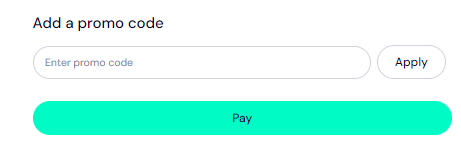
Trustname's domain transfer promo code - WELCOME777
[+] [List] Green Ordered - Use our promo code WELCOME777during your domain transfer checkout.
- Complete the domain transfer process and pay only $7.77.
- Receive 1 year of free registration, automatically added to your domain’s expiry date.
Type in WELCOME777 in the 'Add a promo code'
- Select your domain registration period (between 1 to 10 years at a time).
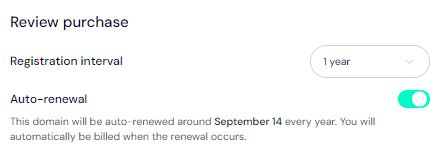
Leave the auto-renewal button ON so we renew your domain name long before it expires for you.
- Click on the 'Pay' button and follow the on-screen prompts.
Safeguard Your Domain At Trustname
When your domain gets to us, we advise you to turn on two-factor authentication (2FA), review your domain lock, review our Two-Tier privacy to see your domain's Whois info, and check your nameservers.
Troubleshoot A Failed Domain Transfer
When you follow the steps we've outlined, your domain transfer should run smoothly. However, should it fail, you may need to re-check the Auth Code, ensure your domain is eligible, check that your domain is unlocked, and disable Whois privacy on [Registrar].
Read Troubleshooting Failed Domain Transfers to Trustname for more help.