
Switching your domain from Porkbun to Trustname helps you move from a clunky, restrictive experience to a smoother, modern, and privacy focused platform. The process is straightforward prepare your domain at Porkbun, start the transfer at Trustname, and then secure everything with Trustname's built-in tools.
Key Takeaways
- Better Experience – Enjoy a clean, modern dashboard with all key domain settings just a few clicks away.
- Easy Payments – Pay using multiple methods (cards, wallet, bank, crypto) with a simple, frustration free checkout.
- Honest Pricing – Transfer costs $14.99 with all fees included, or $7.77 for the first year using the WELCOME777 promo code, with stable renewal pricing.
- Stronger Privacy – Benefit from free two-tier Whois privacy that uses proxy details and strict legal steps before your real data can be exposed.
- Safe Transfer – Make sure the domain is older than 60 days, unlock it, turn off Whois privacy, confirm your email, get the auth (EPP) code, then approve the transfer to complete it quickly.
TABLE OF CONTENTS
- Key Takeaways
- What Perks Should You Expect With Trustname?
- Things To Note Before Transferring Your Domain Out of Porkbun
- What To Do Before Initiating A Transfer
- Transferring Your Domain From Porkbun to Trustname
- Fast Track The Transfer
- Safeguarding Your Domain at Trustname
- Can You Get a Free Domain Transfer?
- Troubleshooting Failed Domain Transfers
- Rounding Up
Managing your domain shouldn't seem like a chore.
We get it, dealing with Porkbun's outdated, clunky interface, complicated payment/registration process, abysmal customer support, and the constant worry that your domain will be taken down without your consent can be exhausting.
You deserve a smoother, better, and more enjoyable experience, and that's what we offer at Trustname.
Most of our users who left Porkbun now enjoy a seamless domain registration process, access to several payment methods, empathic human support, a modern and intuitive user interface, and abuse proof policies that protect their domains.
To transfer your domain from Porkbun to us (Trustname), you'll need to ensure it is eligible for transfer, remove all locks placed on your account, and obtain an EPP (or auth) code. You can also fast track the transfer so it arrives in under 30 minutes.
Set to make the move? Let's get you started!
What Perks Should You Expect With Trustname?
Here's why you made the right choice switching to Trustname.
- Modern And Easy To Use Interface
One everyday complaint users have about Porkbun is its outdated user interface.
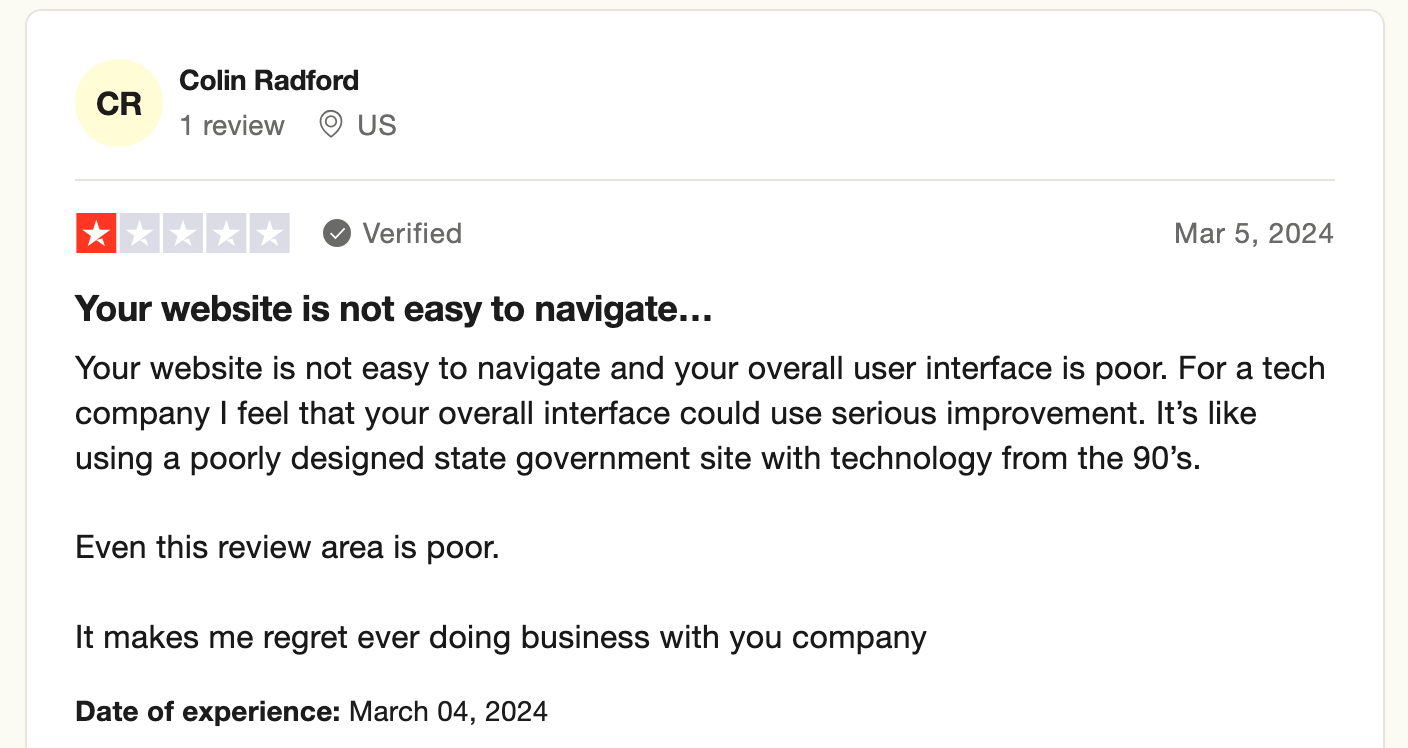
One look at it and you feel like you're managing your domain with a platform stuck in the 90s, no personality, lacking any modern features, and just the bare minimum to get by
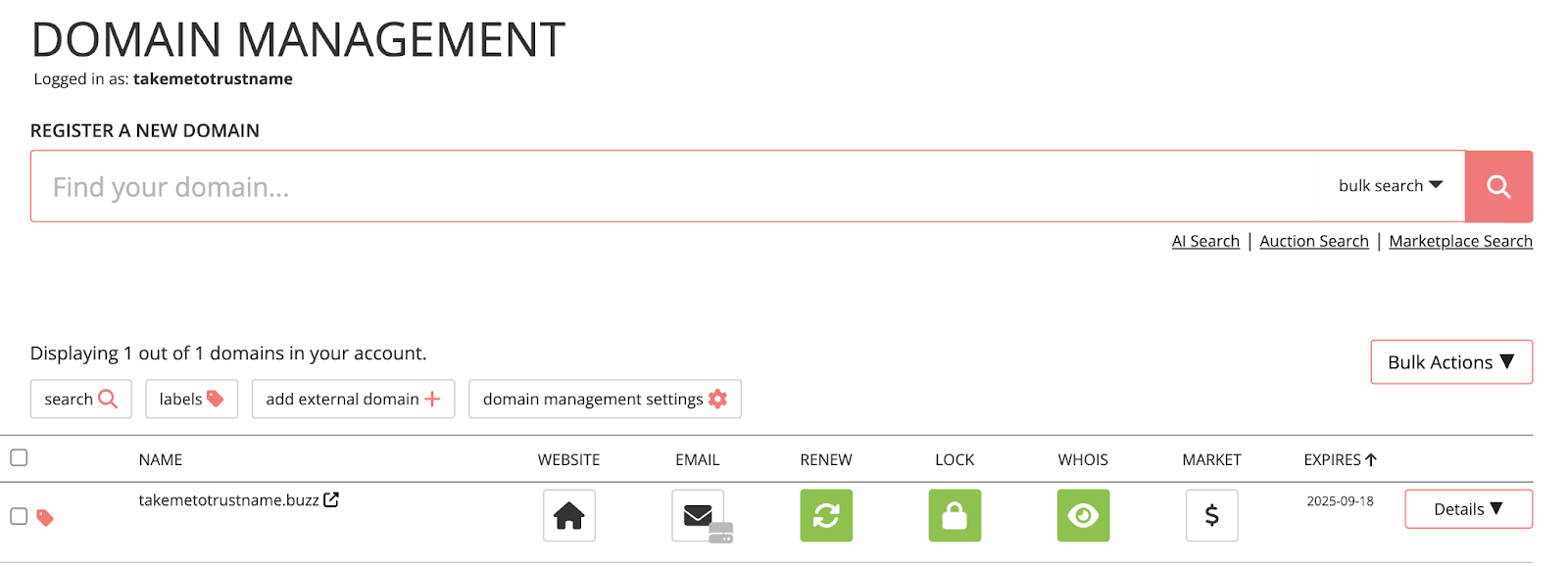
At Trustname, your dashboard should be more than functional. Not only should your domain be easy to manage, but you should also have fun managing it.
Our UI is (completely) customer centric, and we've consolidated all the features you need on a single page so you can access each of your domain's management settings in 1 to 2 clicks.
- Seamless Payment Process
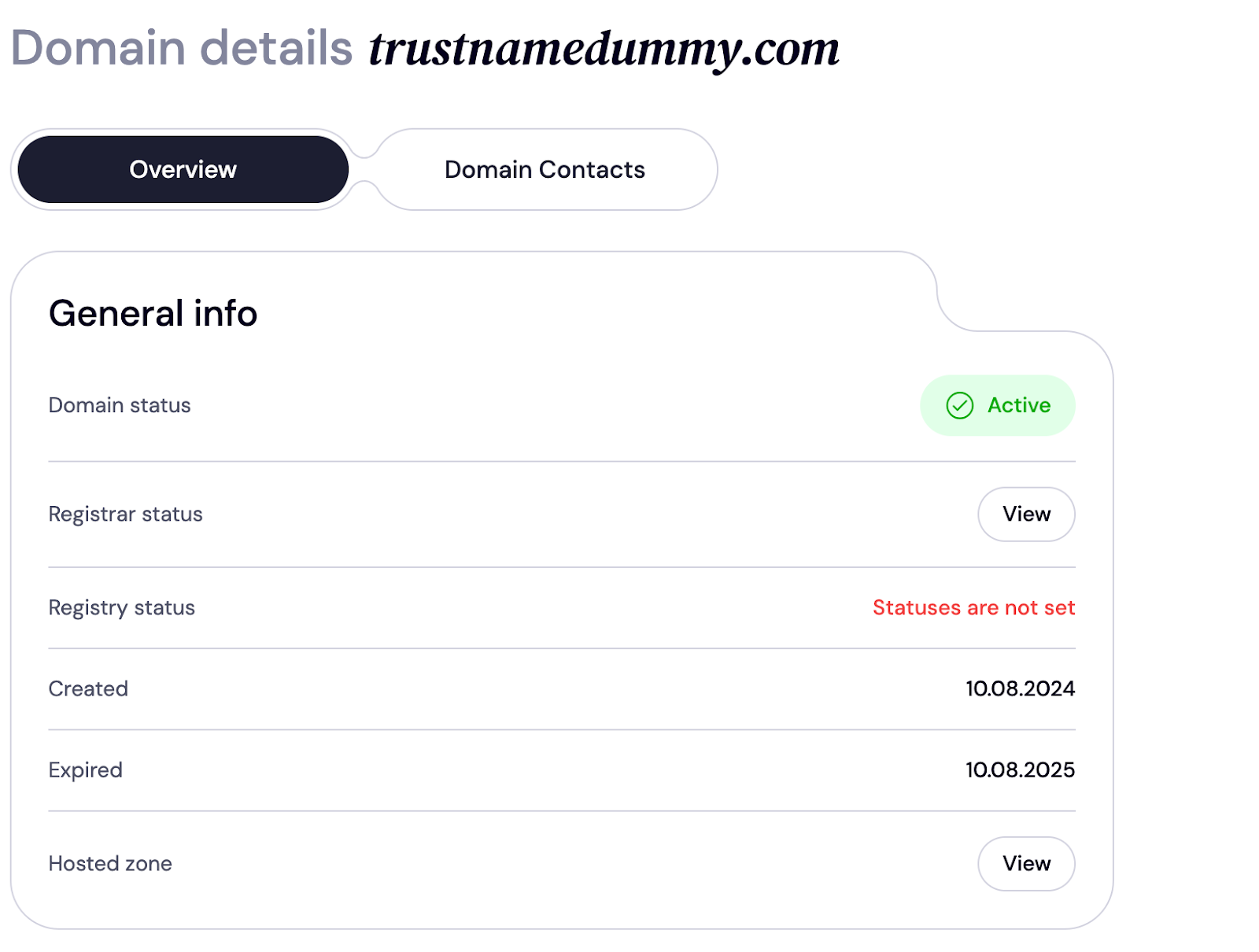
We tried to get a domain from Porkbun but were rejected twice because our payment method wasn't 'Supported'.
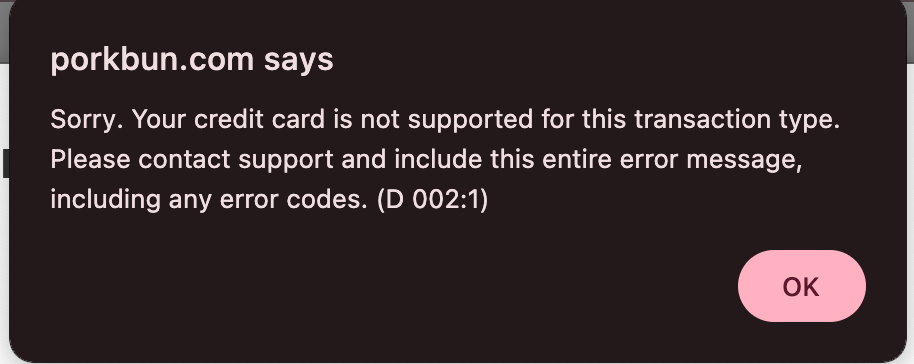
Here's a review from another user who faced the same ordeal.
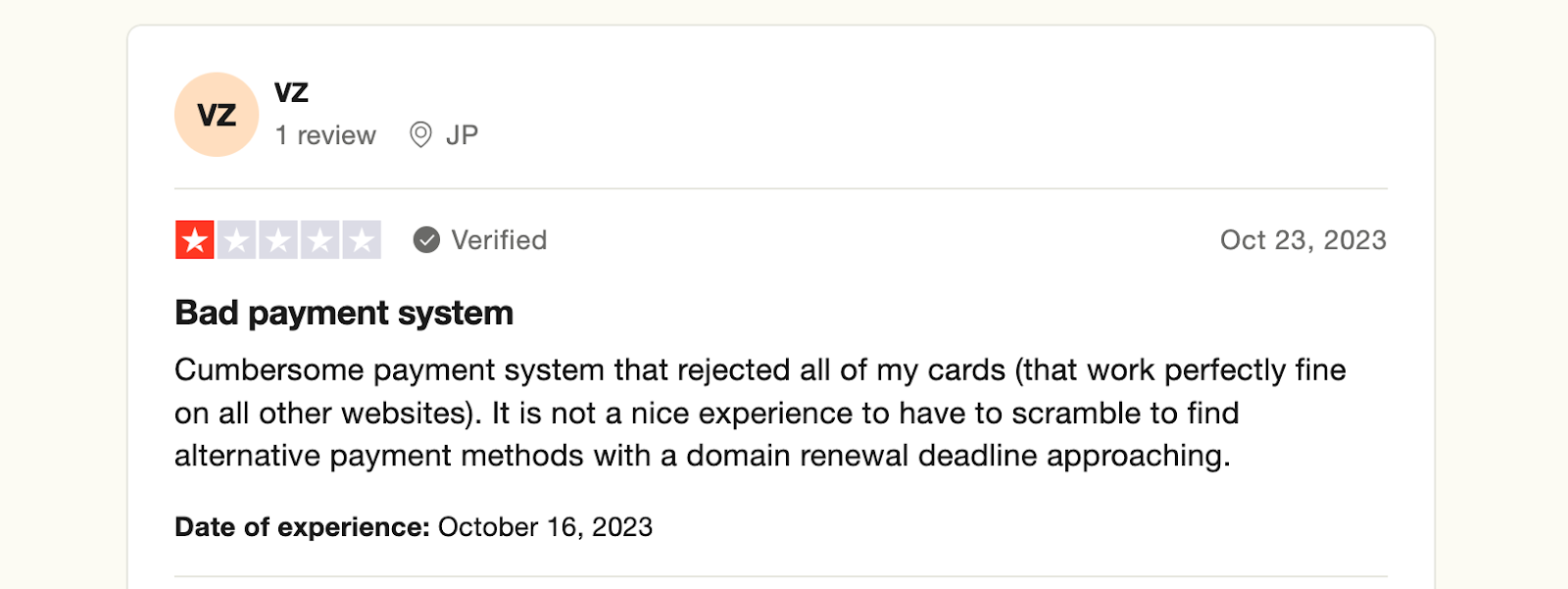
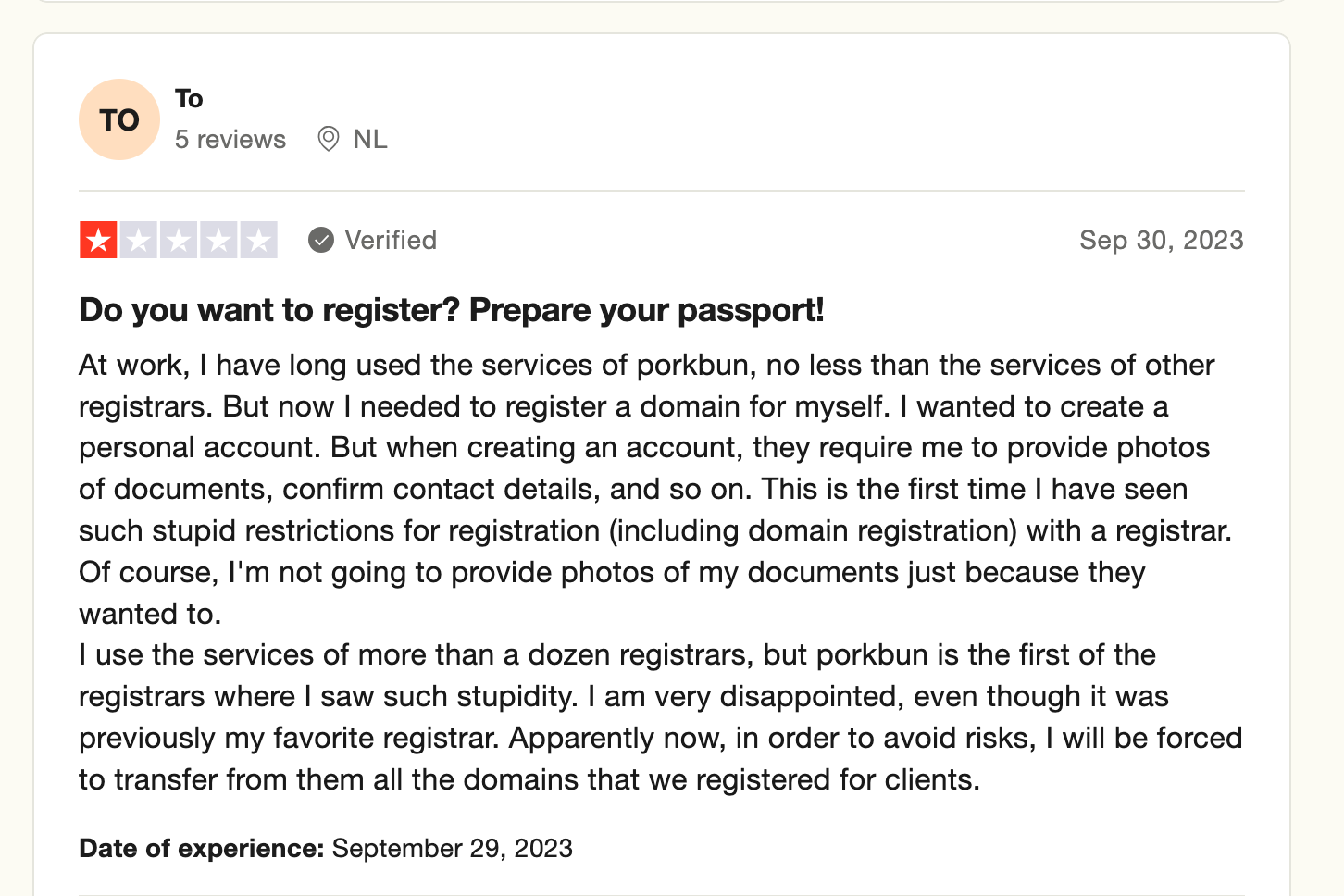
To crown it all, you have to go through a stringent verification process when registering your domain.
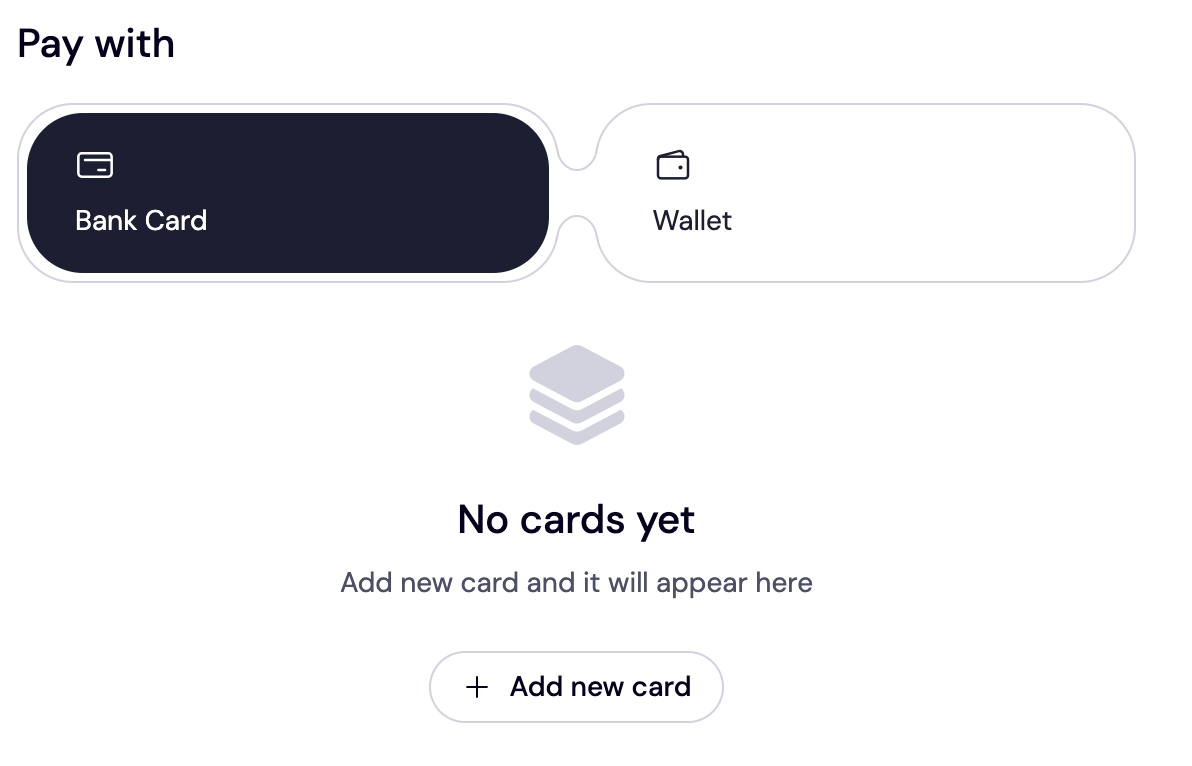
At Trustname, all customers should have a seamless onboarding process. This is why we've provided myriad payment options, including cryptocurrencies, bank transfers, credit cards, and Trustname wallet. Whether purchasing or renewing a domain name, you can easily pay on your PC or mobile device.
- Transparent And Affordable Domain Pricing
Can you get a top-level domain name on Trustname for as low as $7.77? This includes ICANN fees, taxes, and the costs of top-tier domain management tools. Also, our renewal prices don't increase after the first year, unlike Porkbun and other registrars.
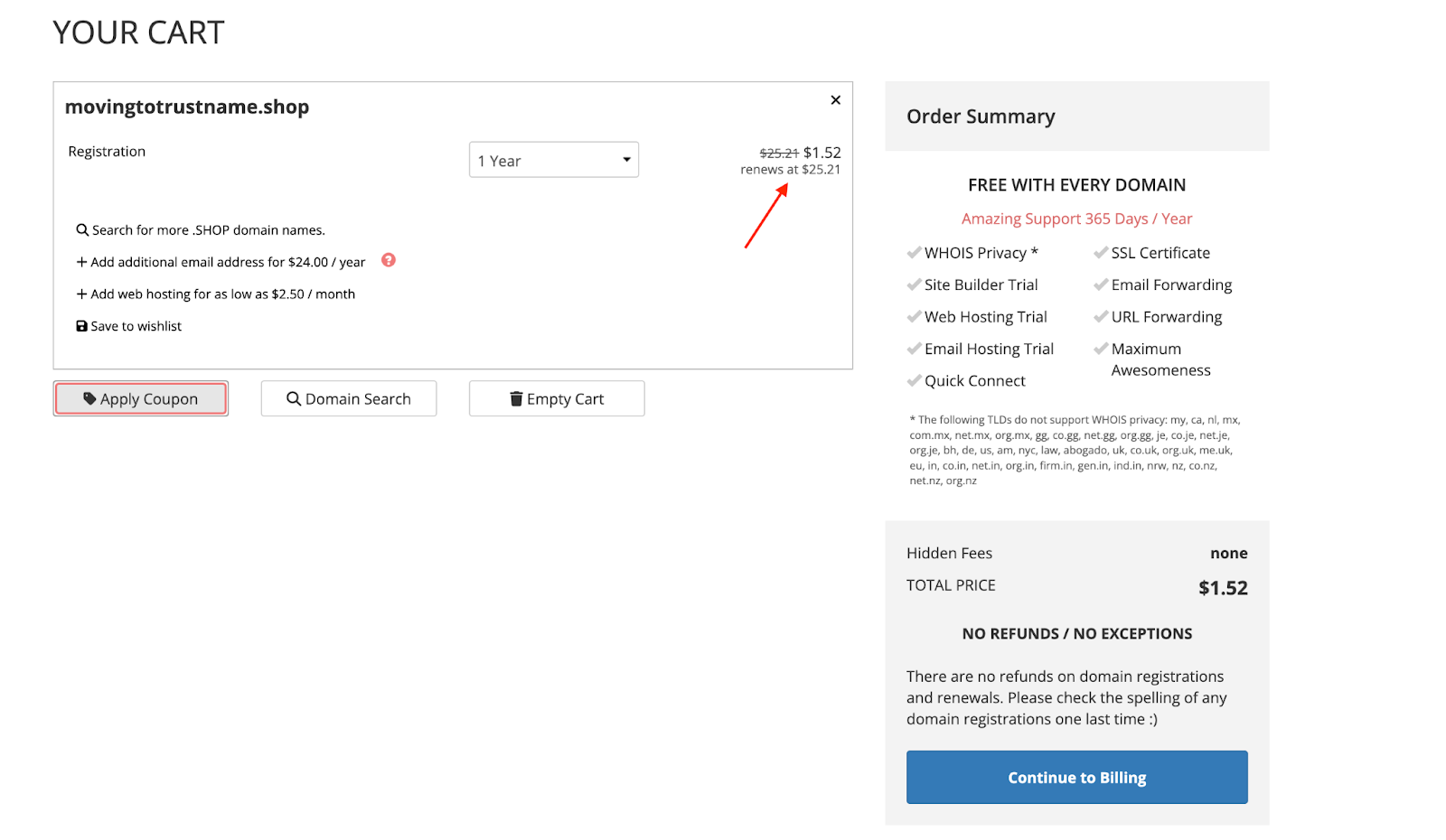
However, it's not the same with Porkbun. They promise a uniform fee for registrations, renewals, and transfers.
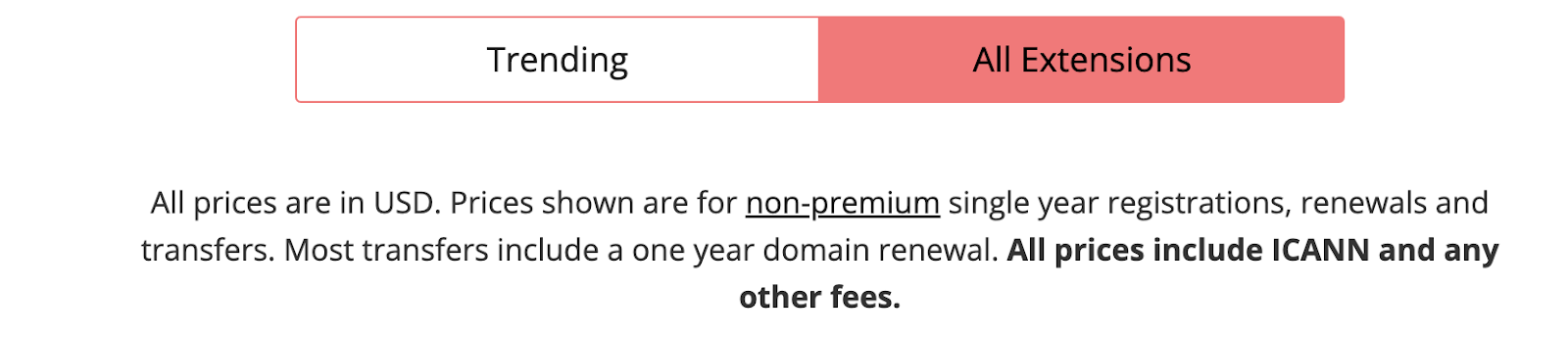
Only to increase the renewal fee once you're set to make payments.
- Swift Customer Support
Imagine having to repeat your issue to 3 or 5 customer service agencies before getting a tangible response. Sometimes, your email lingers for days with zero communication from their support team. This can be (very) frustrating, especially if you run an online business.
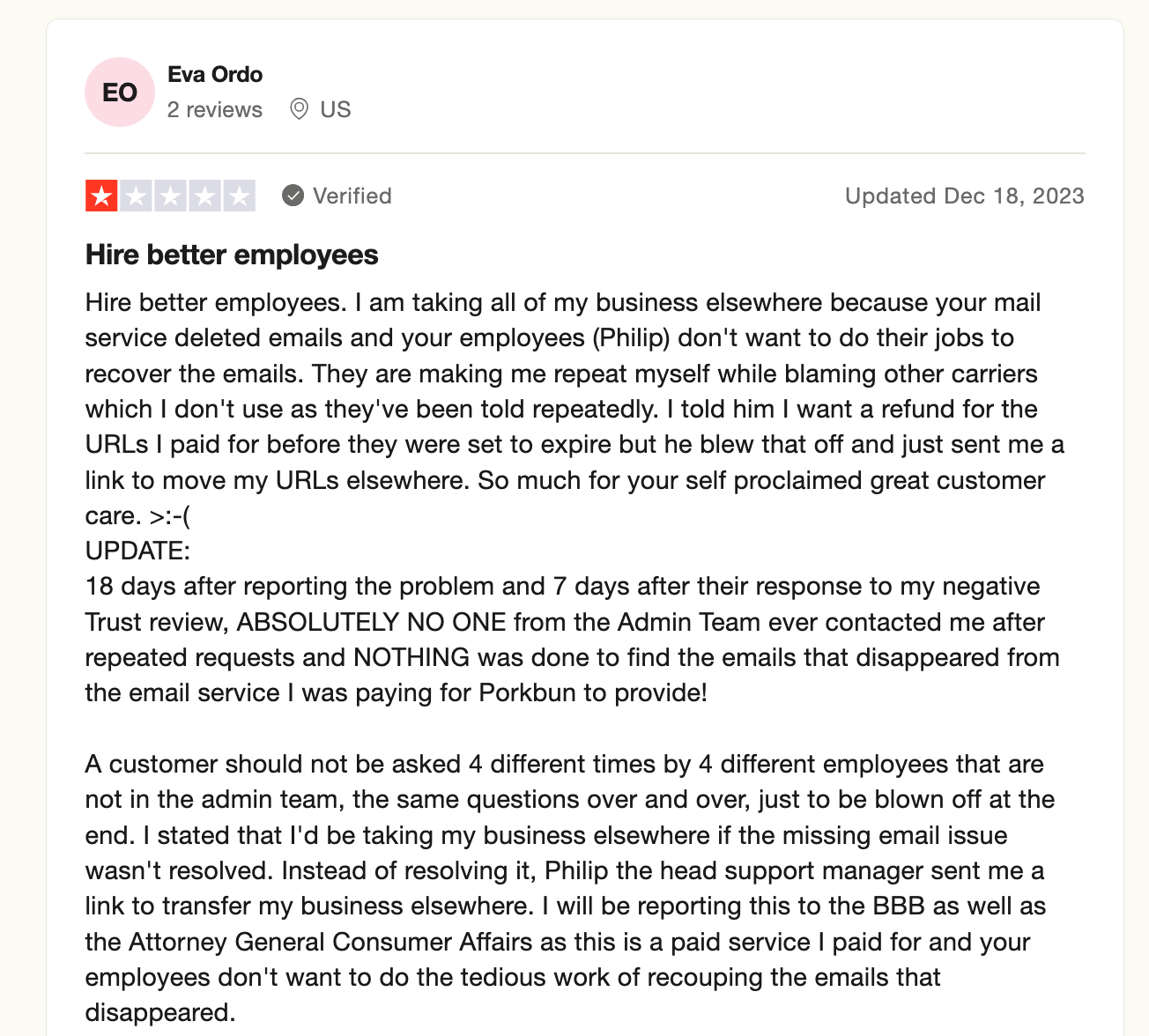
On the contrary, we don't promise 24/7/365 customer support only to lure you in. We understand that your domain is a (very) important asset to your online success, so we built a reliable, robust customer support system to meet your needs when you need it.
[+] [Callout] Success Insert title here [+] [Callout] Title/Title with Icon -> Our customer support agents are industry trained experts in web hosting, customer relationship management, and domain management. Also, instead of contacting us via email (like Porkbun), we prefer that our customers chat with us in real time via live chat or submit a support ticket.
- Unmatched Domain Privacy
Limiting your digital footprint just got easier with our two-tier domain privacy protection. This advanced privacy solution goes beyond the basic Whois privacy offered by Porkbun. What is it about?
Here's a brief overview.[+] [List] Green Ordered - When you register your domain (after the transfer), you can choose to use your personal details or enlist Private Privacy LLC our proxy partner as the registrant.
The second option is not mandatory, and you can easily revert to using your personal details from your dashboard. This is only the first layer of our two-tier privacy protection. - The second layer is the standard Whois privacy service. You can use this to conceal your details (or PP LLCs) on the Whois database using an alias from one of our partner companies.
Both layers solidify your domain privacy and make it difficult for anyone to link your domain with your contact information. Also, if you have any legal issues with your domain, PP LLC will be the first point of contact, not you, taking the fire for you, and we'll let you know whenever we receive a report on your domain.
Even if we eventually need to release your data, the complainant will need to obtain court orders from Estonia (where we're headquartered), St. Kitts & Nevis, and the US.
- When you register your domain (after the transfer), you can choose to use your personal details or enlist Private Privacy LLC our proxy partner as the registrant.
Things To Note Before Transferring Your Domain Out of Porkbun
Here are some vitals you need to know before transferring your domain from Porkbun to Trustname
- A Note On Domain Nameservers
Domain name servers are responsible for pointing user web browsers to your website by converting your domain name to the IP address of the server hosting your domain. Unless you manually configured your nameservers to point elsewhere, they're automatically assigned to Porkbun's nameservers by default.
Whenever a domain transfer is ongoing, you won't be able to edit your domain name servers or alter the DNS settings. This means your website will be down until the transfer is complete. If your nameservers are configured to Porkbun's, point them to Trustname servers (or your web host) before you initiate a transfer.
- Your Website Will Be Transferred Separately
Domain and web hosting are separate services. When you transfer your domain name, your website doesn't automatically transfer. This means your website will continue to be hosted by your current host, even after you've moved your domain to Trustname.
If you also intend to move your website, you'll have to purchase a separate hosting plan from the new host. Then, contact our support team to help you migrate your website seamlessly.
- Transfer Fees And Policies
You'll love to know that Trustame doesn't charge registration, ICANN, or processing fees like other registrars do when you migrate your domain name to them. However, you do need to pay a base fee of $14.99 to transfer your domain name to us.
The best part? You get an extra year added to your domain's expiry date and advanced domain management tools for a seamless, enjoyable experience. That's not all! If you use our promo code (WELCOME777), you only pay half the initial price of $7.77.
- Domain Expiration
Lastly, you can only transfer your domain when it's in the 'Active' or 'Grace' phase. In a sentence, the active phase is the timeline after registration or before expiry. The grace phase, on the other hand, is between 1 to 30 days after the domain expires. Once your domain passes both stages, you must renew it before initiating a transfer.
The rule of thumb is to transfer your domain at least two weeks before it expires. Most domain transfers take one week or less to complete, and initiating a transfer earlier can help you avoid paying both renewal and transfer fees simultaneously or the domain expiring during the transfer process.
What To Do Before Initiating A Transfer
Now that you know what is required to transfer your domain to Trustname, you still have to run a few checks from your current registrar's (Porkbun) account to ensure your domain is set for transfer.
Here are the tasks:
Verify The Domain's Eligibility
According to ICANN (Internet Corporation for Assigned Names and Numbers) a non profit organization responsible for managing the internet – all domains can only be transferred if they meet any of these criteria
- They have not been transferred to another registrar in the last 60 days.
- The contact information for the domain hasn't been altered in the previous 60 days.
- It has been with the current registrar for at least 60 days.
If your domain is still within this 60 day window, Porkbun (and any registrar for that matter) imposes a mandatory lock on your account until the 60 day lapse.
To confirm your domain's status (whether it is eligible for transfer or not).
Follow these steps:
- Log In to your Porkbun account using your credentials.
- On the dashboard, scroll to the 'Domain Management' section and select the domain you want to transfer.
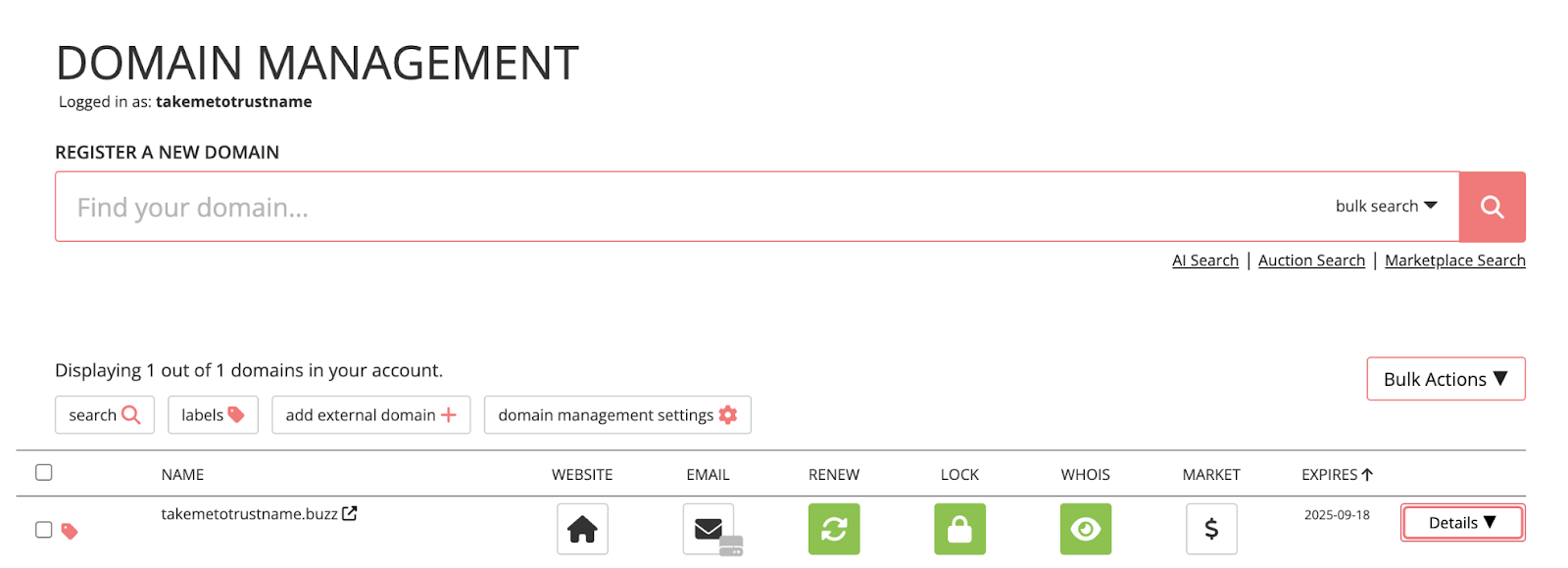
- Click the inverted triangle button tagged 'Details' next to your domain name.

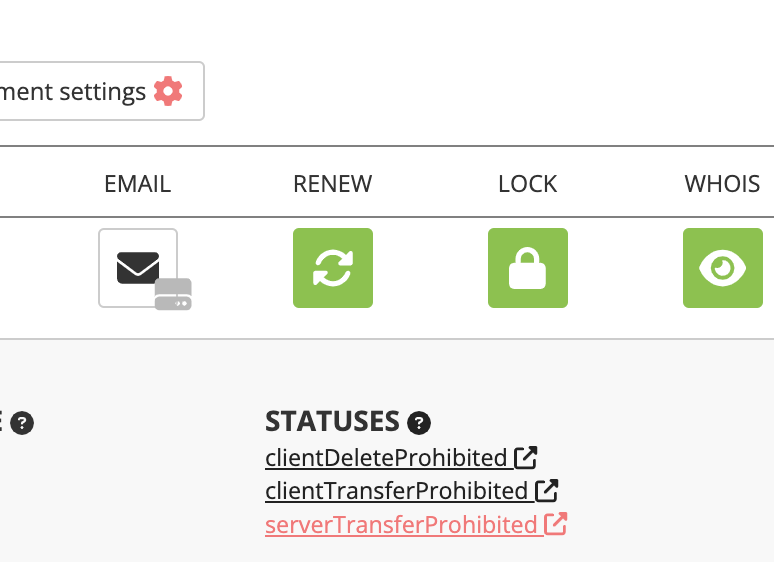
- Here, search for 'STATUSES' to confirm your domain's eligibility. If you see the code 'ServerTransferProhibited' as shown below, it means your domain isn't eligible for transfer.
Disable Whois Privacy Protection
Most ICANN-accredited registrars offer Whois privacy protection a service that conceals your domain's contact details on the Whois database by replacing them with proxy details. If you've selected the 'Use Privacy Service' upon registration, you're already using this service and need to turn it off before initiating a domain transfer.
What To Do:
On the 'Domain Management' page, scroll down to the section where your domain(s) are listed.
Click the 'Eye' icon next to the domain you want to transfer. You'll see a drop down menu that looks like this.
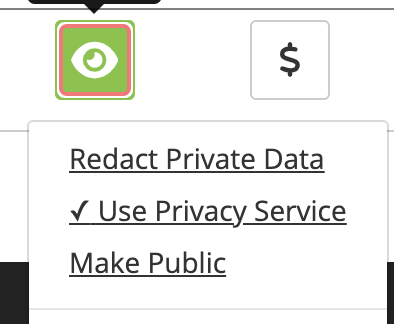
If the checkmark is listed for 'Use Privacy Service', click 'Make Public' to turn it off. No worries once you transfer your domain name to us, you can enable this feature again on your account. The best part is that we have advanced privacy protection, Trustname's Two-Tier domain privacy protection for optimal privacy.
Remove All Domain Locks
Domain locking is another feature that domain registrars or web hosts offer to keep your domain secure from bad actors.
Now that you're set to move to a new registrar (Trustname), you'll need to turn off all the locks on your domain. We also have this feature listed in our domain management tool stack. Once the transfer is complete, you can enable it with a single click.
What To Do:
On the 'Domain Management' page, navigate to the domain you want to transfer. If you're transferring all your domain names, repeat the same format to remove the domain lock.
Click on the padlock icon listed under 'lock' as shown below:
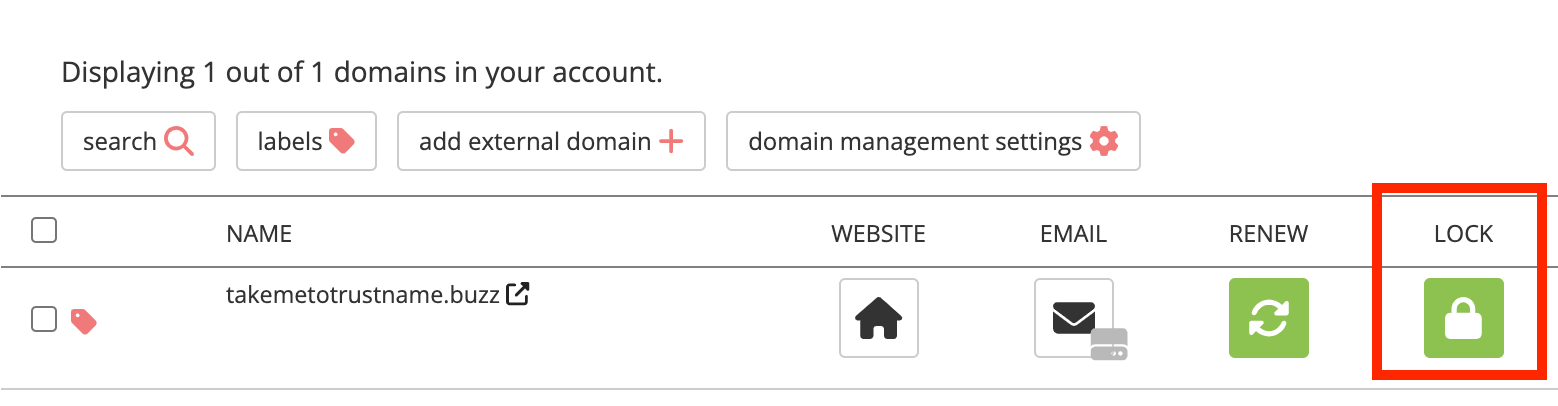
Once unlocked, the padlock sign changes to this:
Ensure Your Email Address Is Up To Date
Next, you need to cross check your contact details to verify their accuracy, especially your email address. This is because your email address is the first point of contact between you and both registrars (the one you're leaving and transferring to Trustname), and all details/notifications about your domain transfer will be sent there.
Keep in mind that if your contact email is hosted by Porkbun and attached to the domain you're transferring, it will be disabled once the transfer begins. For example, if you want to transfer goodluck.com, avoid listing the email address associated with this domain in your contact data.
Instead, use a third party hosting service, like Gmail, or, better yet, email from other domain names. Or, you could transfer your email account's MX records (the record that directs an email to a mail server) to your new registrar (Trustname).
What To Do:
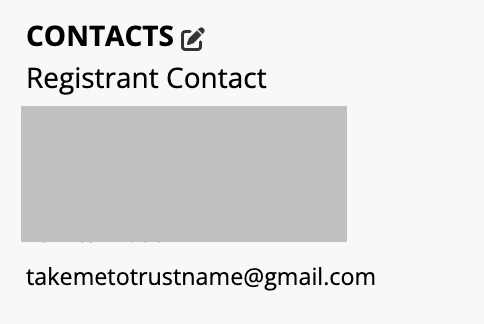
Run a quick check on all your domains to verify that the information listed is correct. To do this, click the inverted triangle tagged 'Details' on the domain management page. Right on the drop down, navigate to 'Contacts' and update accordingly.
Obtain The Authorization Code
The authorization code (or EPP/auth code, secret key) is a unique set of characters used to transfer a domain from one registrar (Porkbun) to another (Trustname). It's your registrar's way of verifying that you (the domain's rightful owner) are transferring your domain.
What To Do:
To check your auth code, click the inverted triangle icon next to the domain you want to transfer. Scroll to 'Registrar Transfer' at the bottom of the page. Click 'Get Authorization Code'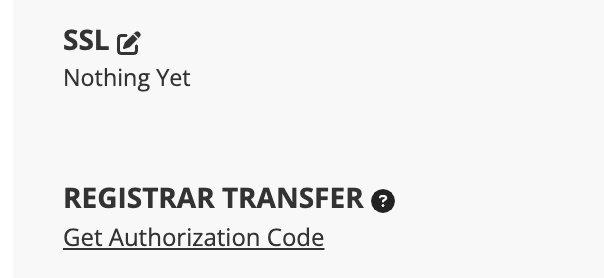
A pop up with a code will appear on your screen. Copy and paste it into your text editor file or notepad for safekeeping.
Transferring Your Domain From Porkbun To Trustname
This is the part we've been waiting for! Now that your domain is set for transfer.
Follow these steps to initiate a transfer on your Trustname Account:
Race To Trustname Domain Transfer Page
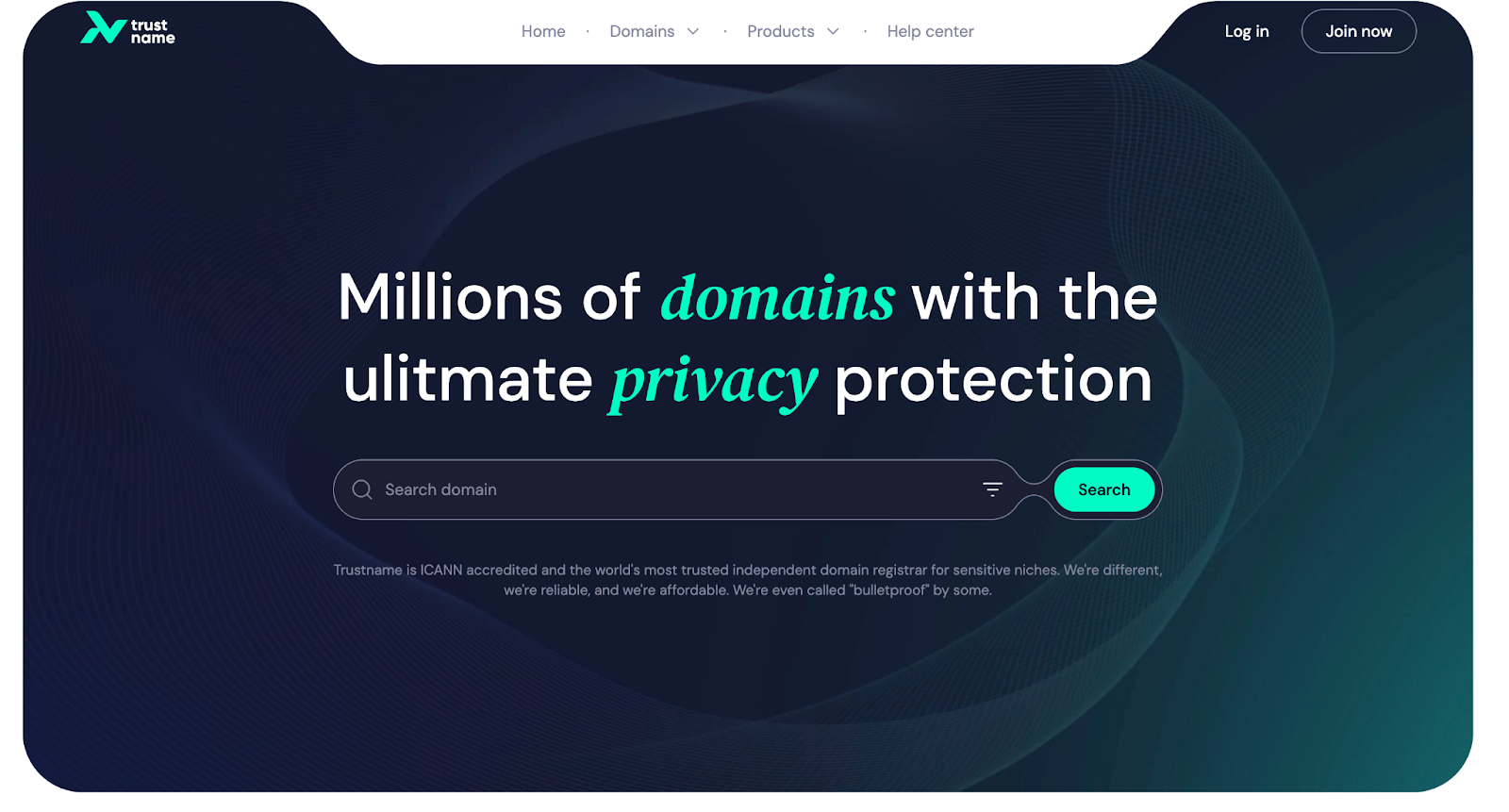
- Head over to the Trustname.com website and click 'Log In' located at the top right corner of the page.
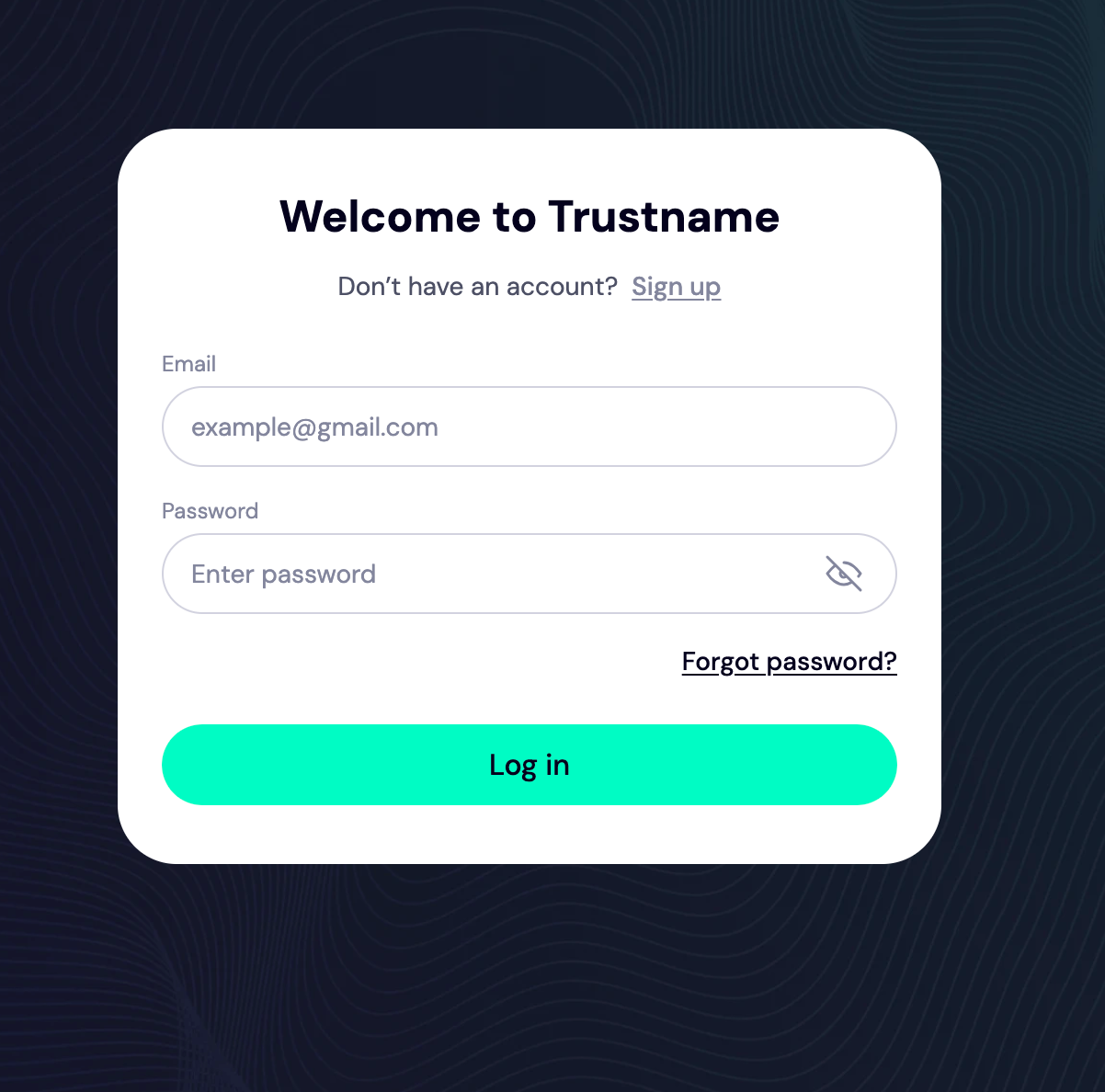
- You'll be redirected to the Log In page to enter your credentials. Once you're done, click 'Log In'.
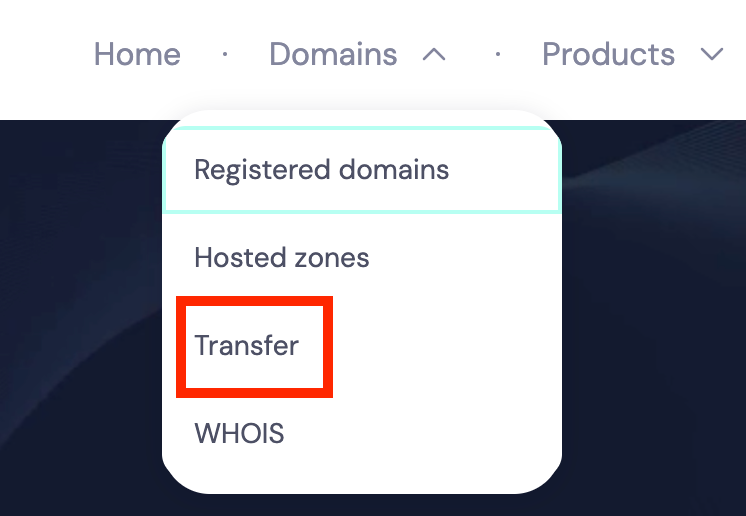
- Now that you're logged in, navigate to our domain transfer page by clicking 'Domains >>> Transfer'.
- Here, enter your Porkbun's domain into the search box and click 'Transfer'.
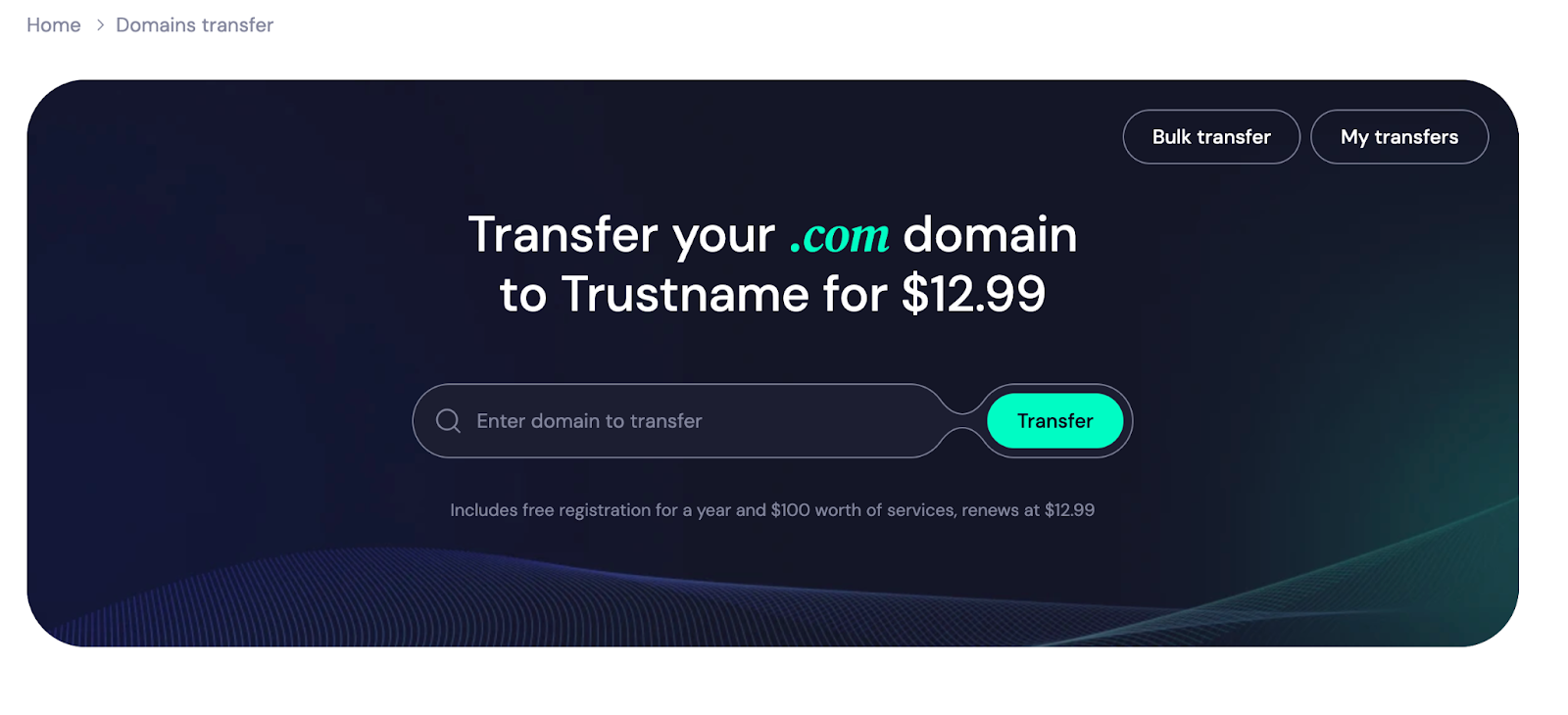 You'll be directed to a new page to add the authorization code.
Enter The Authorization Code
Remember the auth code generated from your Porkbun account in the preceding section? Copy and paste it into the required field as displayed on your screen. Then, click 'Continue'.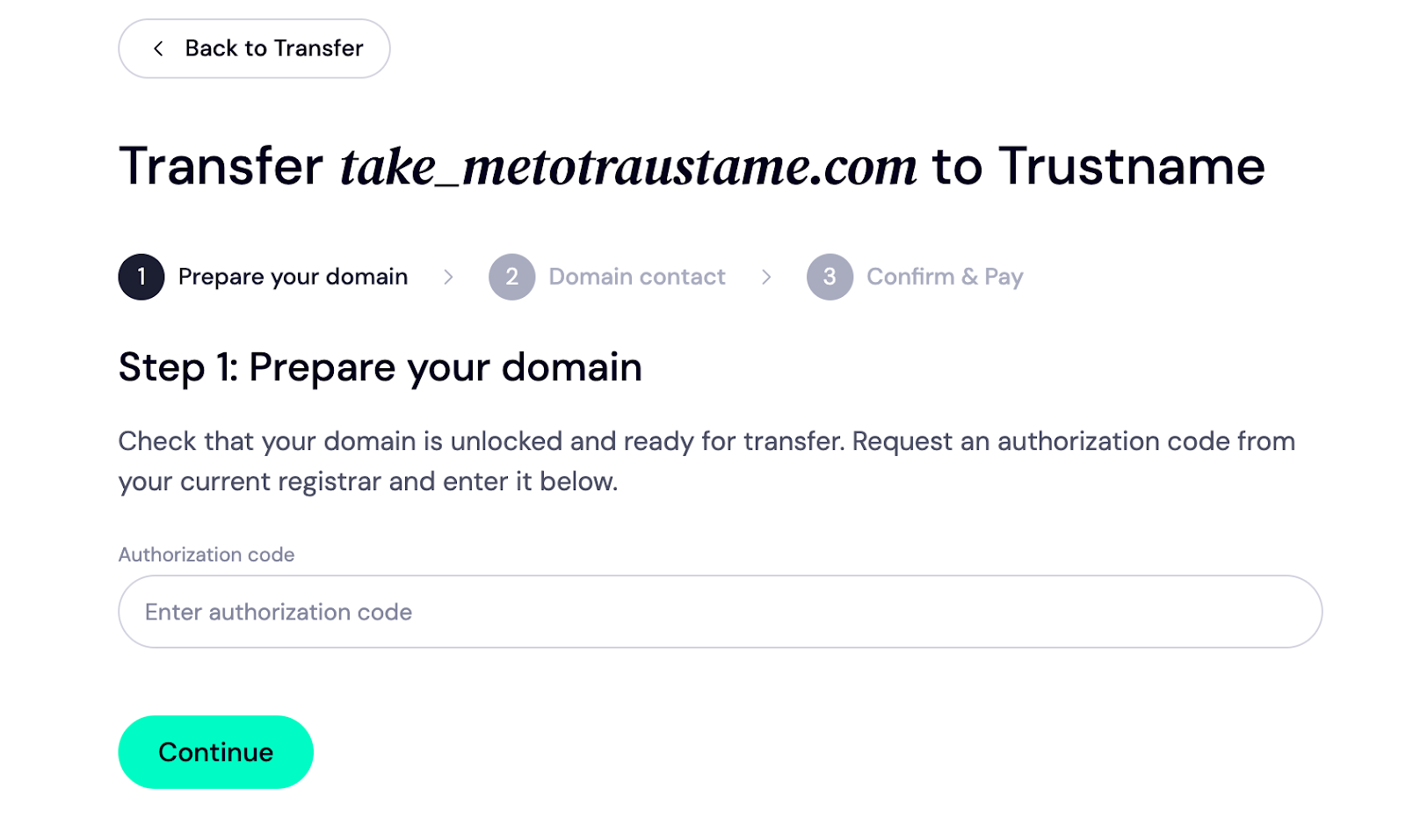
Congratulations! You made it to the next stage.
Fill Up The Domain Contact
On this page, you need to add your domain contact information. This will be the registrant information (i.e., the domain owner), so you need to be extra careful when entering the data.
To add your personal data, click 'Choose Contact >>> Add new contact'.
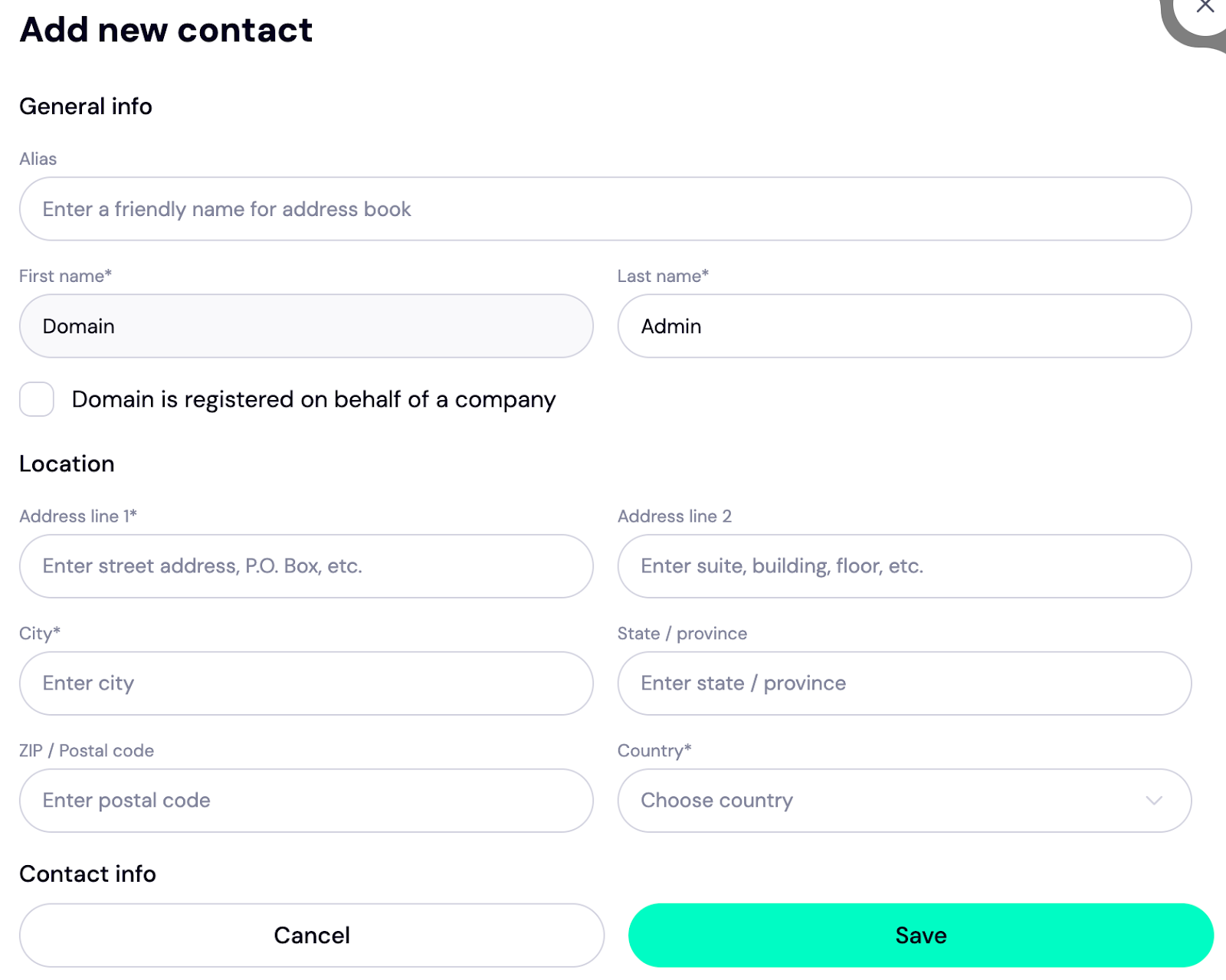
You can also take advantage of our 'Two-Tier Privacy Protection' to enjoy 100% privacy on your account. In this case, we substitute your data with that of one of our proxy partners, Private Privacy LLC, to provide you with the highest level of privacy. This is only the first layer of your domain privacy.
Your contact details will appear like this on the Whois database.
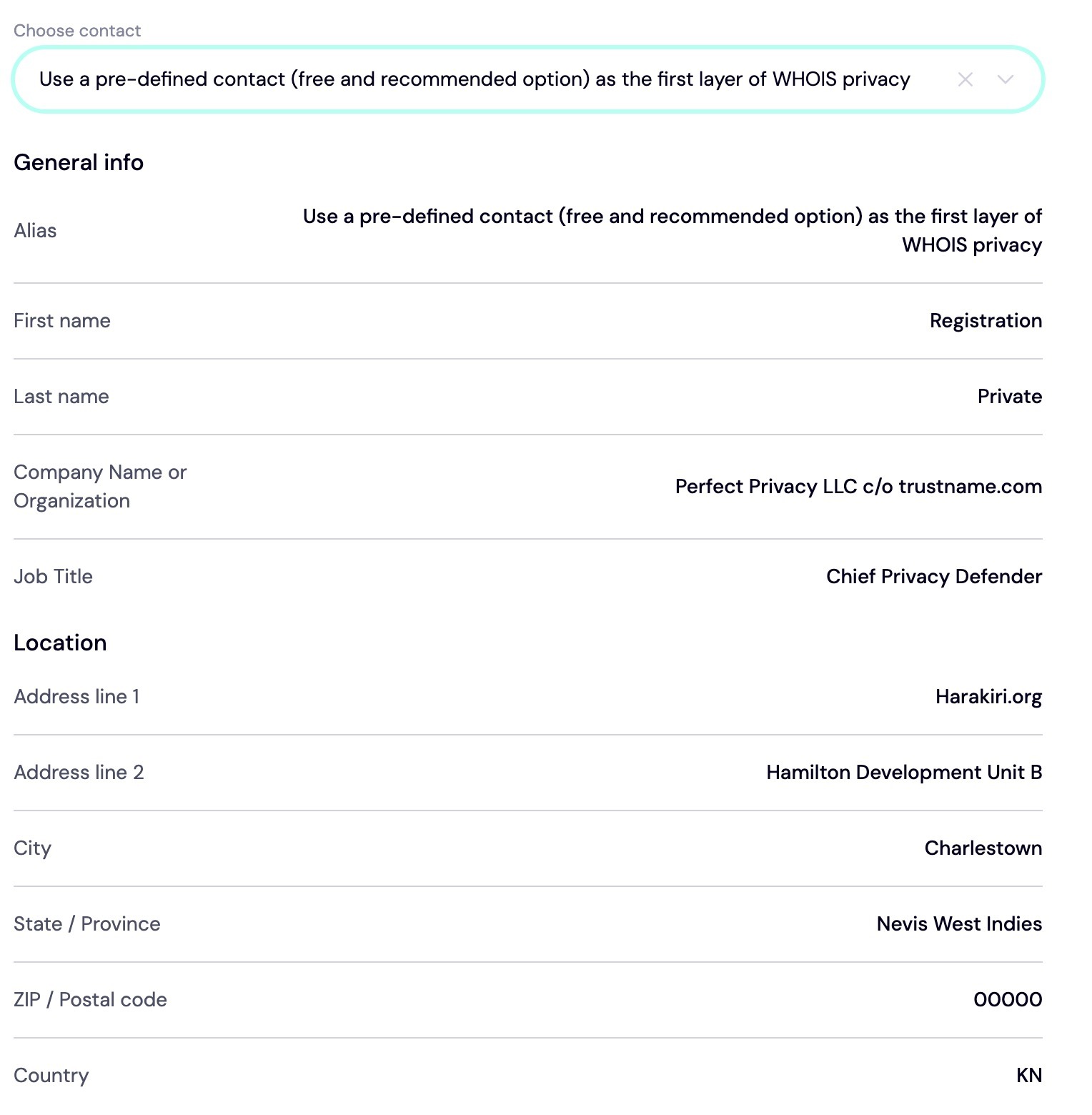
To use this option, click 'Use a predefined contact' and 'Continue'.
Even if you choose this option, you still retain FULL control over your domain, as PP LLC's details only appear as the registrant on paper. You can turn it on/off at any time from your customer portal.
Pay For An Extended Registration
In this final step, pay for your domain and get an extra year automatically added to the current expiry date.
We've broken it down step by step to make it easier:
- Enter your billing address into the field as displayed on your screen. If it's the same as the contact address you listed in the preceding step, click 'Same as my contact address'
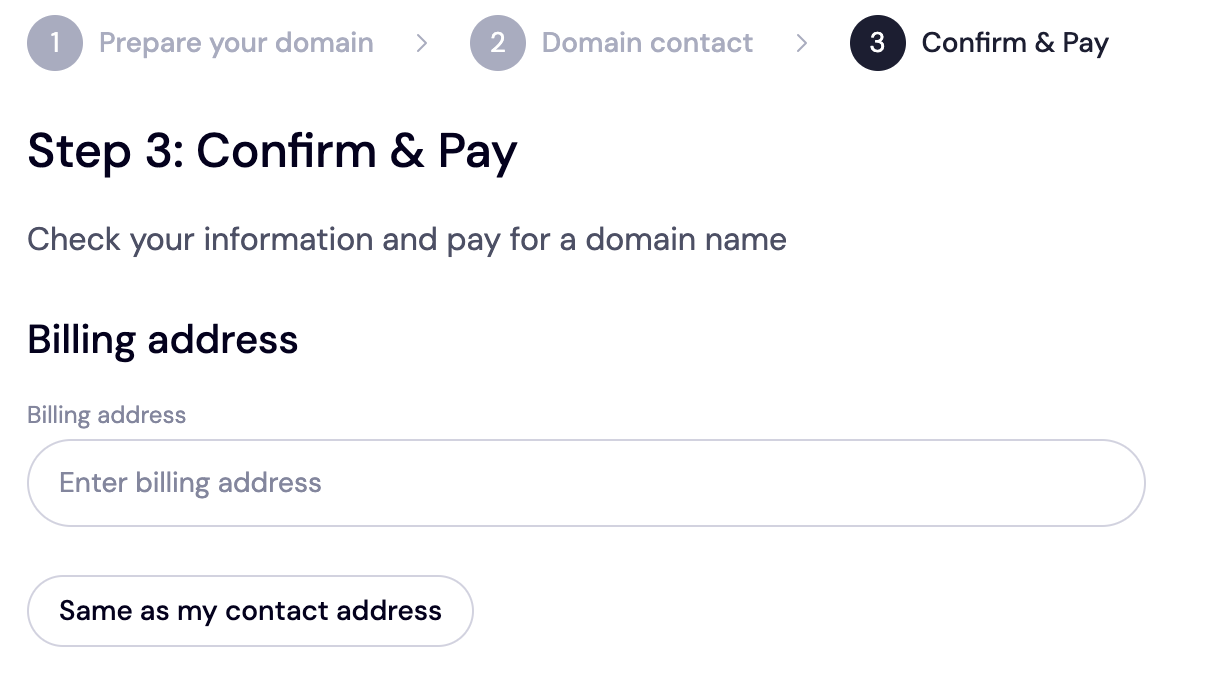
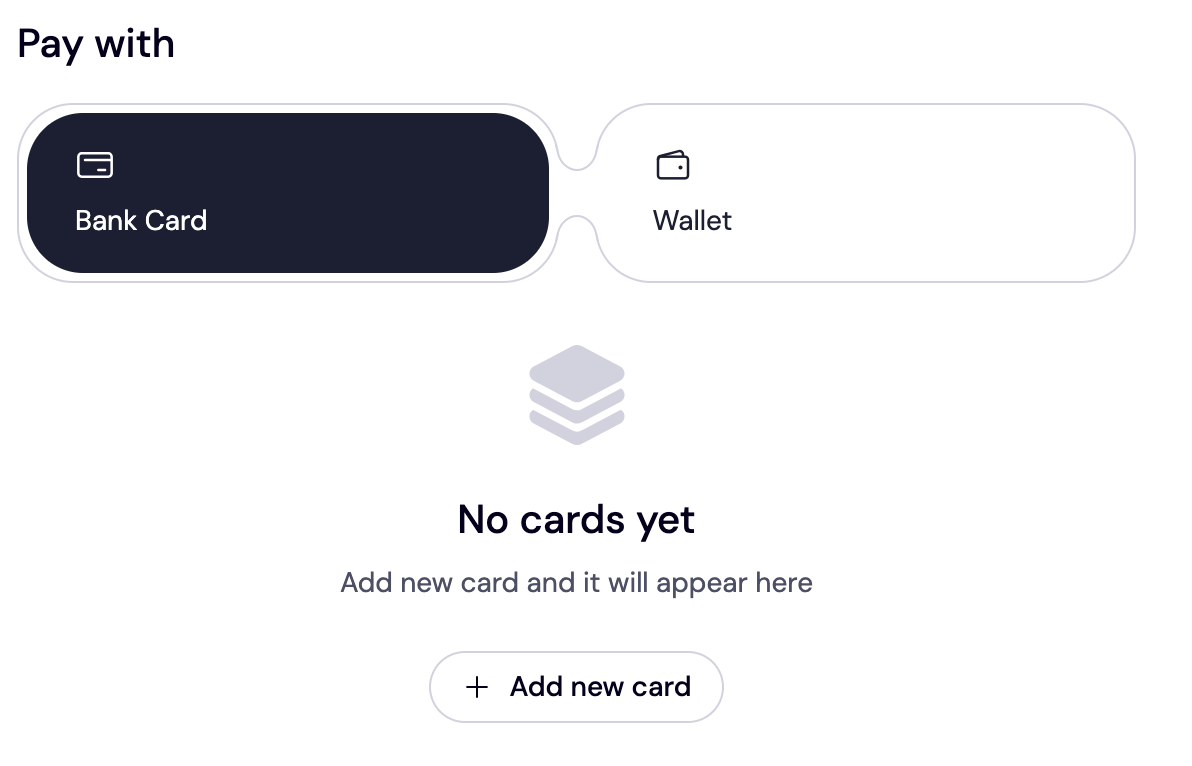
- Next, choose your payment method. Trustame allows you to pay with your card or use existing funds in your wallet. To add your card (if you haven't yet), click 'Add new card'. You can also pay with cryptocurrencies if that’s more convenient
Snag 50% OFF With Trstname Welcome Promo Code – WELCOME777.
As we pointed out, our transfer fees are pegged at $14.99/year (including ICANN, processing, and taxes).
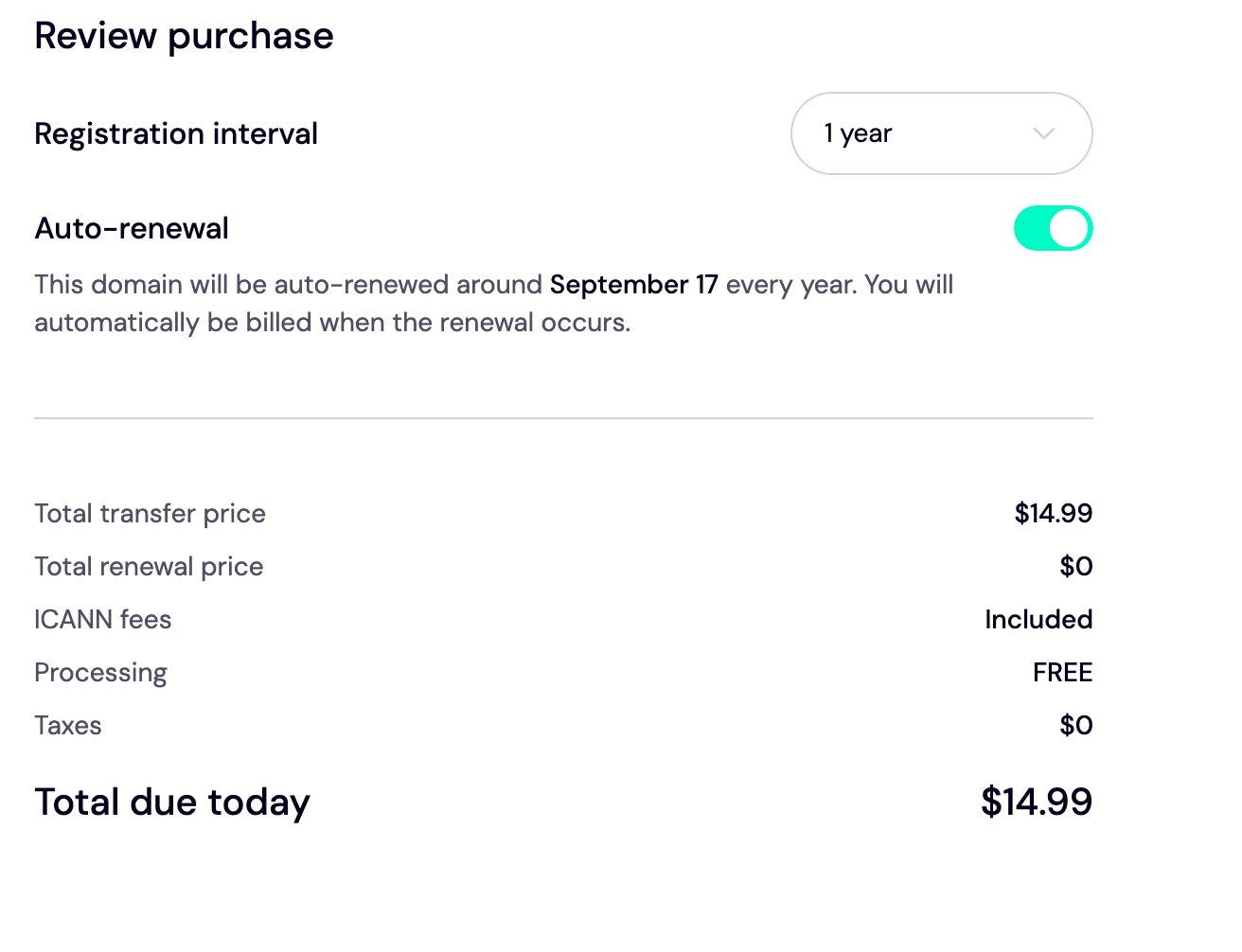
[+] [List] Green Ordered - The transfer fee is $14.99 per year, which includes ICANN fees, processing charges, and taxes.
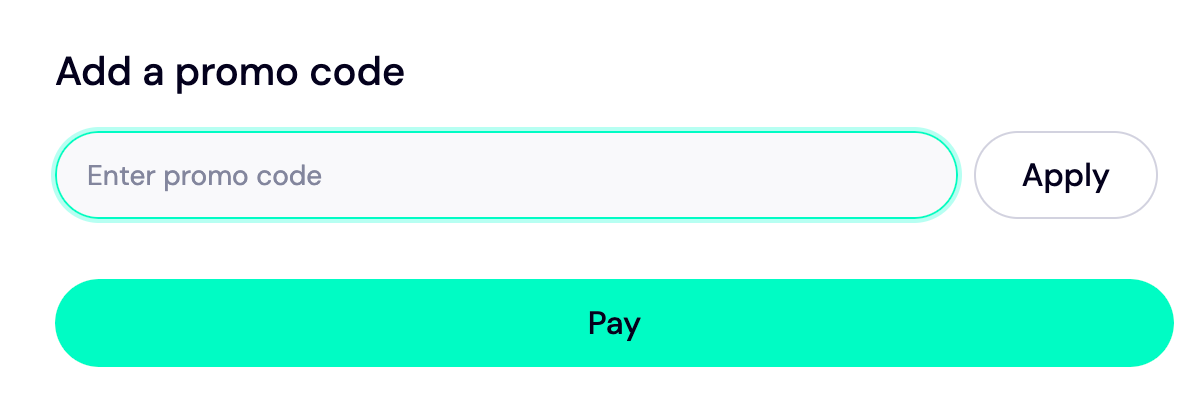
- First-time users can receive a 50% discount on transfer fees by using the promo code WELCOME777.
- The promo code does not apply to renewals.
- Upon renewal, the standard renewal price of $14.99 must be paid.
- The $14.99 renewal rate is one of the most affordable options available online today.
To enjoy the promo code, input WELCOME777 in the 'Add a promo code' section.
Choose The Duration For Your Registration
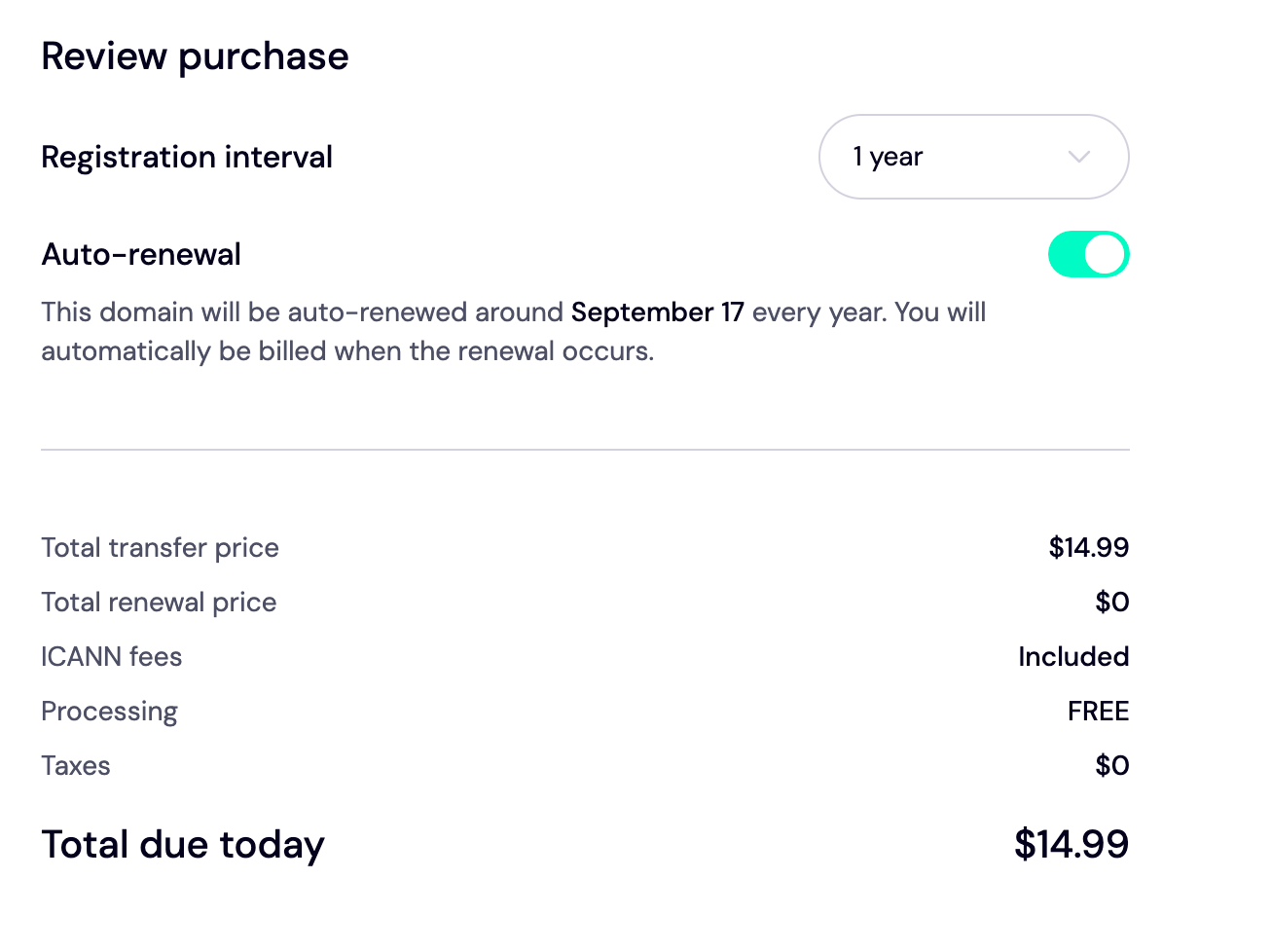
As with other domain registrars, you can only register your domain for at least a year and up to ten years, depending on your budget and objectives for the domain.
Once you do, move on to the next step.
Always enable auto renewal on your domain account to prevent your domain from expiring without notice.
Make Your Payment
Now that everything has been checked, go ahead and click 'Pay' on your screen. Voila! Your domain name will arrive in Trustname in 5 to 6 working days.
Fast Track The Transfer
Transferring your domain from Porkbun to Trustname takes at most 5 days. However, you can accelerate this period and have it transferred almost immediately.
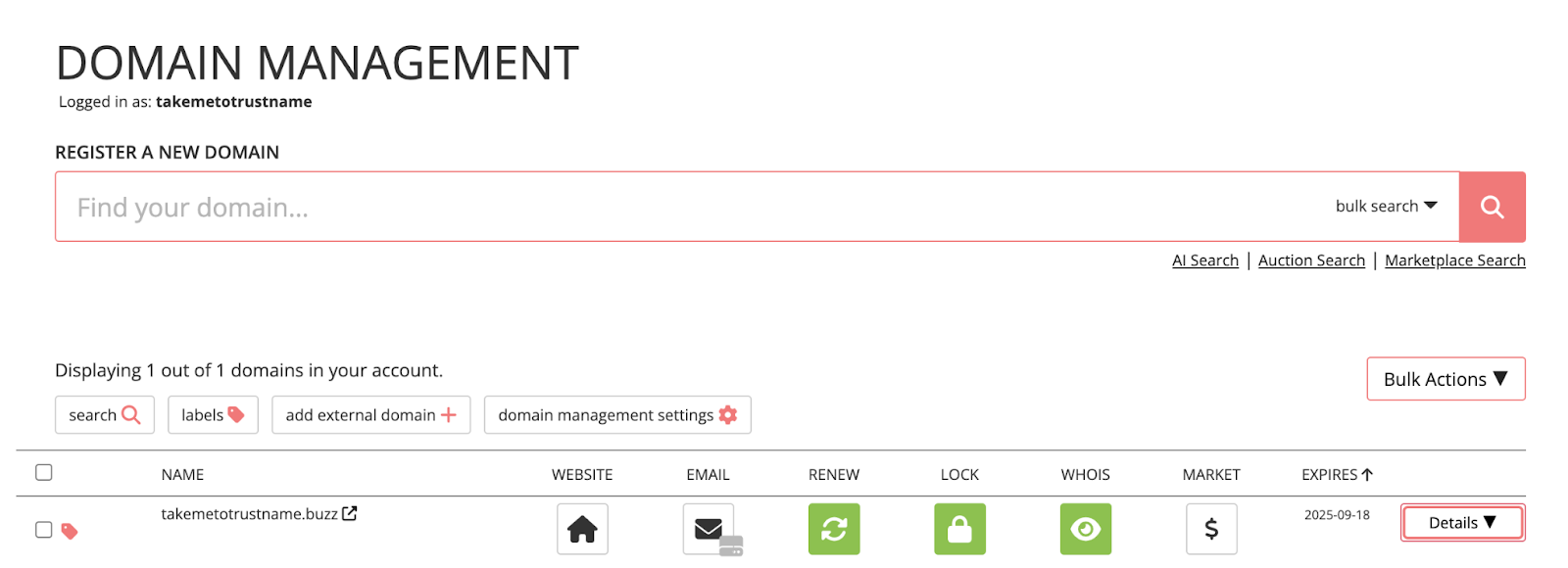
To do this, Log In to your Porkbun account and navigate to the 'Domain Management' page. Then, click the inverted triangle icon tagged 'Details'.
Scroll down to the 'Registrar Transfer' area and click 'Approve Transfer Out'.
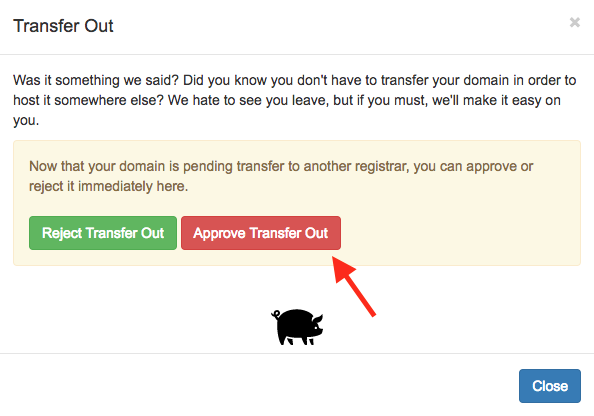
And that's it! Welcome to Trustname!
Safeguarding Your Domain At Trustname
Now that your domain is at Trustname, we've provided advanced security and domain management features to help you secure your account and domain without hassle
- Verify DNS Settings
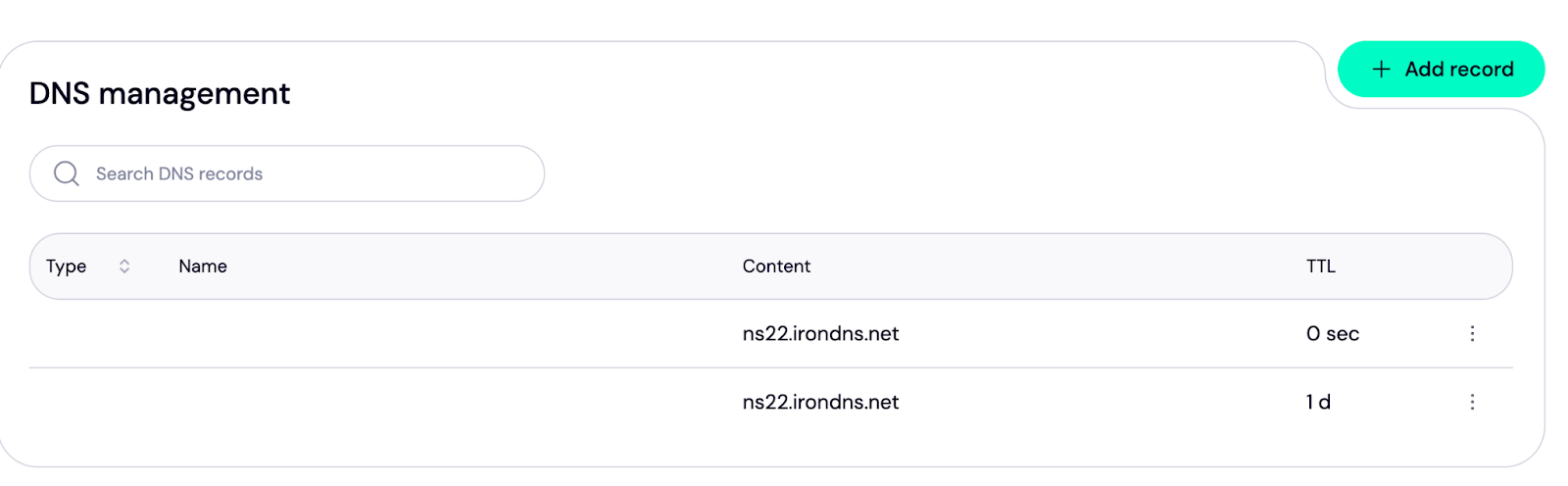
You can edit, manage, and configure your domain nameservers and DNS records on Trustname.
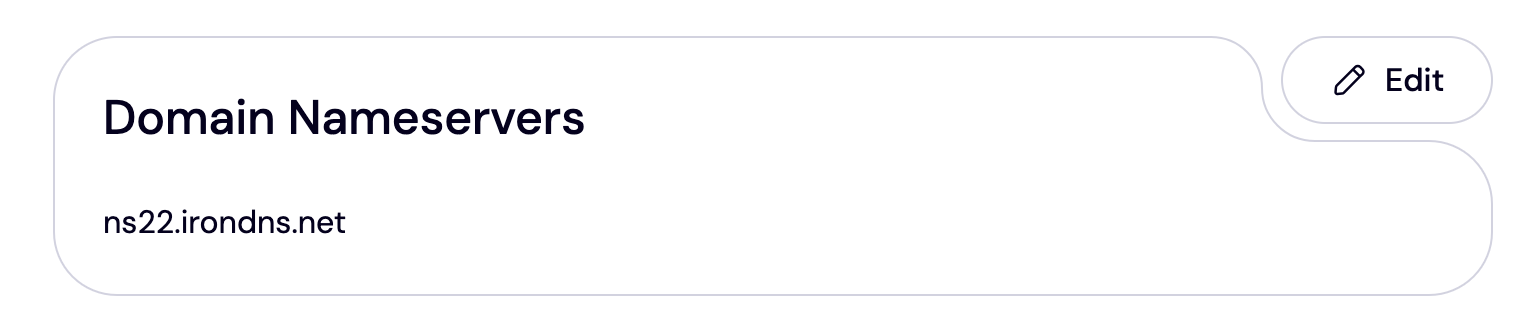
To review your nameservers, head to your customer portal and select 'Domains >>> Registered Domains >>> Select Domains'. The nameservers are listed under the Domain Nameservers section.
To check your DNS record, navigate to 'General Info' at the top of the page. Here, search for 'Hosted Zone' and click 'View'.
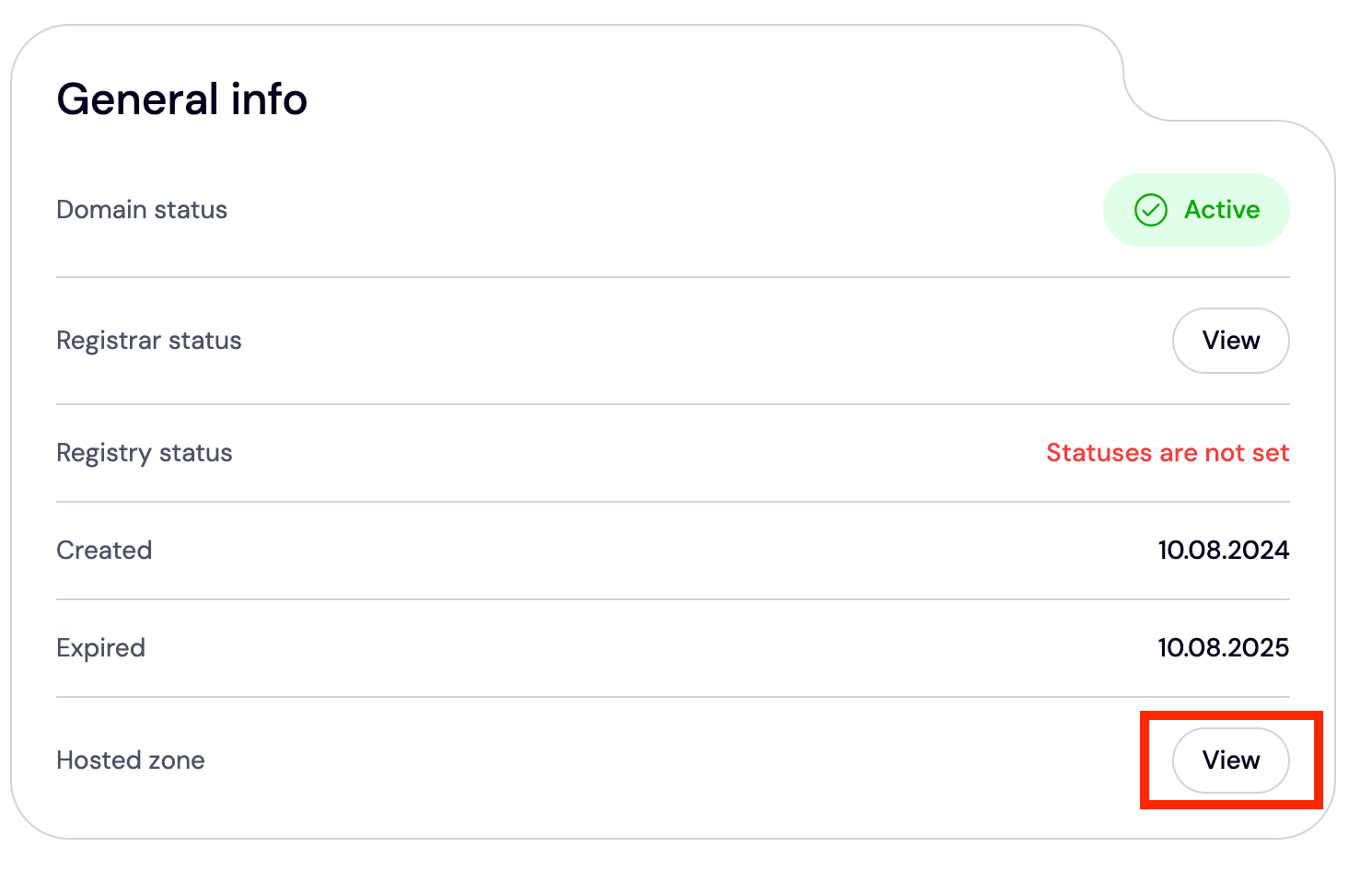
Then, you'll be redirected to the DNS management page. You can add or remove existing DNS records, change your nameservers, and enable DNSSEC.
- Set Up Two Factor Authentication (2FA)
With 2FA enabled on your account, anyone who tries to access or hijack your domain will need your credentials and a unique code generated by the authenticator app on your mobile device. Even if your password has been compromised, no one can access it without this code.
To set up 2FA on your Trustname account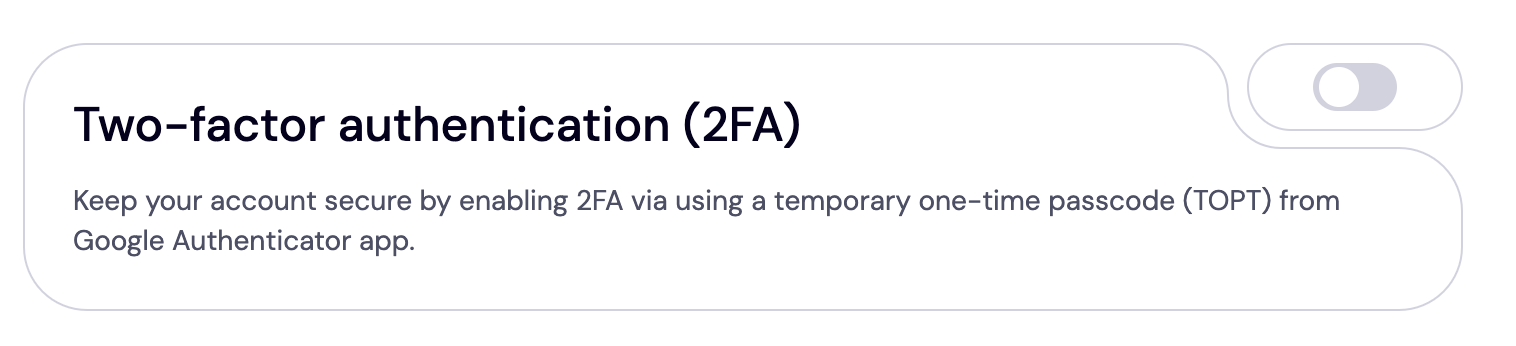
[+] [List] Green Ordered - Go to your customer portal and click 'My Profile' at the top right corner of the page.
- Select 'Account Settings' from the drop down menu.
- Scroll down to the 'Two-factor Authentication (2FA)' section.
- Click the toggle button to display the QR code or secret key.
- Download an authenticator app from the Google Play Store or Apple App Store.
- If you don’t have a preferred app, Google Authenticator is recommended as it is one of the most popular and secure options available.
- After setting up your account in the authenticator app, tap 'Scan QR' to scan the code shown on your screen.
- Alternatively, you can manually enter the setup key, though this may take longer.
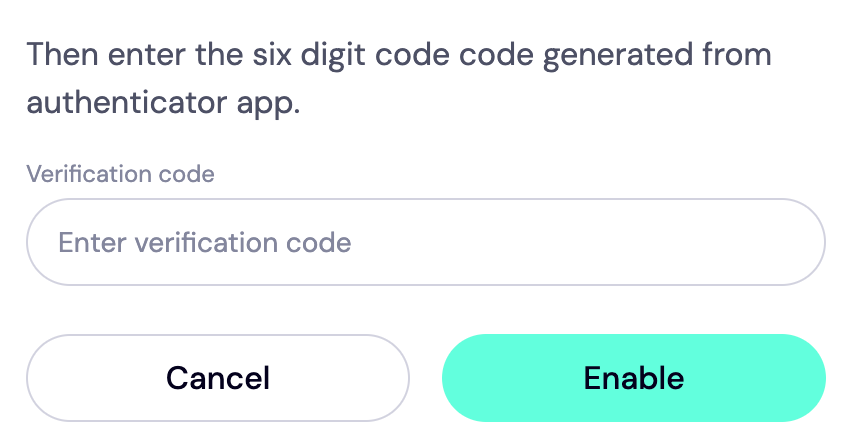
- A 6 digit code will be generated in the authenticator app.
- Enter this code into your Trustname portal.
- Click 'Enable' to complete the setup.
[+] [Callout] Info Insert title here [+] [Callout] Title/Title with Icon -> Your authenticator app will provide backup codes in case you lose or cannot access your device. Store this code in a notepad or text editor file.
Read More:How to set up two-factor authentication (2FA) on Trustname. - Use Domain Lock
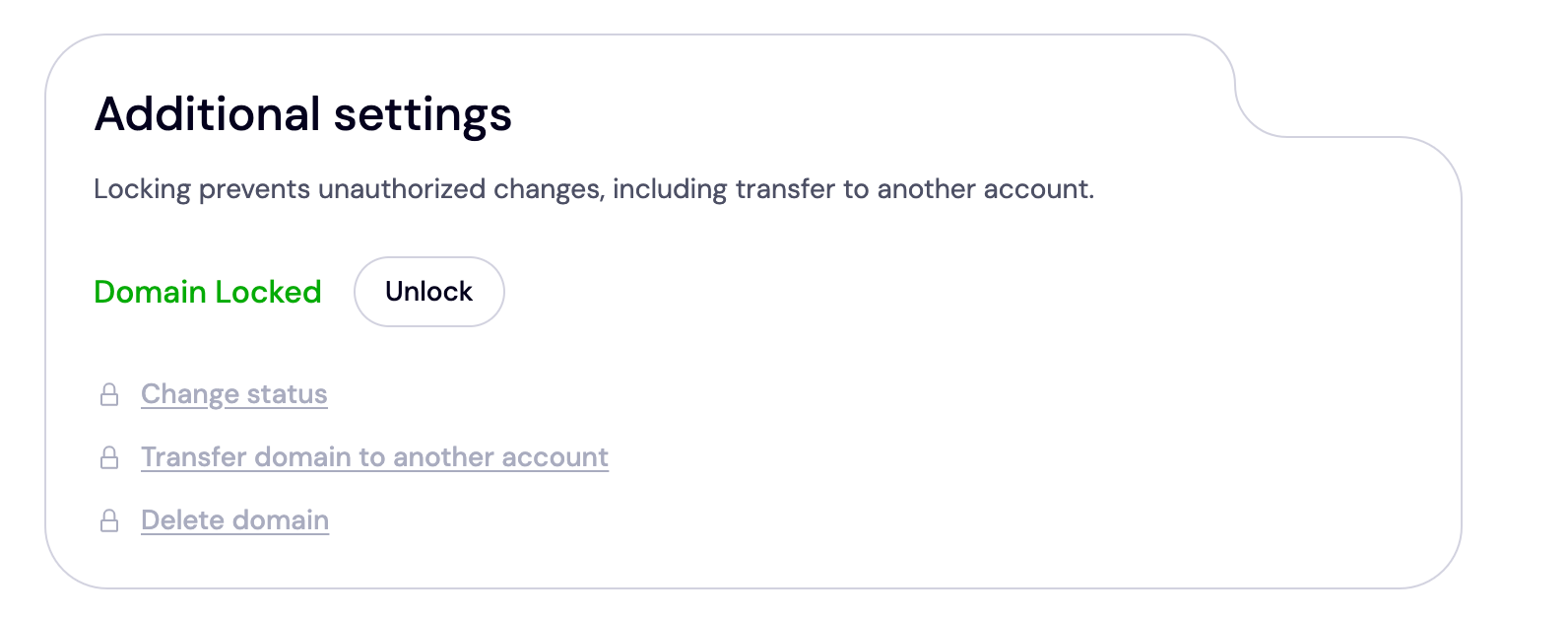
Once your domain is transferred to us, we automatically place a domain lock on it. However, you can always review your domain lock settings on your customer portal.
To do this, click 'Domain >>> Registered domains >>> Select domain' and navigate to the Additional settings section at the near bottom of the page.
- Enable Two-Tier Domain Privacy Protection
Once your domain is listed with us, we automatically enable the second tier of our domain privacy protection – the standard Whois privacy common to most domain registrars. This masks your domain's contact details from the Whois database.
However, when you register your domain and choose 'Use a pre-defined contact' for your contact details, you're now using two-tier domain privacy. It's optional, and you can turn it on/off right from your customer portal.
Head to 'Domains >>> Registered Domains >>> Domain Contacts' to review this setting.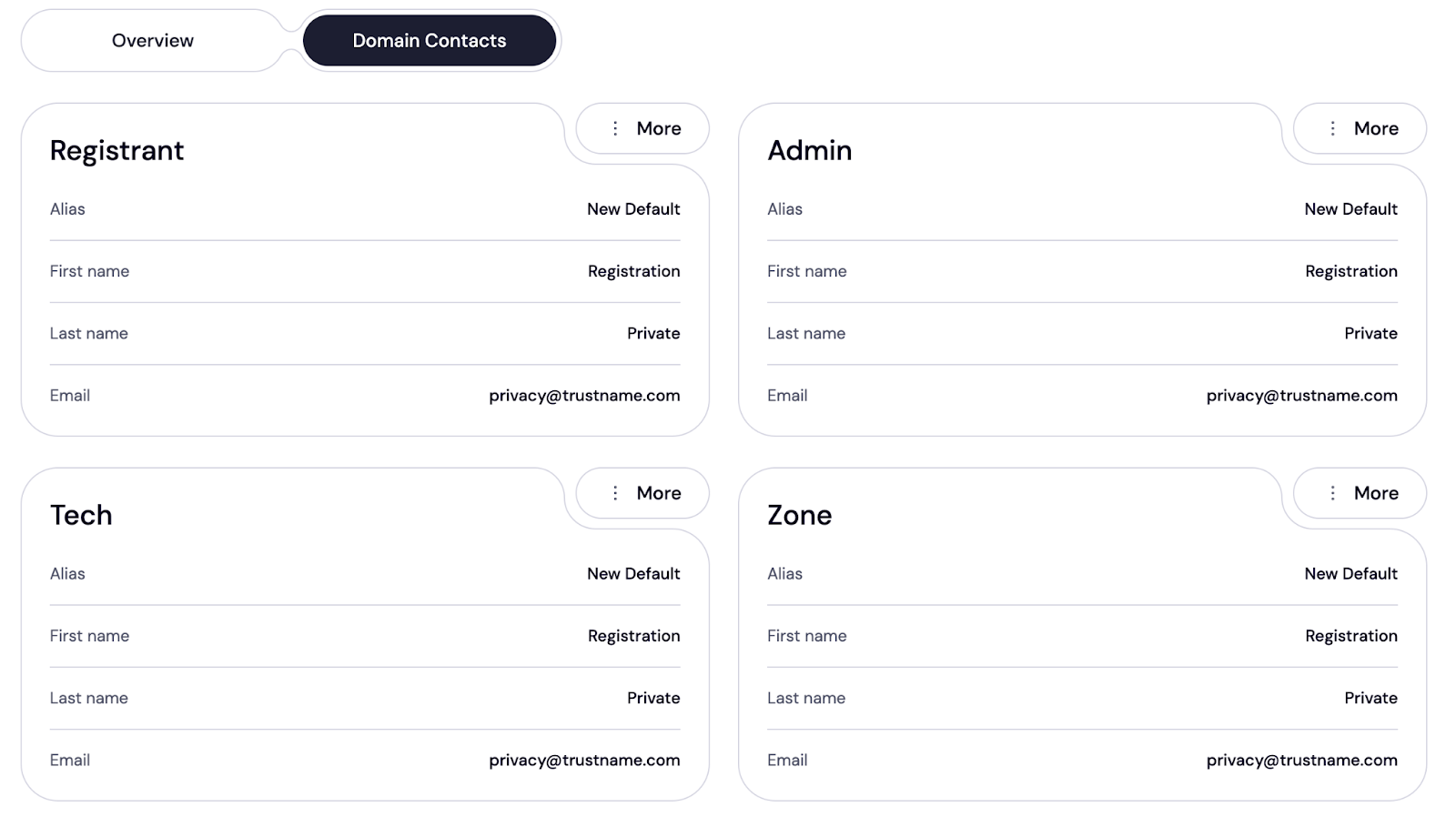
Read more about Trustname Two Tier Domain Privacy Protection and how it works.
Can You Get a Free Domain Transfer?
Technically, no. Transferring your domain to Trustname comes with a $7.77 fee (if you use our promo code). Once you do, we add an extra year to your domain's expiry date and give you free access to all our advanced domain management and security features.
All of these are worth $14.99 on our platform.
Troubleshooting Failed Domain Transfers
Still couldn't transfer your domain to Trustname even after following the above steps?
These are common issues why domain transfers fail and how to resolve them:
- Wrong Auth Code
The transfer will only be successful if you input the correct authentication code. To be sure, copy it directly from Porkbun and paste it in the required field on Trustname instead of typing it out manually.
- Domain Is Not Eligible For Transfer
If you've just transferred your domain from another registrar to Porkbun or altered the contact details, or transferred ownership to another person within the last 60 days, you won't be able to transfer your domain. This is because ICANN imposes a mandatory lock on the domain for 60 days.
So, verify your domain isn't under this lock before transferring.
- Failure To Approve The Transfer On Trustname
Once your domain has been transferred to Trustname, you still need to approve it in your customer portal before it appears in your account. To do this, go to 'Domains >>> Transfers >>> My Transfers'. Locate your domain on the 'Transfer-in' page and click 'Accept'.
- Missing Approval Requests
If you use your contact details when registering your domain, you must verify them before the transfer is completed. Constantly refresh your email inbox for our instructions on how to do this.
- The Domain Lock Is Still Active
Lastly, your domain transfer might be unsuccessful because of a domain transfer lock on your account. Re check your Porkbun account to verify if all the locks have been deactivated.
Rounding Up
If you've been searching for the best alternative to Porkbun, Trustname is the perfect choice. We offer more value for your money, an intuitive interface, friendly renewal policies (& rates), customer centricity, domain management features out of the box, and reliable support.
To transfer your domain from Porkhub to Trustname, confirm your domain's eligibility, remove all domain locks, obtain the authorization code, and expedite the process to a few minutes right from your Porkbun dashboard.
Then, head over to the Trustname transfer portal to initiate a transfer. Enter your domain and the auth code in the required field and follow the prompts to register your account. You'll be charged $7.77 (if you use our promo code) and get an extra year added to your current expiry date as a part of our welcome package.
See you onboard!